← All work

FiftyFlowers · Customer support

Customer service AI

Support replies, drafted with the right knowledge.

Four AI apps for inquiries, reviews, claims and chargebacks, with shared case history and a Chrome sidepanel. They replaced the paid AI writing tool the team used before, saving about $24,000 a year.
PROJECTCustomer service AI
MY ROLEAI Solutions Engineer · FiftyFlowers
STAGEIn production · since January 2026
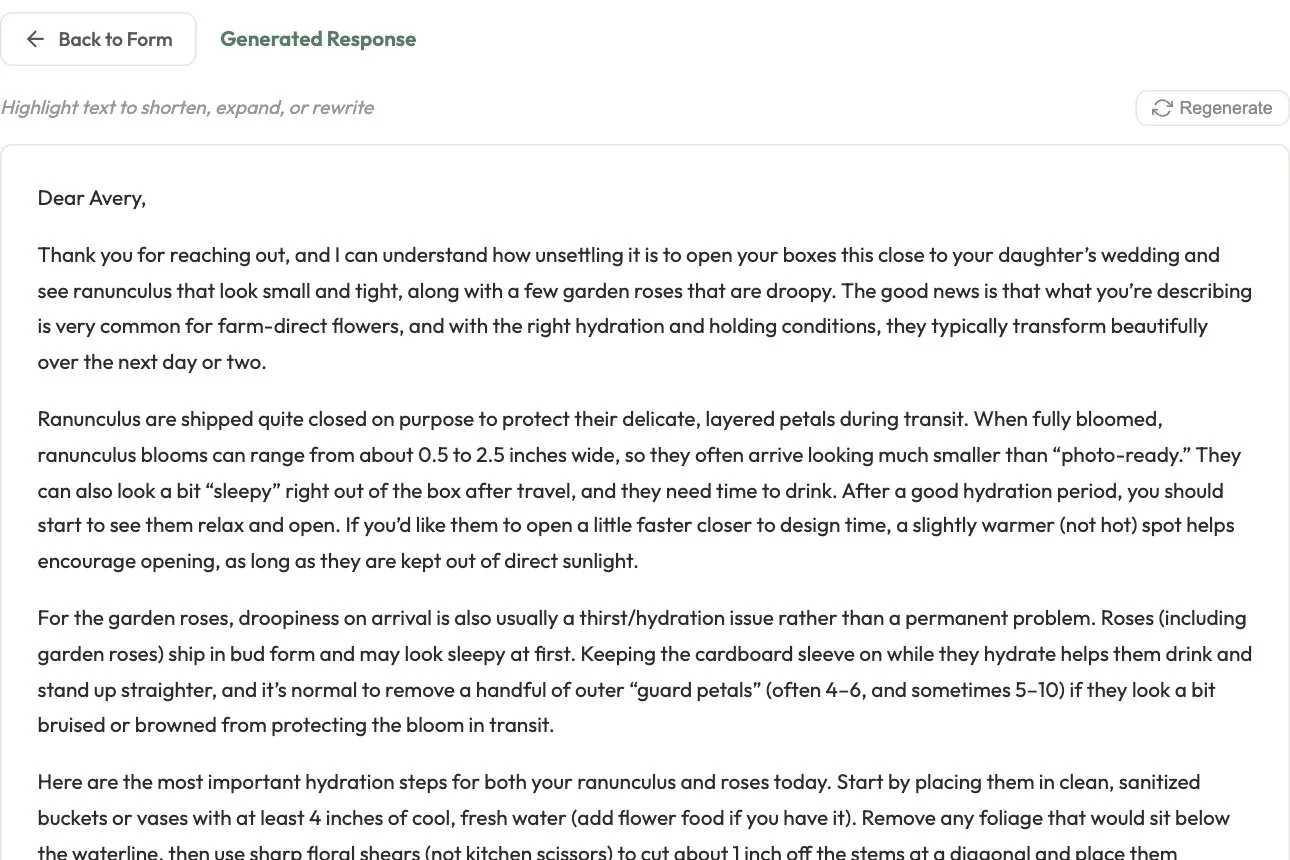
A drafted customer reply about ranunculus and garden roses in the support app

CS Inquiry on the live product with an invented care question: the first screen of the reply it drafted. The representative’s name is replaced.

The context

A problem worth solving.

Support representatives answer very different situations: care questions, public reviews, damage claims and card disputes. Each needs the right policy, voice and numbers, and each case can run over several messages.

My contribution

What I brought to the work.

Built the four support apps, the shared chat and case history, and a Chrome sidepanel that brings three of the apps (inquiries, reviews and claims) into the support tools the team already uses. Migrated the platform’s serving layer from AWS Lambda to Firebase and Google Cloud.

The product

What it makes possible.

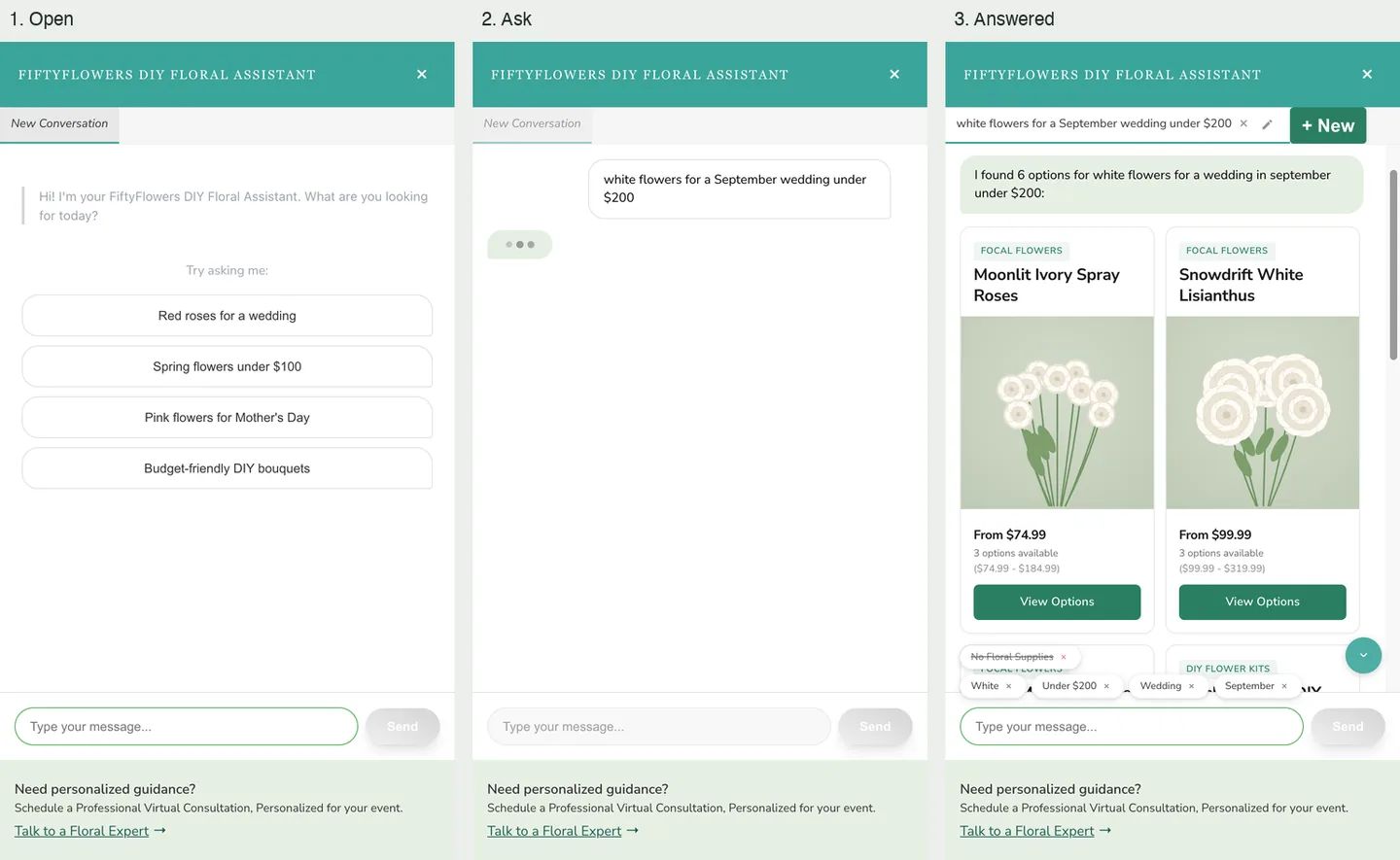
Three captures of the live product come first, then a full walk through the workspace from a local run.

01

Four task-focused apps

Inquiry, Reviews, Claims and Chargeback each combine a form with a chosen brand voice, audience and knowledge articles, then produce an editable draft.

02

Numbers the reply can trust

In the web app, Claims calculates the refund and the store-credit alternative from the damaged products, and the drafted reply quotes those figures exactly.

03

Knowledge the representative confirms

Articles are matched by keywords and tags and shown before drafting, so the representative sees what the reply will rely on.

04

One case, start to finish

Input, AI draft, edits, regeneration and follow-ups are saved as one case that can be reopened in its original app.

05

Where the team works

A Chrome sidepanel recognizes highlighted text on approved support sites and offers the right form, a quick rewrite in the company voice, or a follow-up drafted from the case history.

At a glance / simplified product view

  1. 01Customer message
  2. 02Form and company knowledge
  3. 03Reviewed reply

The live product

Real drafts, for invented cases.

In production since January 2026

These three pictures are existing captures of the live product. The cases in them were invented and entered for documentation, and the drafts are what the product wrote for them.
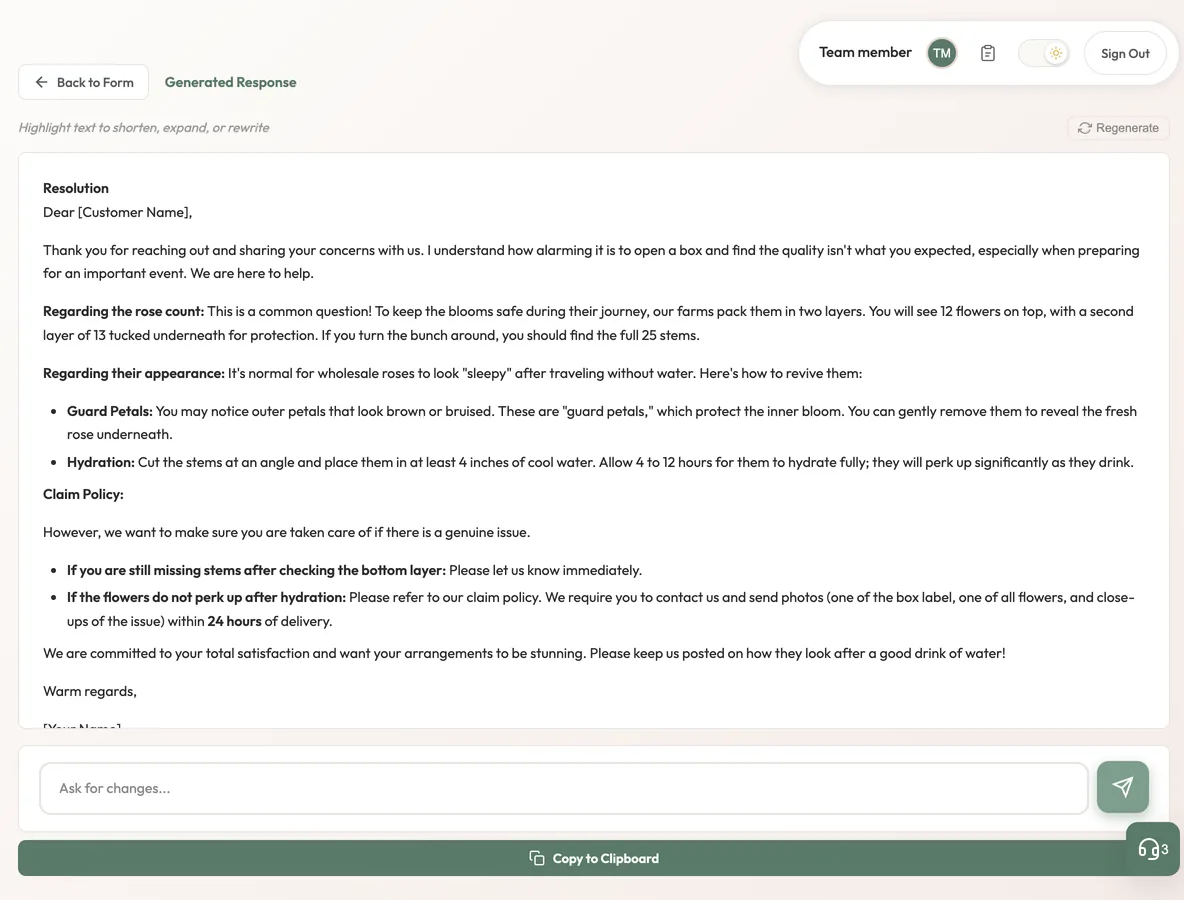
A drafted customer reply about ranunculus and garden roses in the support app
A drafted replyCS Inquiry on the live product with an invented care question: the first screen of the reply it drafted. The representative’s name is replaced. Existing captures of the live product, invented cases.
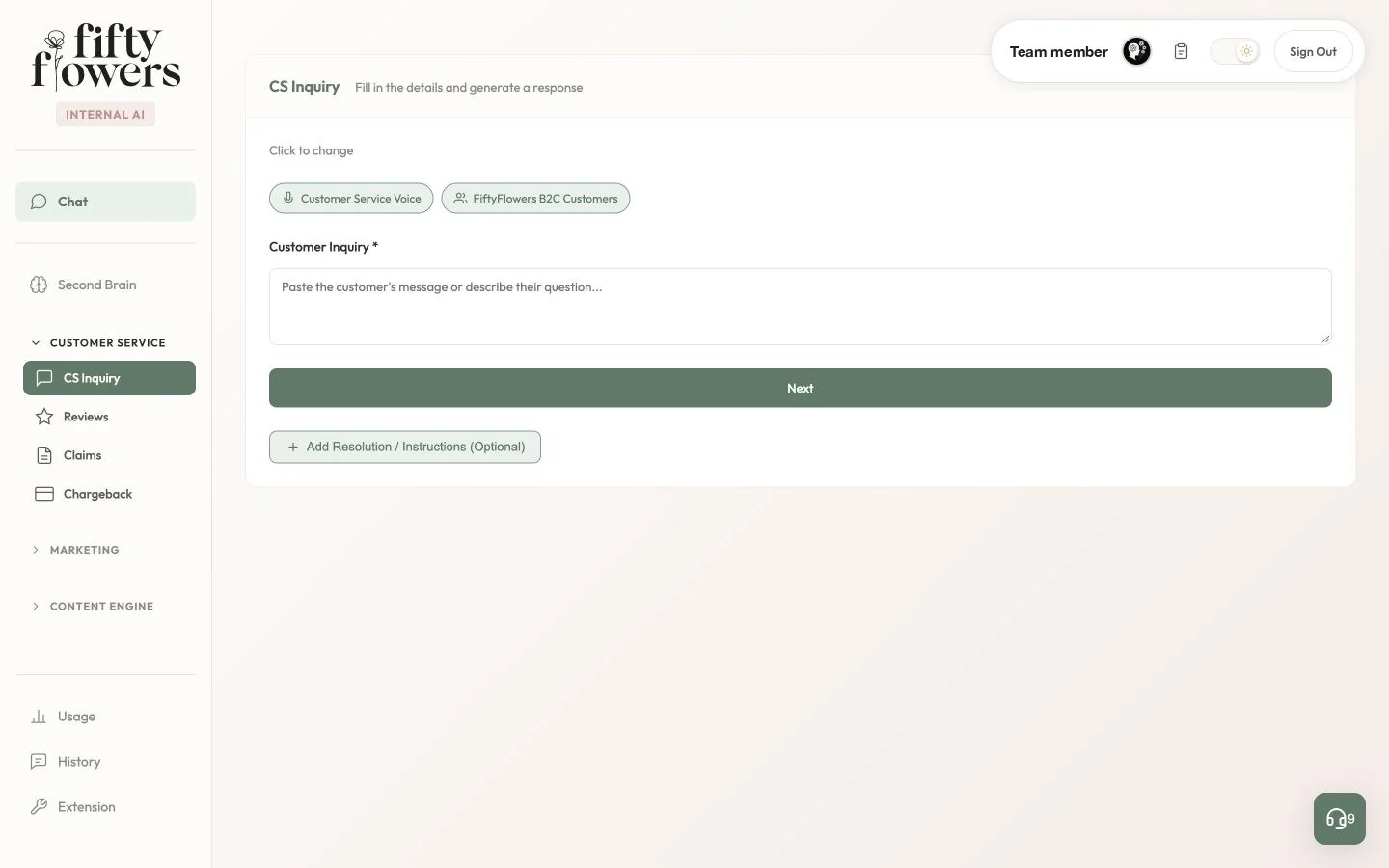
The CS Inquiry form with a menu listing CS Inquiry, Reviews, Claims and Chargeback
Four apps in one menuThe CS Inquiry form before anything is generated, with the four support apps in the menu. Existing captures of the live product, invented cases.
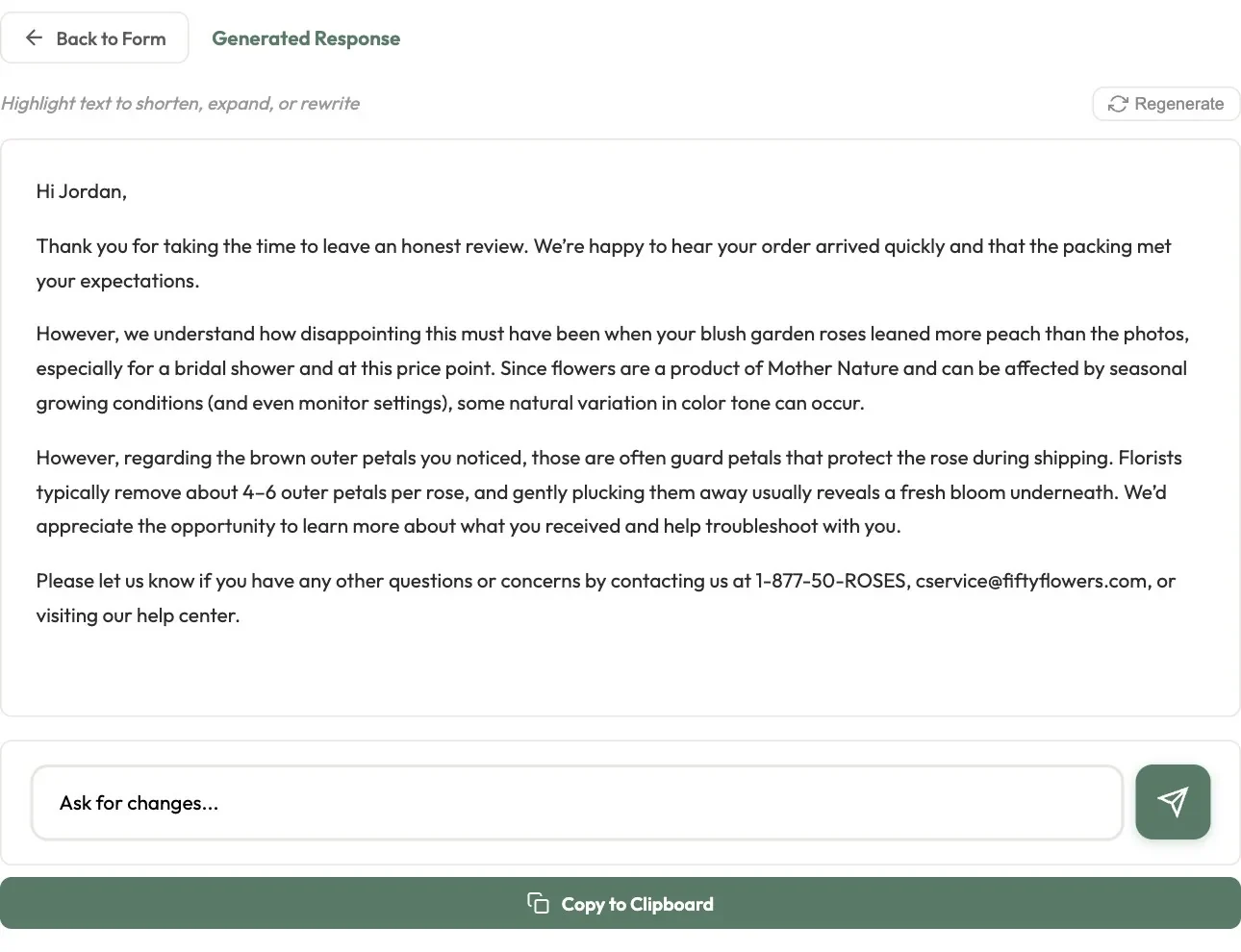
A drafted public reply to a product review
A public reply to a reviewReviews: a plain-text public reply to an invented two-star review. The sign-off line is left out of the picture. Existing captures of the live product, invented cases.

The four apps · a local run

From the customer’s words to a reply ready to send.

Every app works the same way: paste what the customer said, let the app pick the company knowledge that applies, say what the reply should do, then edit the draft and copy it out. The pictures from here on are the workspace’s own code running on my machine with an invented knowledge base, invented orders and customers, and a stand-in in place of the AI. Each draft shown is a reference reply from the project’s own test set, and no AI was called for a picture.
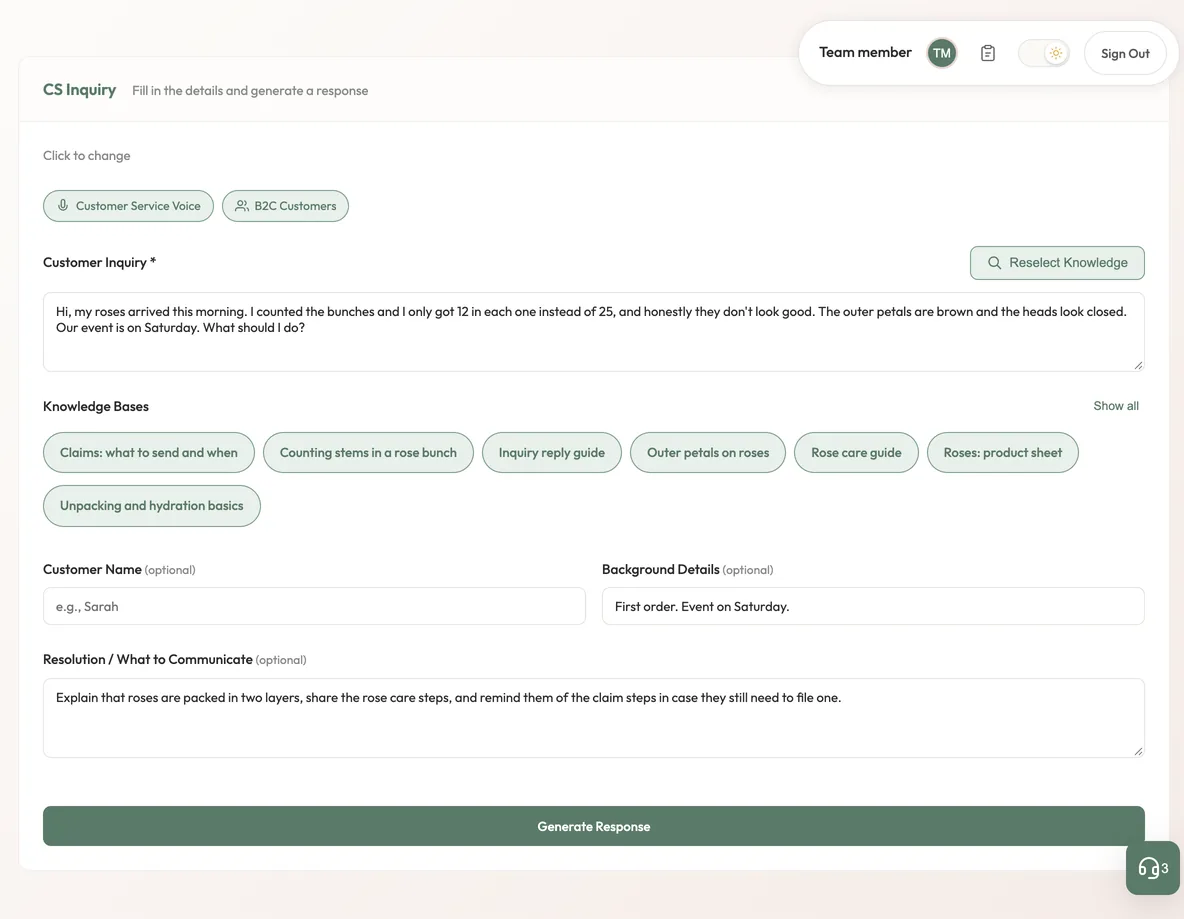
The CS Inquiry form with a customer message, seven ticked knowledge chips and optional fields
The knowledge the app pickedA customer’s message after Next: the app has ticked the knowledge articles that match, and the rep adds the facts and the resolution before generating. The articles are invented for these pictures. Local run, invented knowledge base and orders.
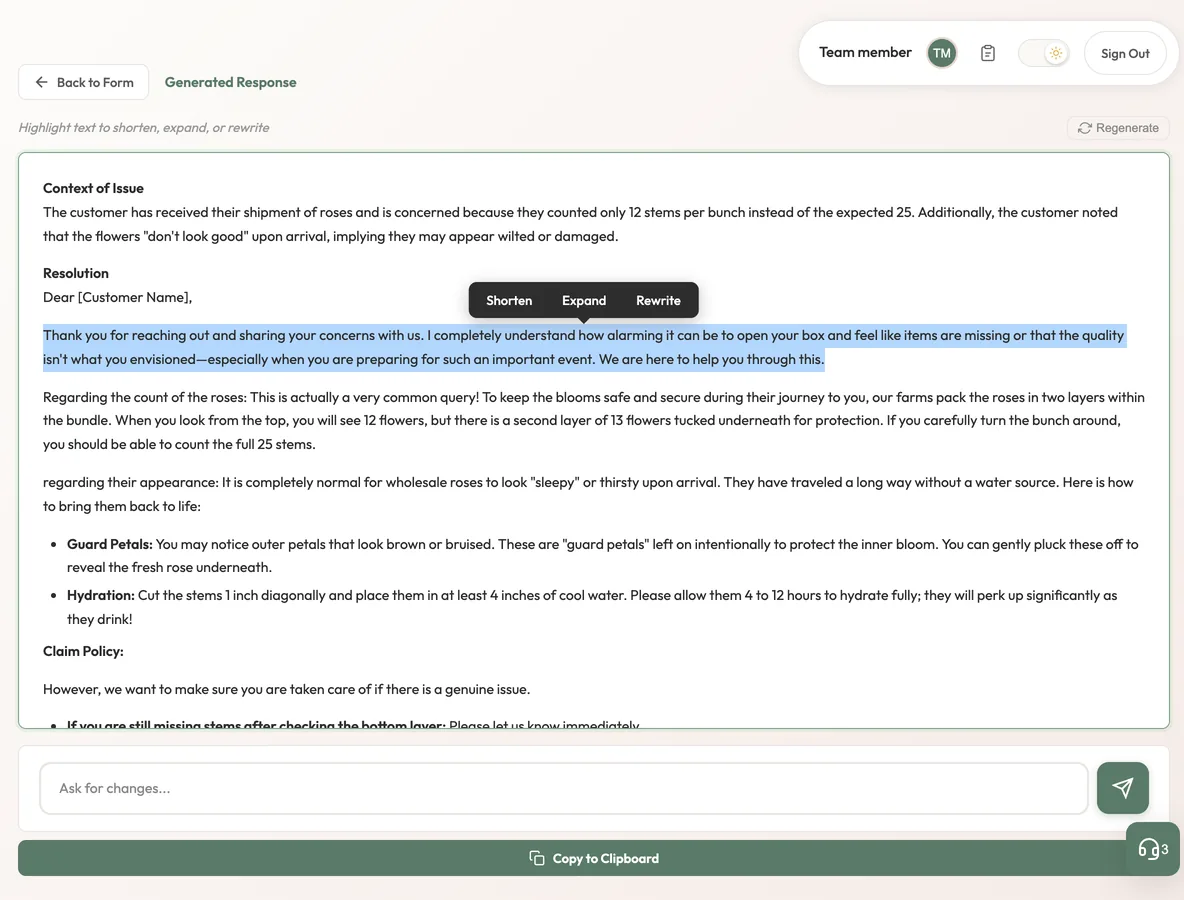
A drafted reply with one paragraph selected and a small toolbar offering Shorten, Expand and Rewrite
Edit the part that needs itSelecting a passage of the draft brings up Shorten, Expand and Rewrite for that passage only. The draft text is a reference reply from the project’s own test set, returned by a stand-in; no AI was called for this picture. Local run, invented knowledge base and orders.
The reply view after a refinement, with an Ask for changes box and a Copy to Clipboard button
Or ask for a change in plain wordsAn instruction typed under the draft rewrites the whole reply in place. The draft text is a reference reply from the project’s own test set, returned by a stand-in; no AI was called for this picture. Local run, invented knowledge base and orders.
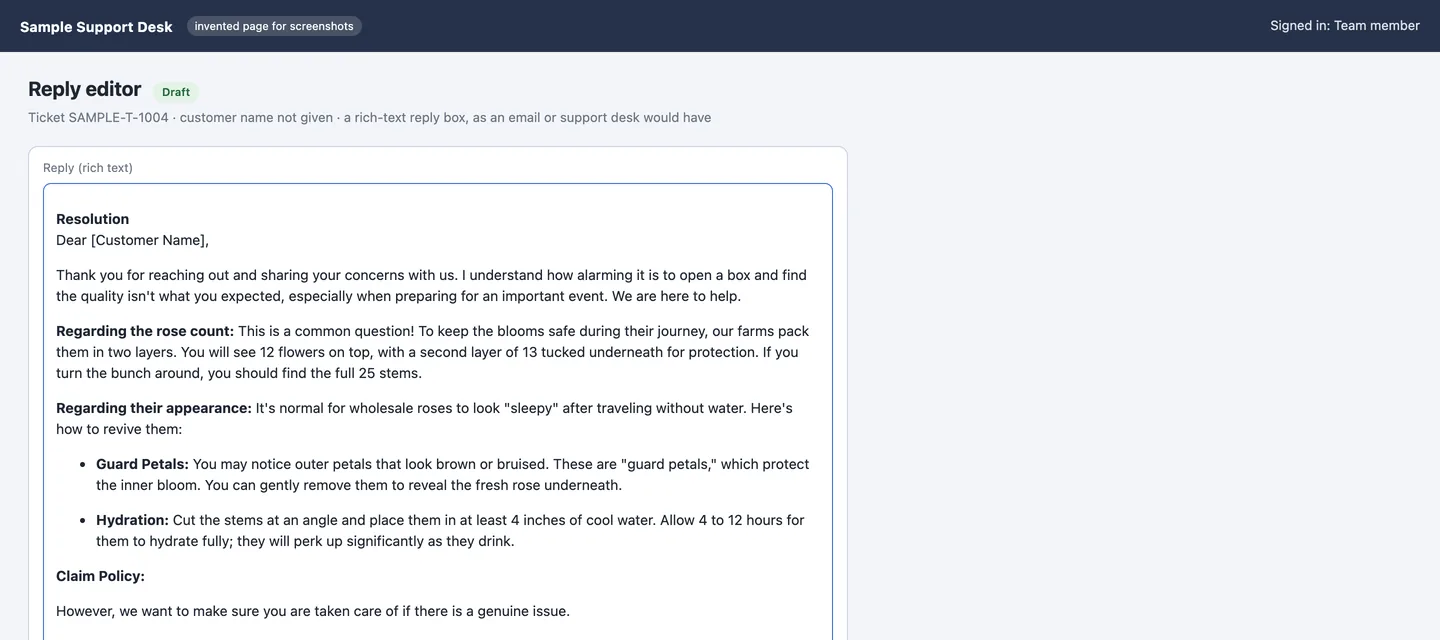
A formatted reply pasted into a rich-text reply editor
Copied out with its formattingCopy to Clipboard carries the headings, bold labels and bullets, shown here pasted into a reply box on a support-desk page invented for these pictures. The draft text is a reference reply from the project’s own test set, returned by a stand-in; no AI was called for this picture. Local run, invented knowledge base and orders.
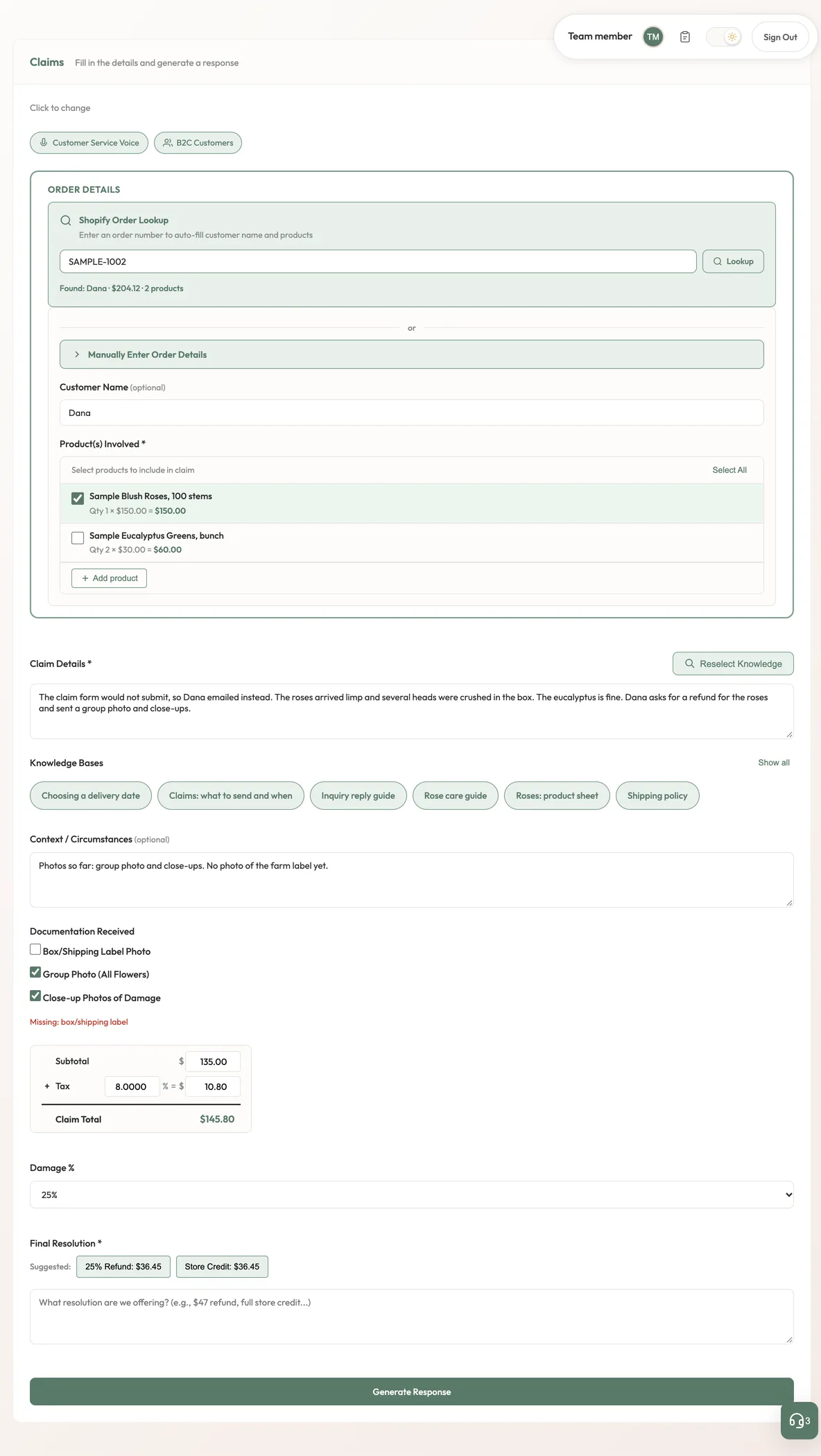
The Claims form with an order lookup, two products, a documents checklist and a refund calculator
Numbers worked out before a word is writtenClaims with an invented order looked up: the rep ticks the affected products, and the calculator works out the claim subtotal after the order discount, the tax, and the refund or store credit for the damage chosen. The reply is told to quote those amounts exactly. Local run, invented knowledge base and orders.
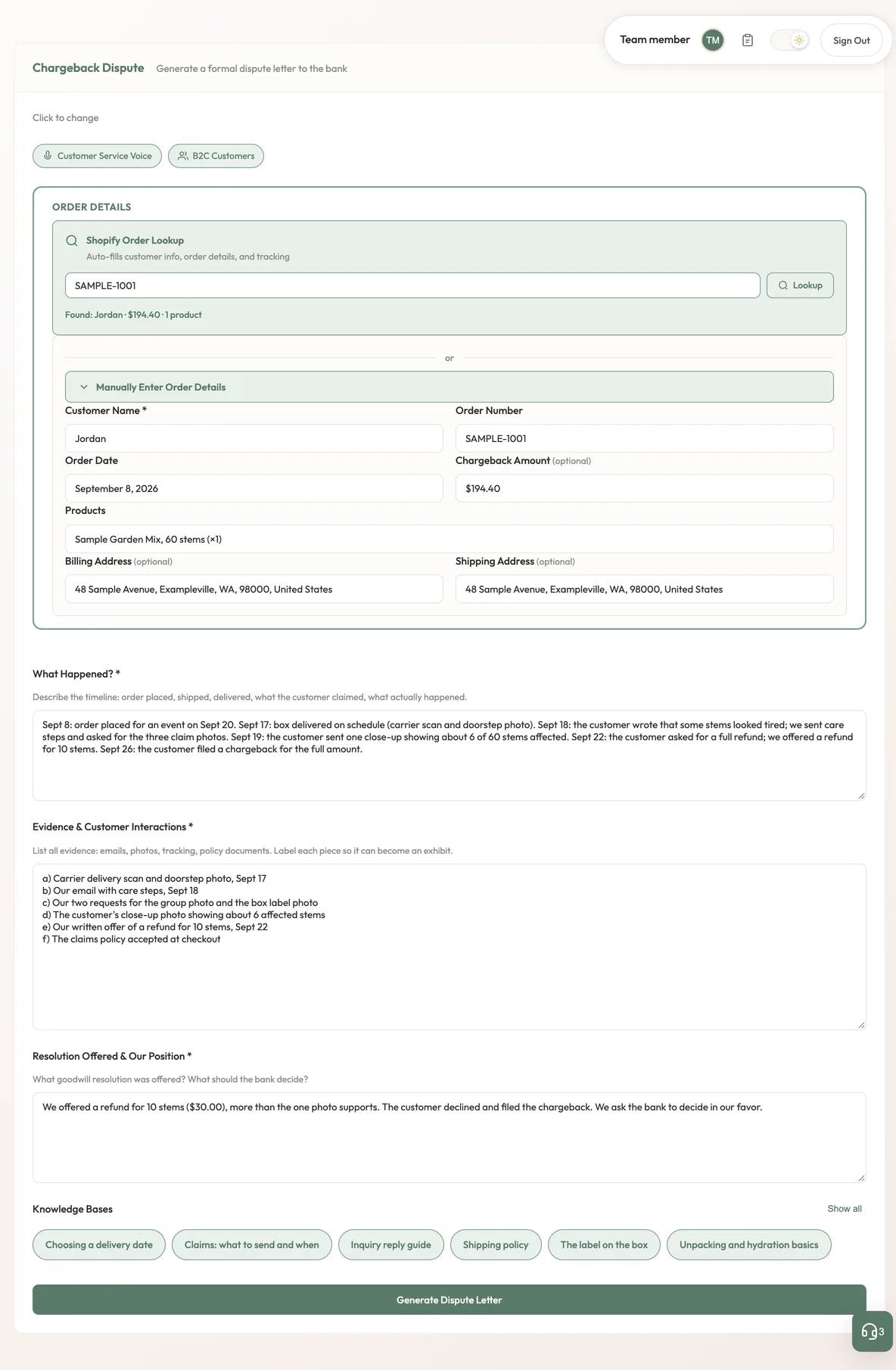
The Chargeback form filled with order details, a timeline, an evidence list and a resolution
A dispute letter starts from the factsChargeback with an invented dispute: the order details filled from a lookup, the dated timeline, the evidence list and the position for the bank, above Generate Dispute Letter. Local run, invented knowledge base and orders.

History

Nobody starts a case from scratch.

Every draft, regeneration and edit is saved with the form that produced it, so the next person can read what happened, reopen the case in its app, or draft the reply to the customer’s next message.
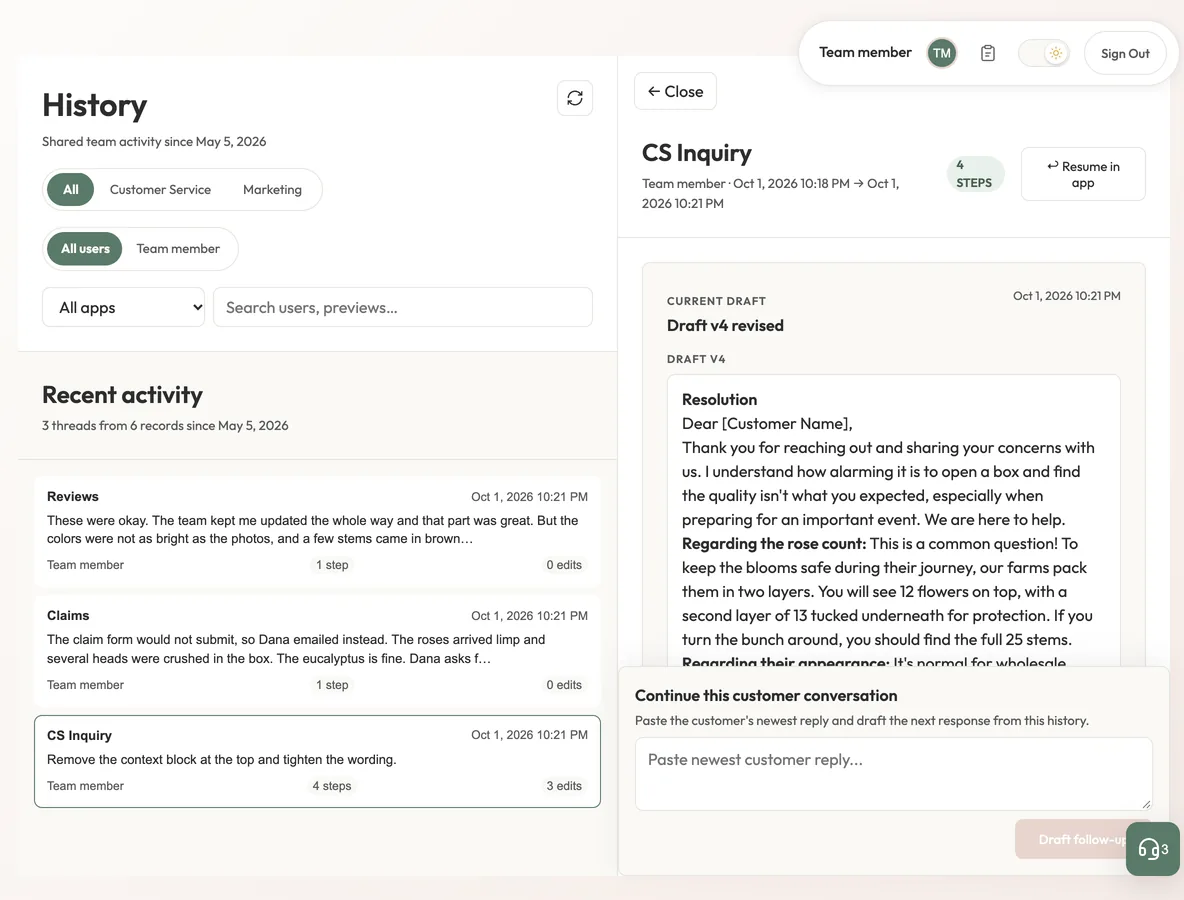
A History page with a list of cases and one case open showing its current draft and timeline
A case, with every step keptHistory lists the team’s saved cases; this one has four numbered steps, from the first draft to a refinement, and can be reopened in its app. The draft text is a reference reply from the project’s own test set, returned by a stand-in; no AI was called for this picture. Local run, invented knowledge base and orders.
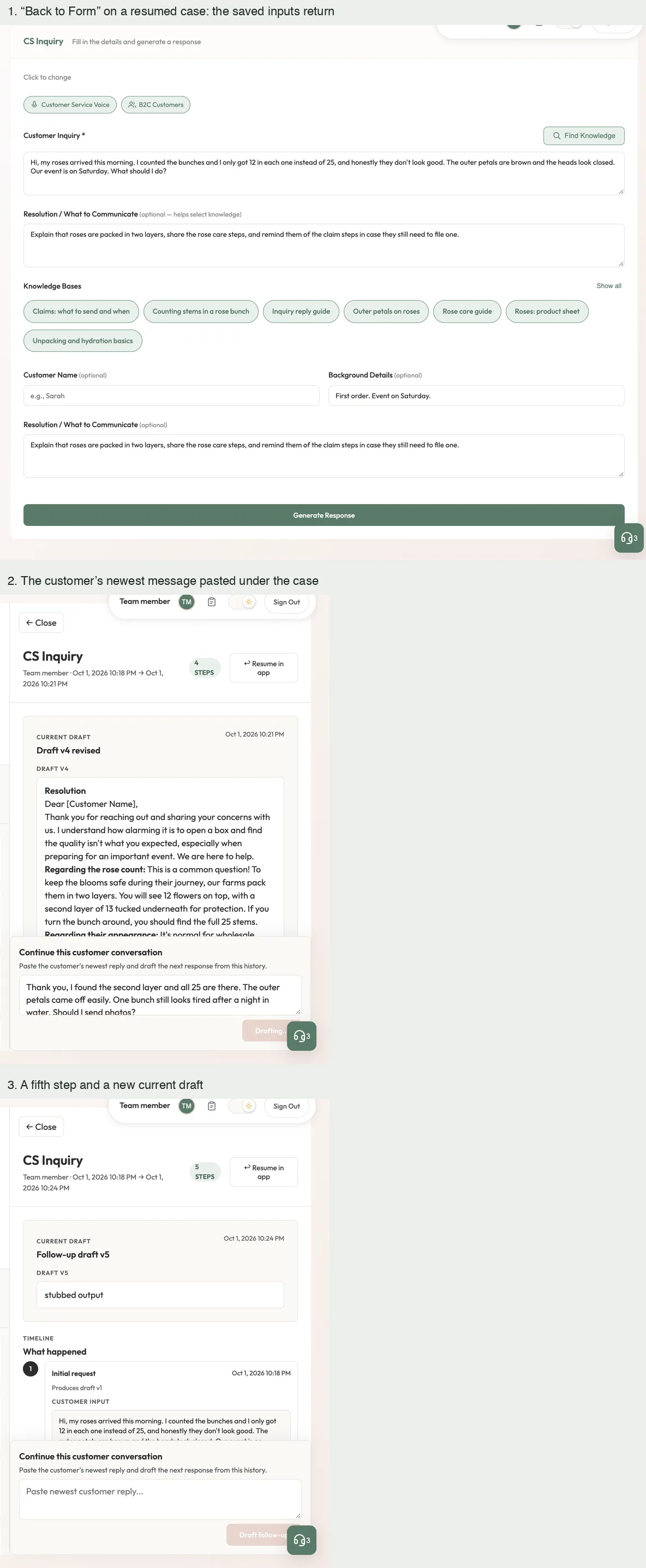
Three views: a reopened form, a customer reply pasted under a case, and the case with a fifth step
Reopen it, or draft the follow-upA reopened case brings back its inputs. Pasting the customer’s newest message under the case drafts the next reply as a fifth step. In the third panel that draft reads “stubbed output”: it is the test stand-in’s default text, because no AI was called. Local run, invented knowledge base and orders.

The Chrome side panel

The apps come to where the team works.

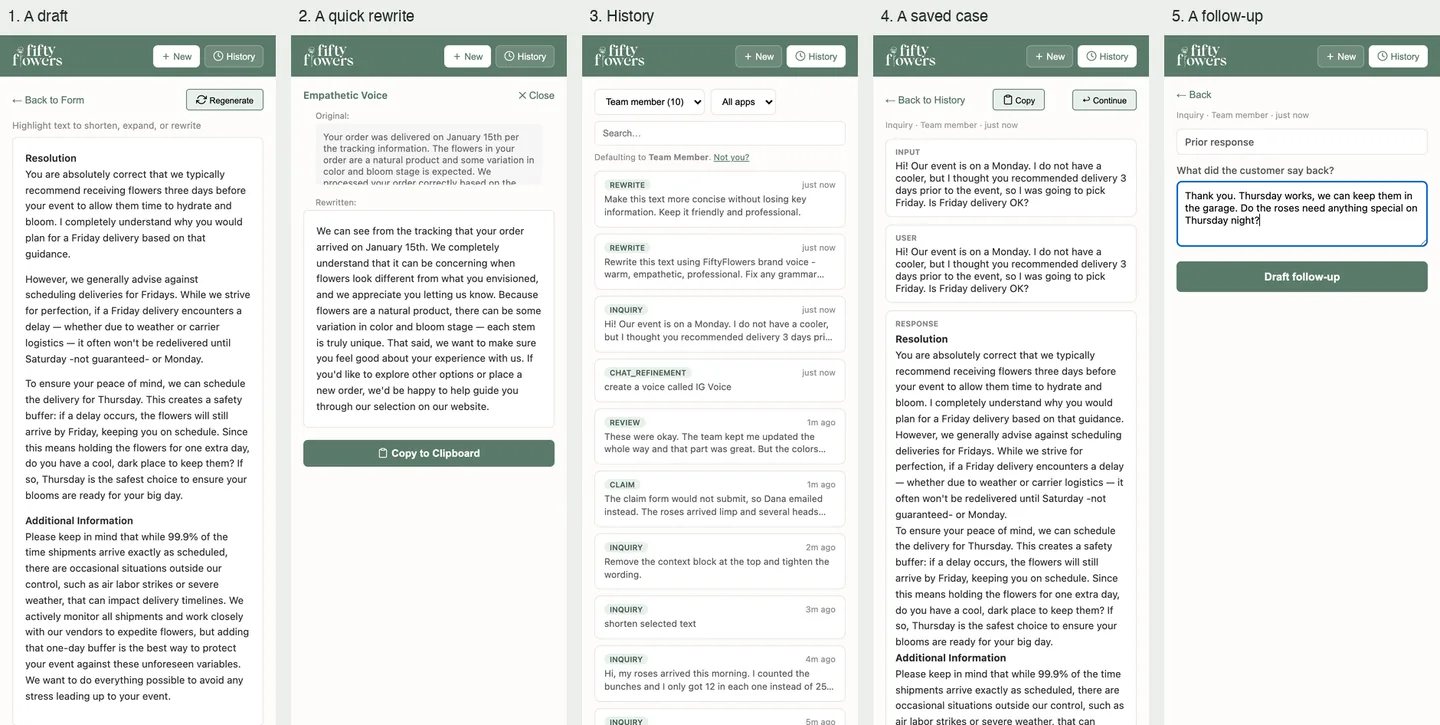
A Chrome extension brings three of the apps into the support desk and other approved sites. Its cases land in the same history as the web app’s. These pictures are the extension’s own code in a throwaway browser profile, on a support-desk page invented for them.
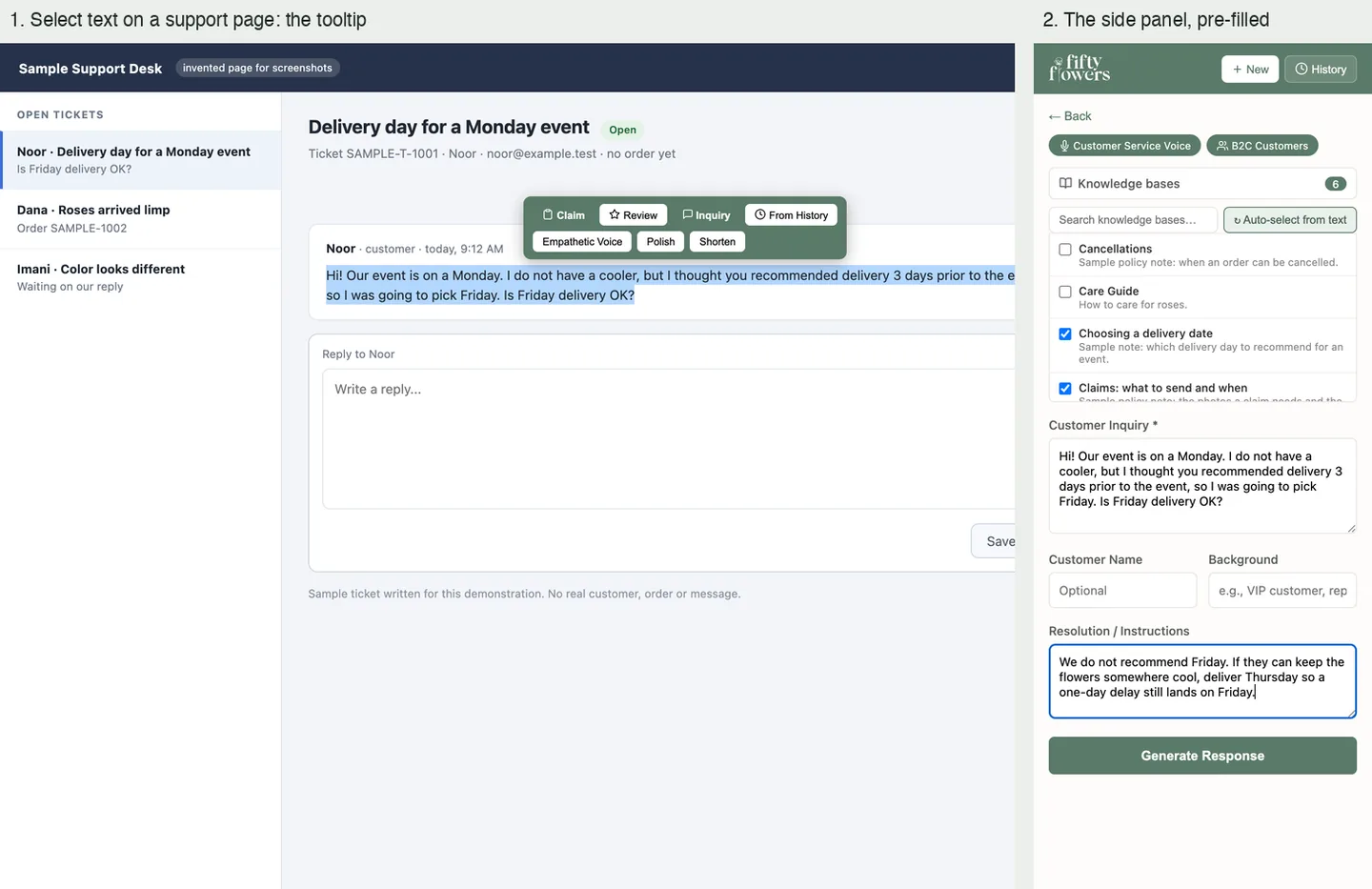
A support ticket with selected text and a toolbar, beside a side panel form filled with that text
Select the customer’s words, pick an appOn a support ticket, selecting the customer’s message brings up a small toolbar; picking Inquiry opens the browser’s side panel with the message already in the form and knowledge ticked. The support desk is a page invented for these pictures. Local run, invented knowledge base and orders.
Five narrow side-panel views: a draft, a rewrite, a history list, a saved case and a follow-up form
The whole flow, without leaving the ticketThe side panel’s views: a draft, a quick rewrite with the original above it, the team’s history, a saved case, and a follow-up. The draft text is a reference reply from the project’s own test set, returned by a stand-in; no AI was called for this picture. Local run, invented knowledge base and orders.

Behind the drafts

The team owns what the AI is told.

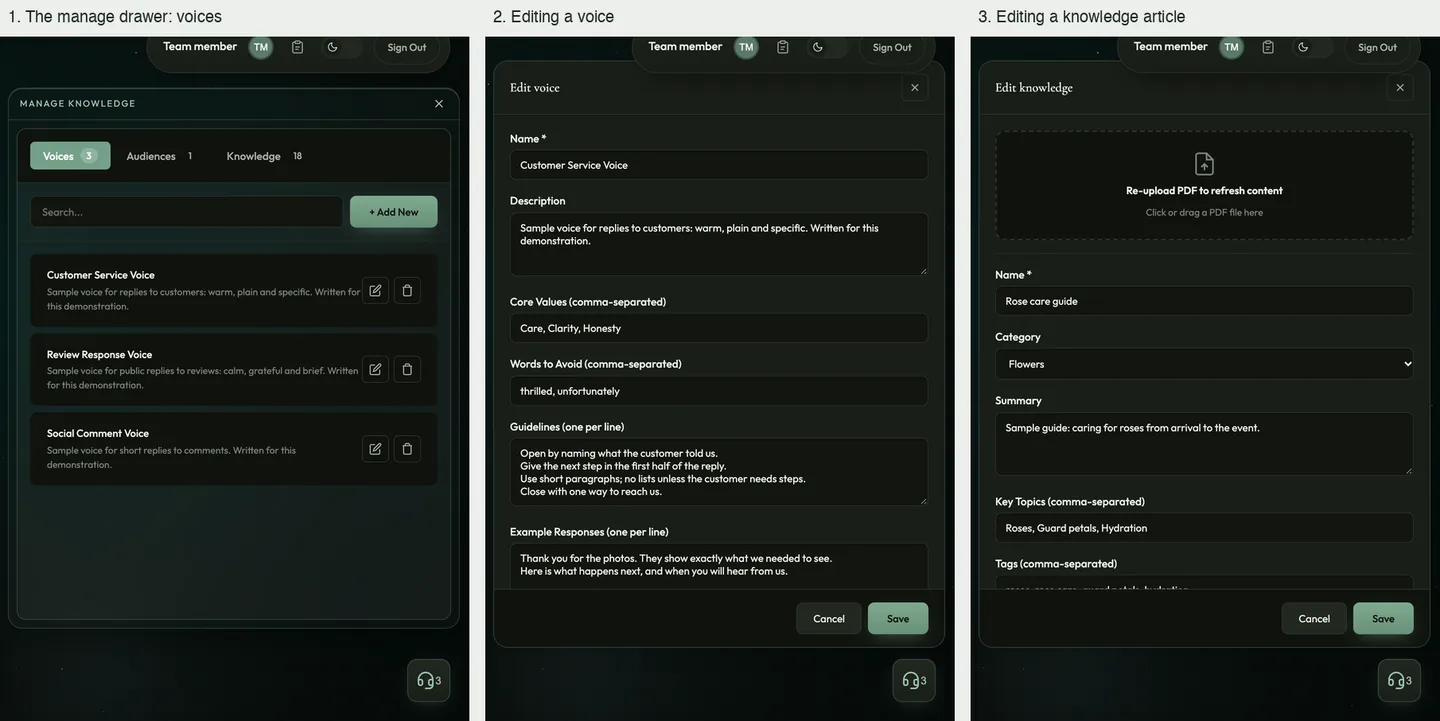
The replies are only as good as the knowledge behind them, so the team keeps that itself: brand voices, knowledge articles, requests for changes, and a page that shows what the drafts cost.
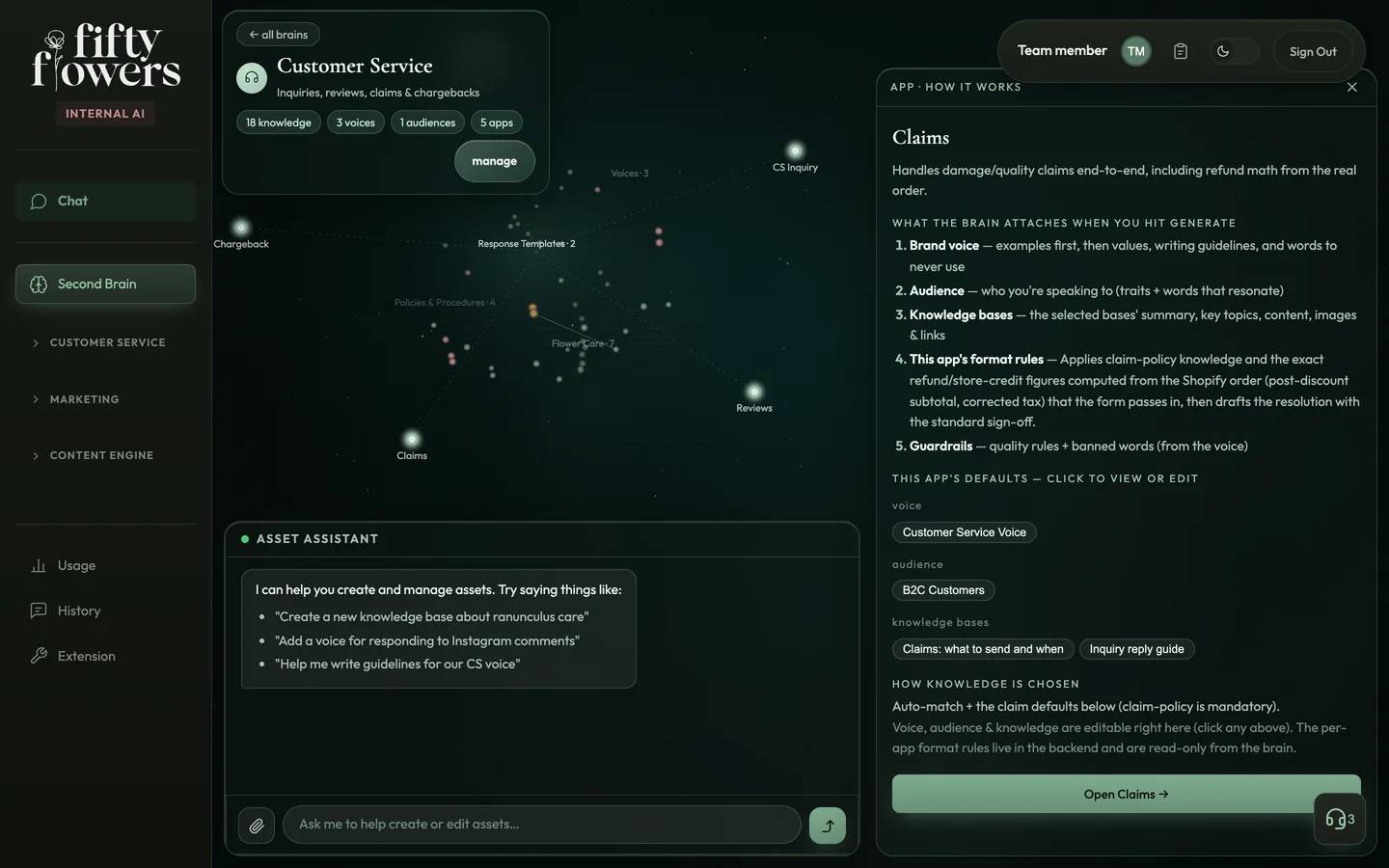
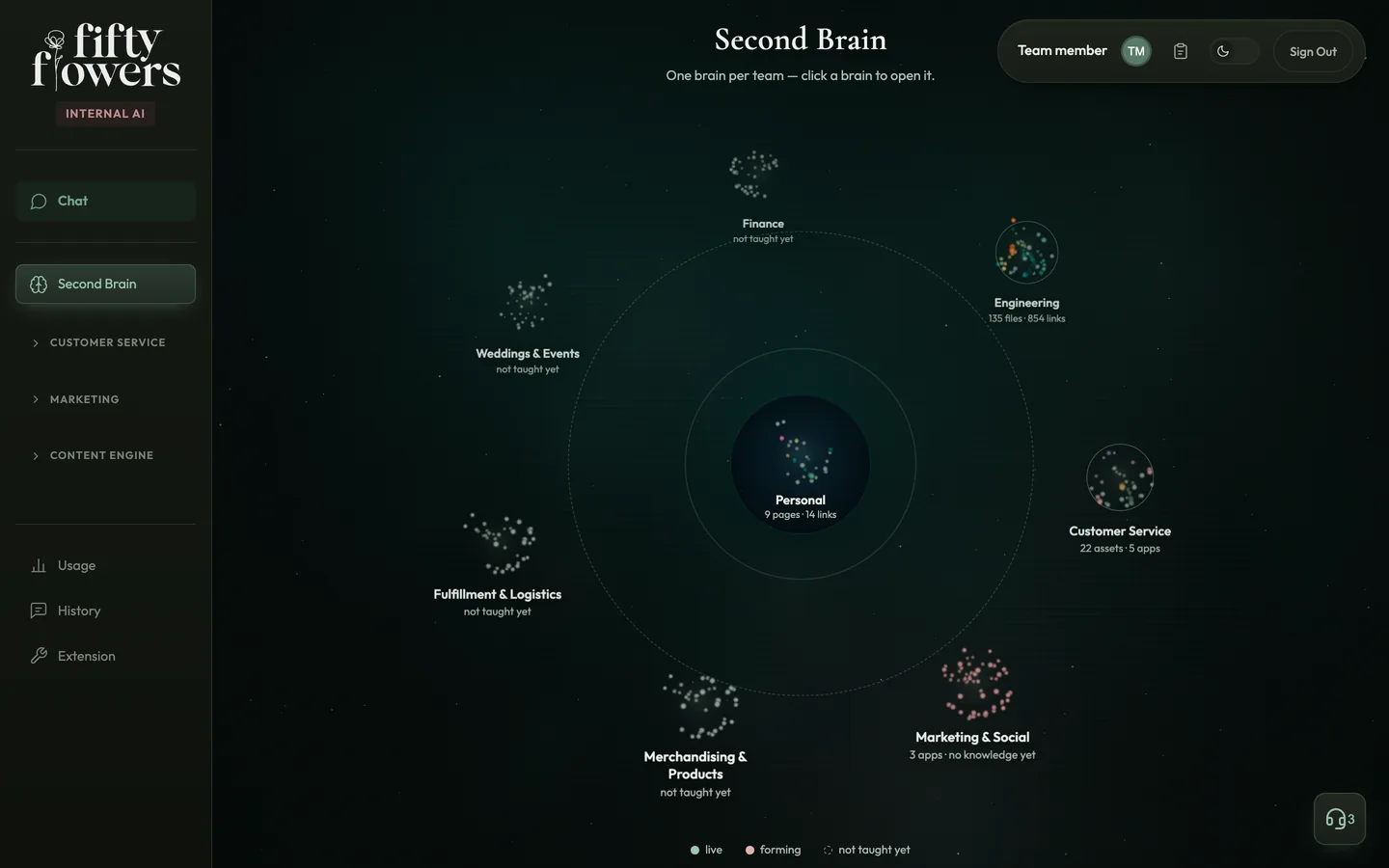
A dark map of knowledge points with a panel explaining how the Claims app works
What each app readsThe map of the customer-service knowledge with the apps around it. Opening an app’s point explains what it attaches when a reply is generated and how its knowledge is chosen. Local run, invented knowledge base and orders.
Three panels: a list of brand voices, a voice editor and a knowledge article editor
Voices and knowledge the team edits itselfVoices, audiences and knowledge articles are kept in one drawer with search, add, edit and delete. A voice holds its values, words to avoid and example replies. Local run, invented knowledge base and orders.
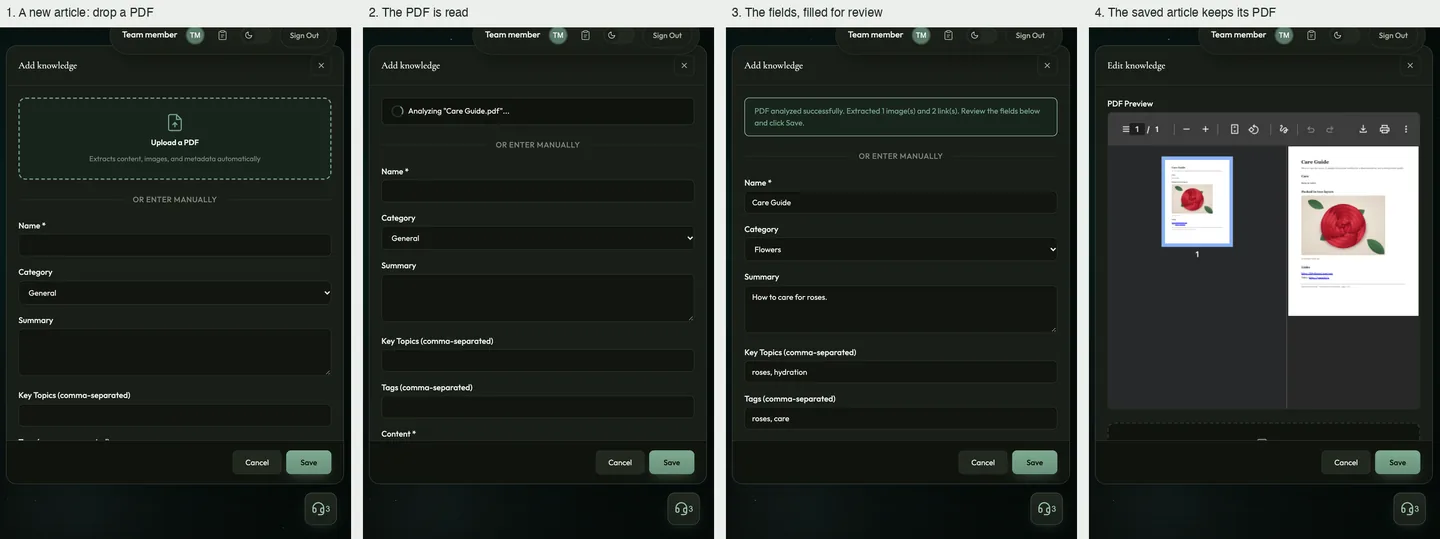
Four panels: an empty new-article form, a PDF being analysed, the filled fields and the saved article
A PDF becomes an articleDropping a PDF reads it and fills the article’s fields for review before saving. The PDF is an invented care guide; the fields shown are the canned answer of the project’s own test, not a model’s reading. Local run, invented knowledge base and orders.
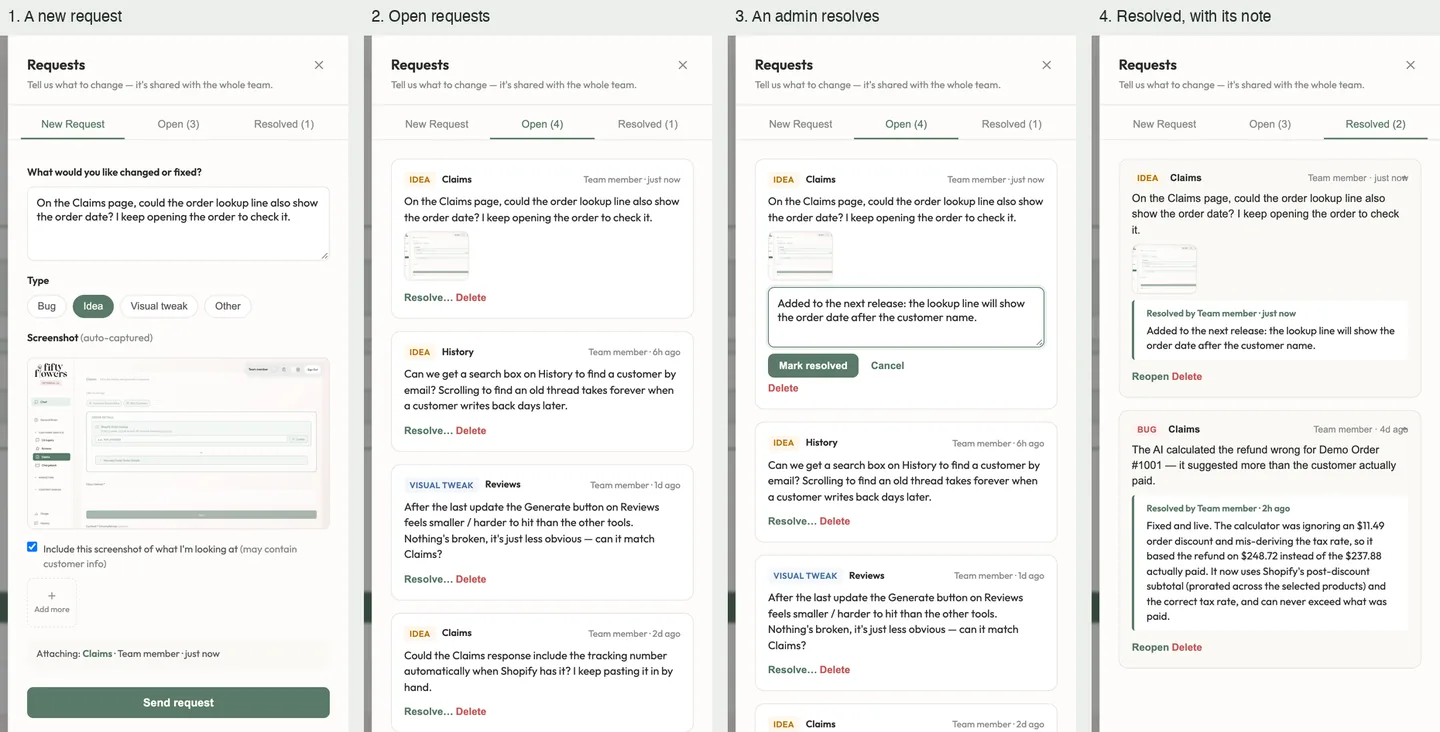
Four panels of a Requests drawer: a new request, open requests, a resolution note and resolved requests
Requests from the people who use itA Requests button on every page files a bug or an idea with a screenshot of the page; admins resolve it with a note the team can read. The requests are invented. Local run, invented knowledge base and orders.
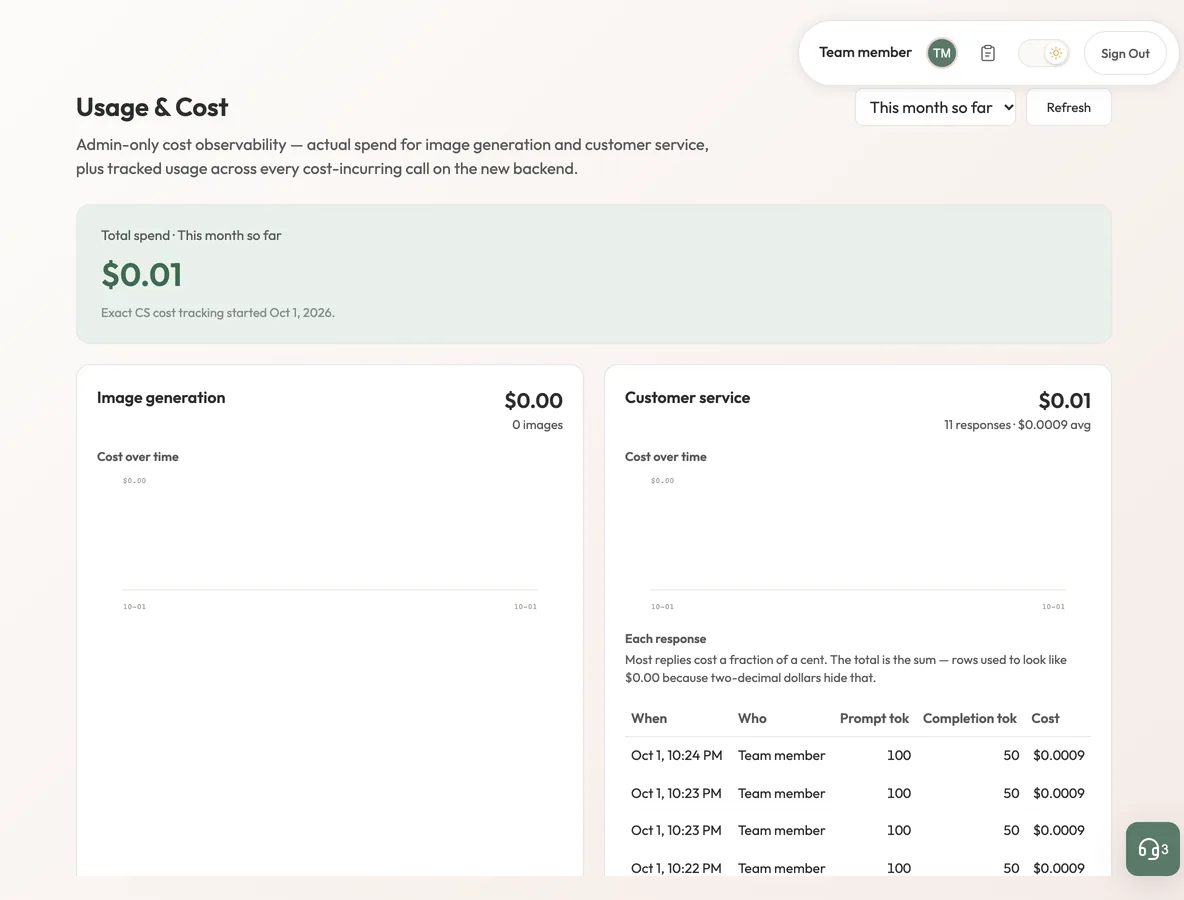
A Usage and Cost page with a total, two spend cards and a table of responses
What every draft costsThe admin Usage page: total spend, image generation and customer-service drafts, with a row per response. Every figure and account here is invented. Local run, invented knowledge base and orders.

Engineering choices

The decisions behind the interface.

01

Calculate first, then write.

The form computes refunds and credits; the AI is asked to quote those figures, not to work them out.

02

Keep a case together.

Every step of a case is stored in order, so a later reply starts from what was already said and changed.

Forty user-visible functions were documented across the apps, chat, history, extension and administration.

Where it stands

In use by the support team since January 2026.

In production since January 2026. The saving comes from retiring the paid AI writing tool the team used before; the figure is my own estimate, not a company or audited number. A number does not cover the rest of the change: replies now start from the team’s own knowledge and voice, refund figures are calculated before a word is written, and every case leaves a history the next person can pick up.

Same company
More from FiftyFlowers.

FiftyFlowers overview
Keep exploringTill