Generative product-photo editing with reusable looks: new backgrounds, exact brand colors and transparent cutouts, with the cost of every run shown before it is spent.
PROJECTImage Studio
MY ROLEAI Solutions Engineer · FiftyFlowers
STAGEIn production · released August 2026
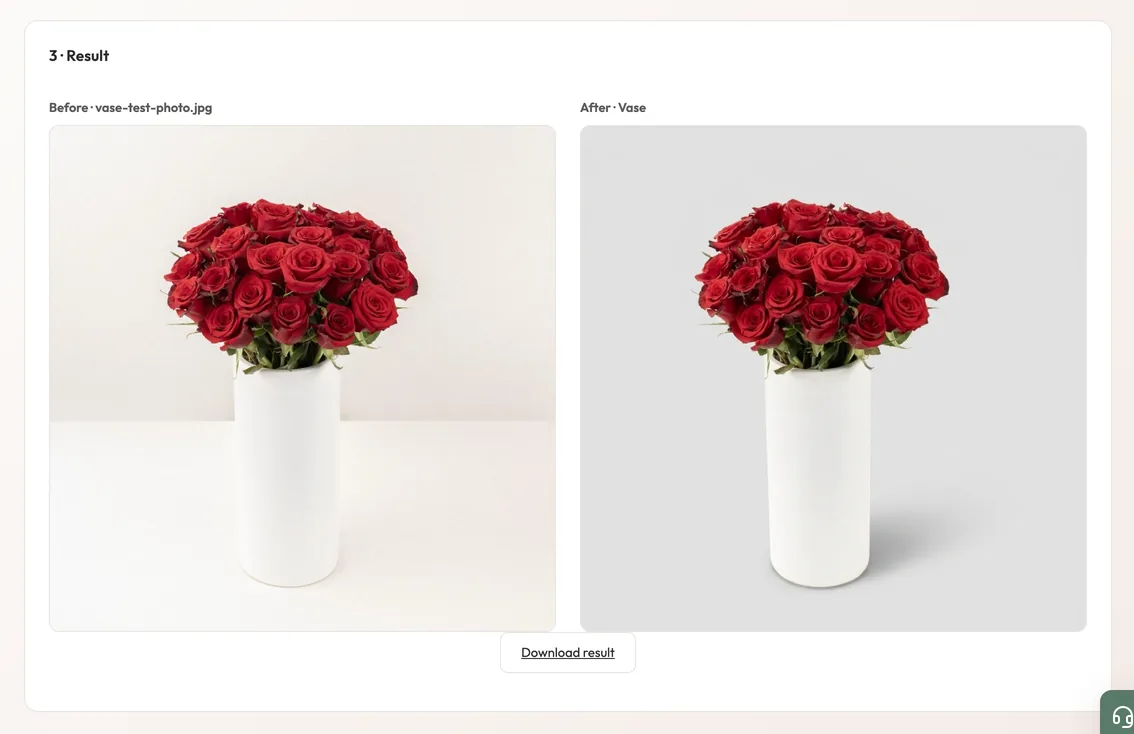
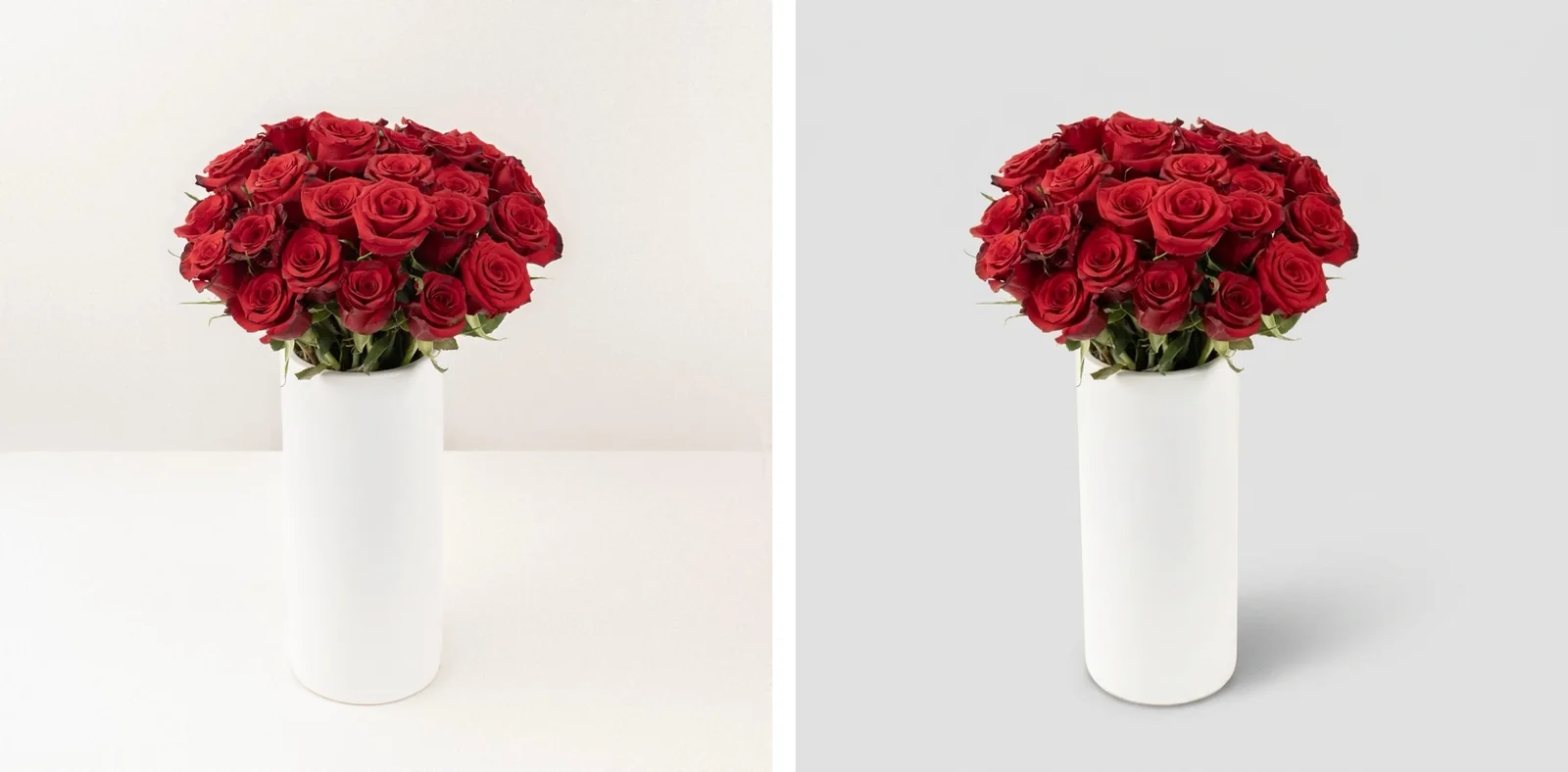
Image Studio: the original beside the result. A local run of the product’s code; the result shown is the sample that ships with the look, and no model was called.
The context
A problem worth solving.
A large product catalog needed consistent backgrounds and styles. Editing by hand was slow, and a credit-based third-party tool cost about 15 cents an image.
My contribution
What I brought to the work.
Ran the April pilot and its cost case, then built Image Studio and Preset Creation into the company’s AI platform, with usage tracking and team limits.
The product
What it makes possible.
Five parts follow: Image Studio, Preset Creation, costs and limits, how results are checked, and the April 2026 pilot.
01
A pilot that made the case
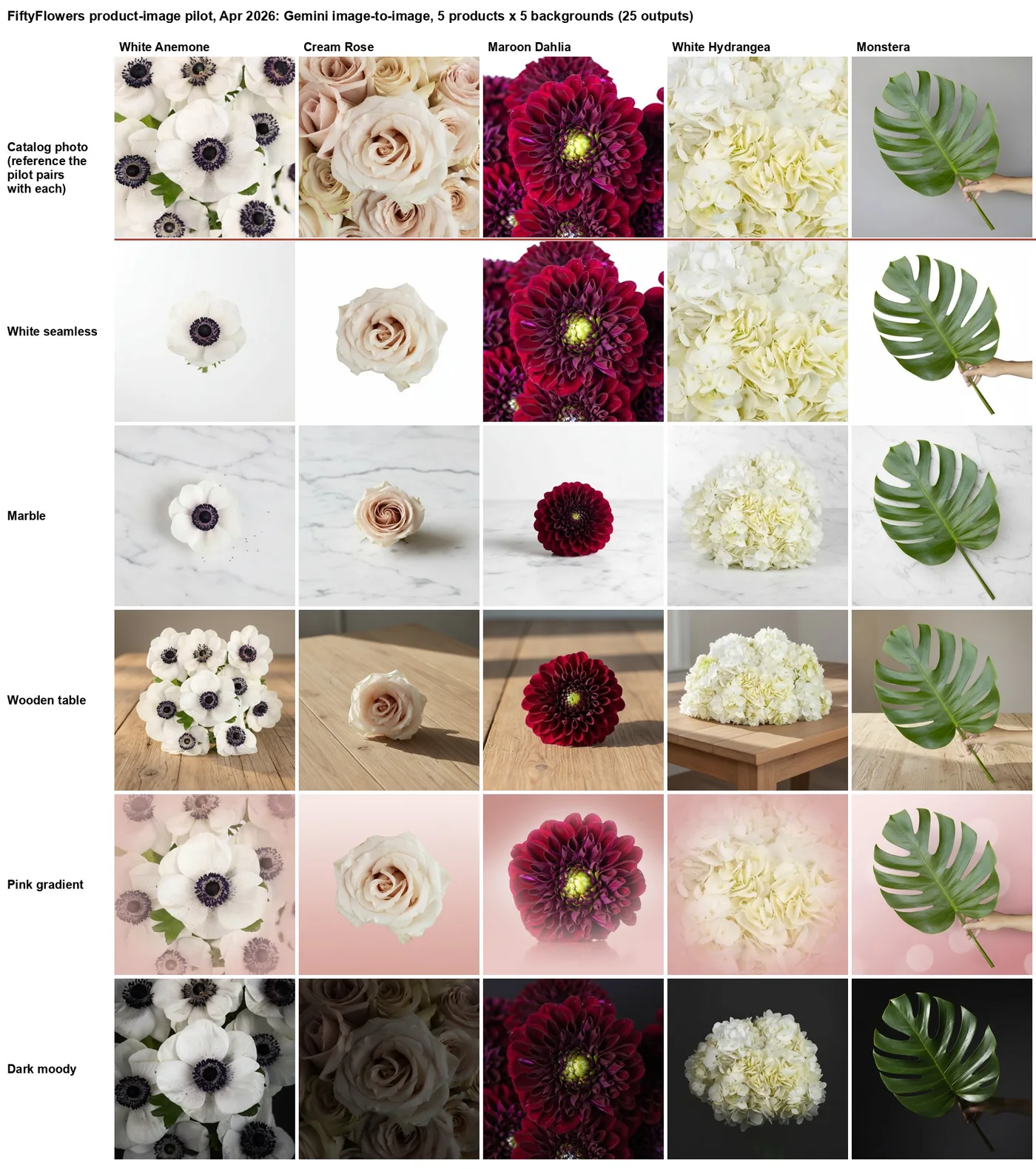
Five catalog products on five backgrounds gave 25 image-to-image results: the simplest product kept its shape on every background, while most tight flower close-ups were recomposed. The pilot estimated about 4 cents and 5 seconds an image on the model it tested.
02
Pick a look
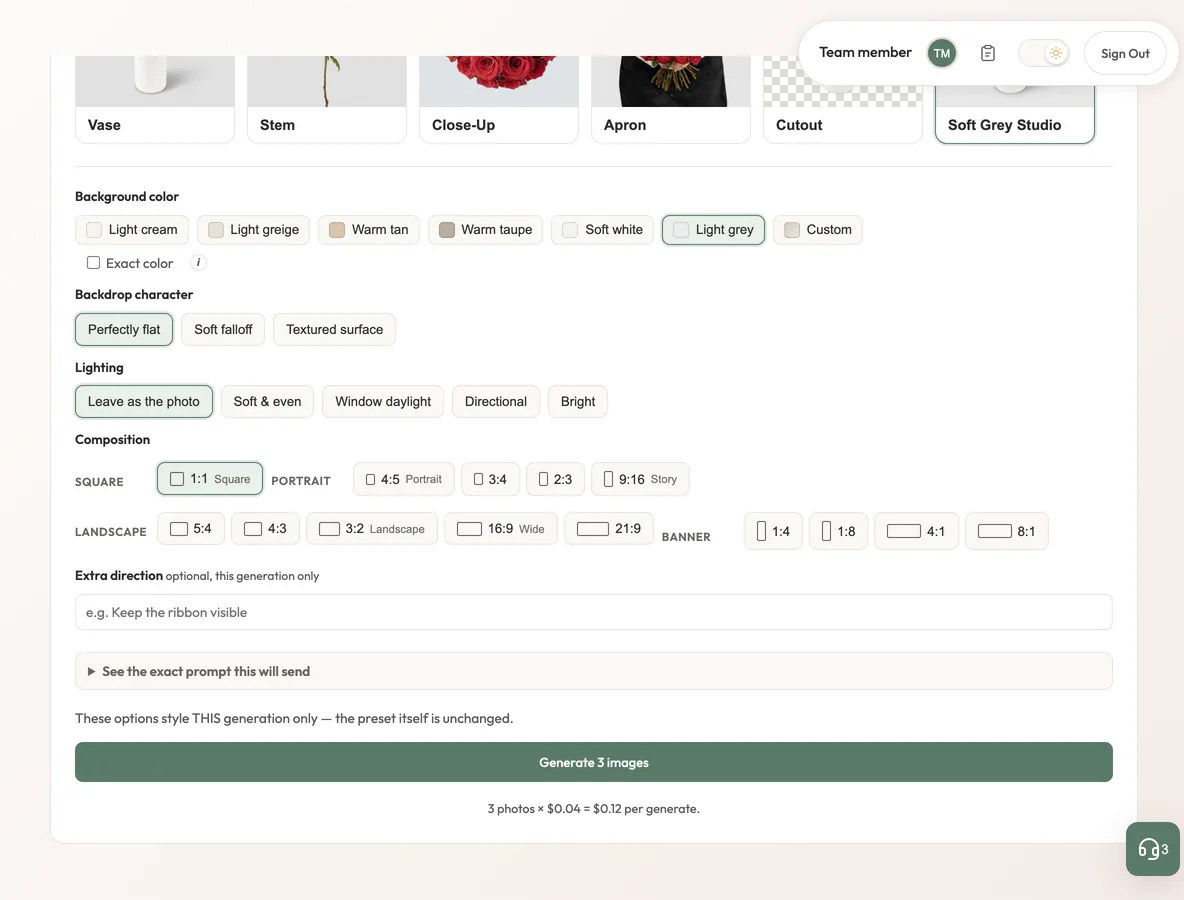
Upload a batch and apply a saved look: background color, vase, lighting, backdrop texture and one of 14 aspect ratios.
03
Exact color, real cutouts
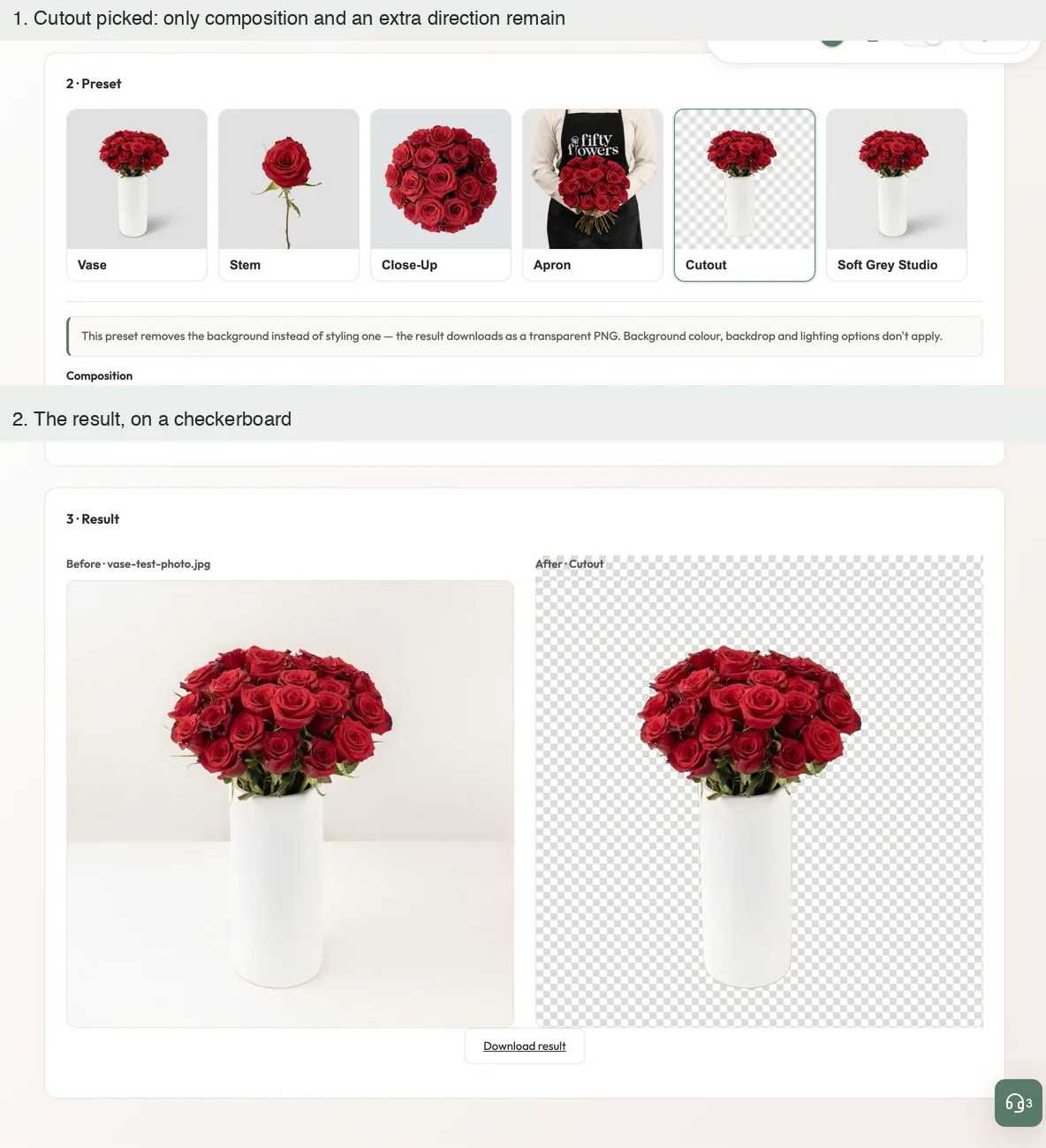
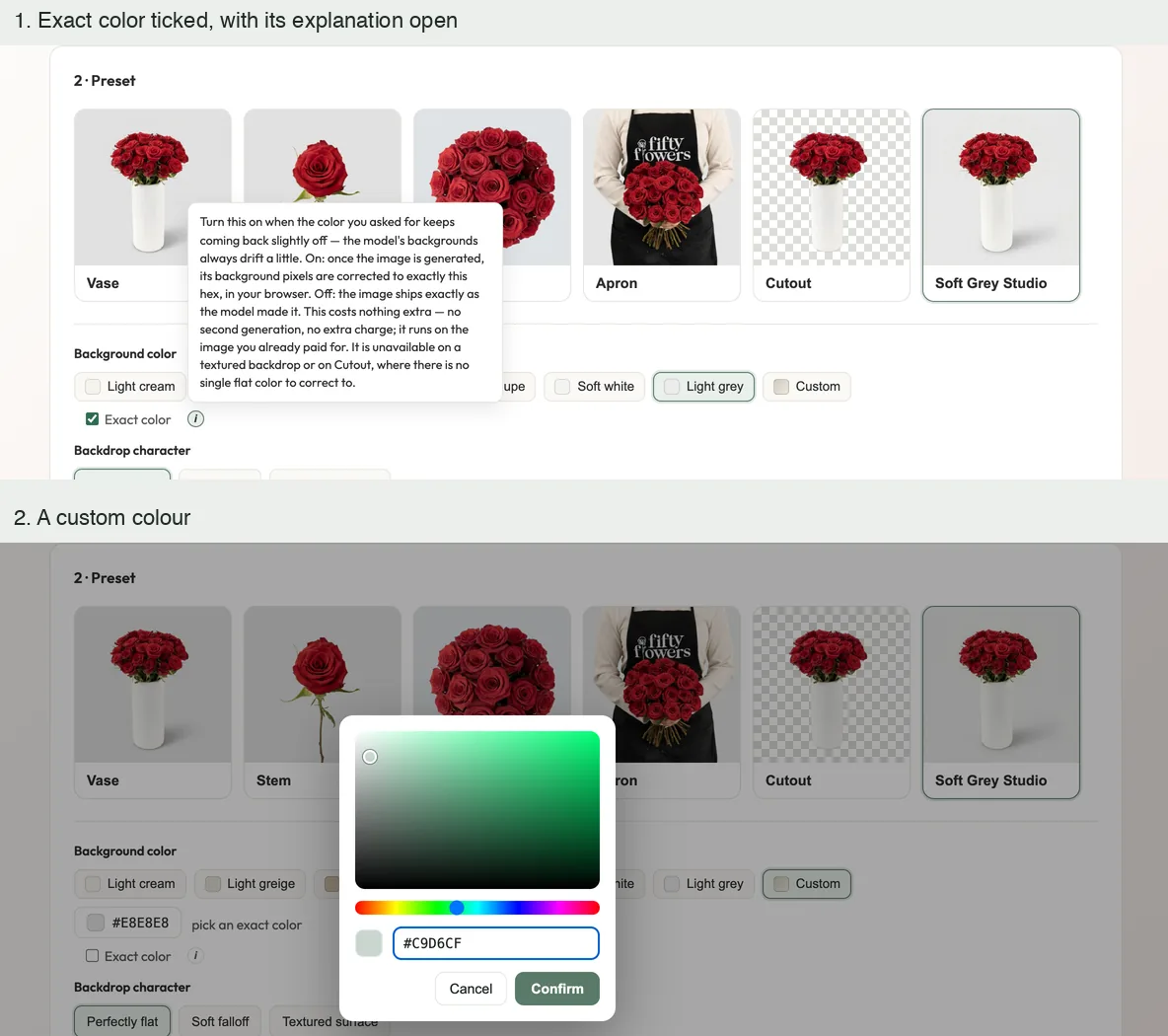
An exact-color option rewrites background pixels to the brand color after generation; the cutout look produces a transparent PNG.
04
Looks the team can build
Preset Creation derives a reusable look from example images and a test photo, generates three samples, and keeps up to ten versions.
05
Costs in view
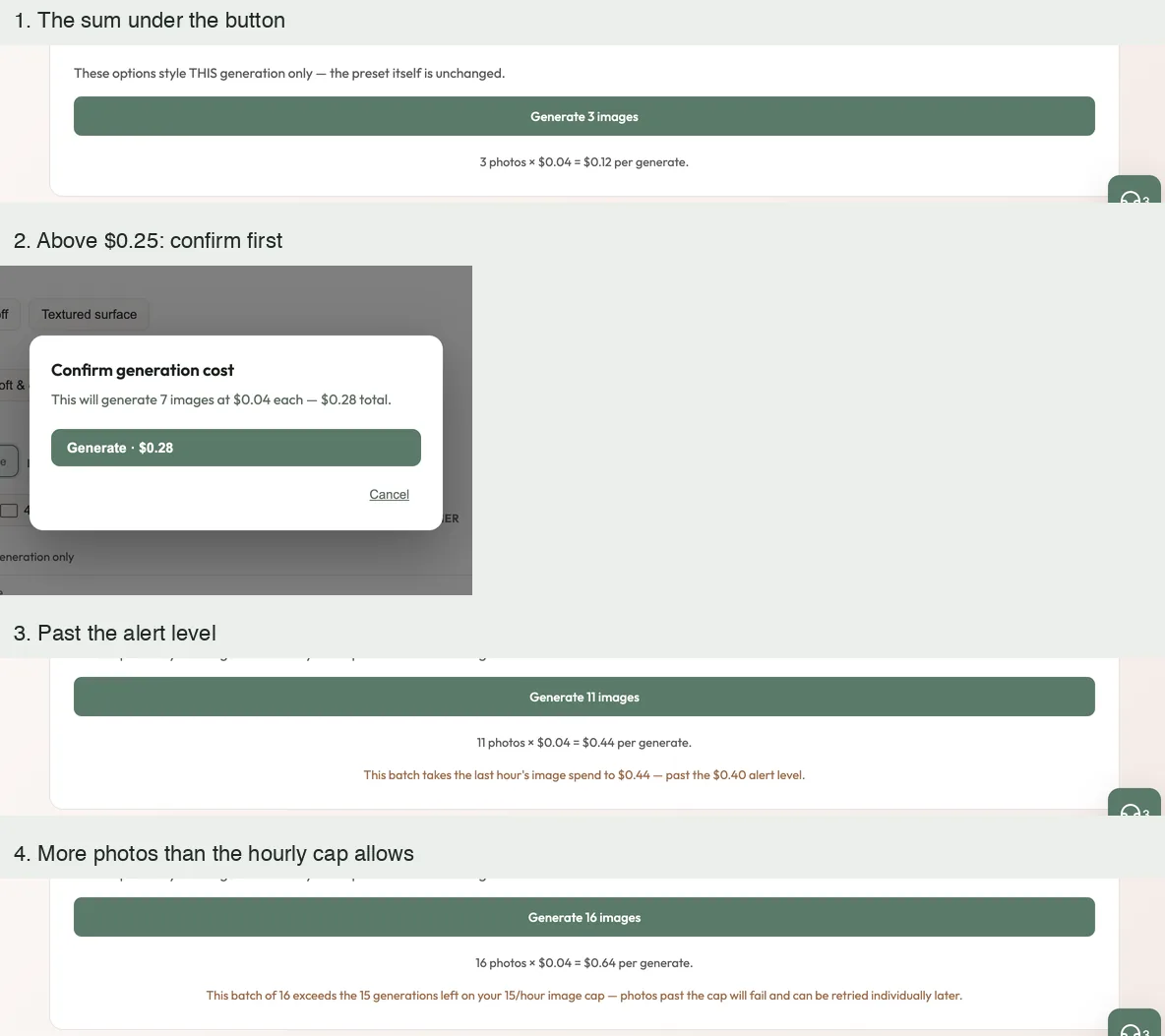
Every run shows photos times the price the administrators have set and asks for confirmation above 25 cents; administrators see image spend over time and set per-person and team limits.
At a glance / simplified product view
01Product photo
02Saved look and AI model
03Styled image or cutout
Image Studio · in the company AI workspace
Upload a photo, pick a look, keep the same flowers.
In production · released August 2026
A team member uploads product photos, picks a saved look and downloads the same flowers on a consistent background. These pictures are the workspace’s own code running on my machine with invented accounts and a stand-in in place of the image model. No image model was called: a result shown is either a sample that ships with the app or a tile marked as a placeholder, and each caption says which.
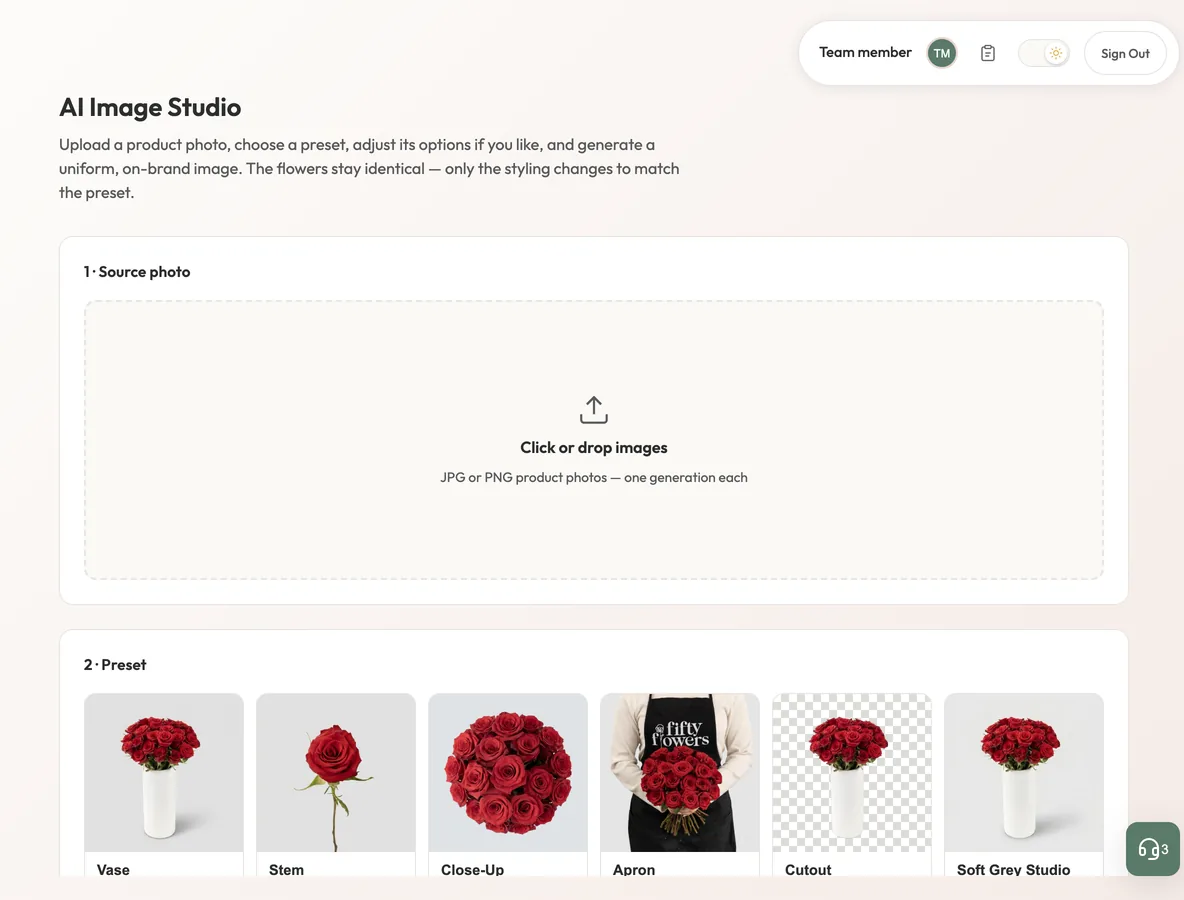
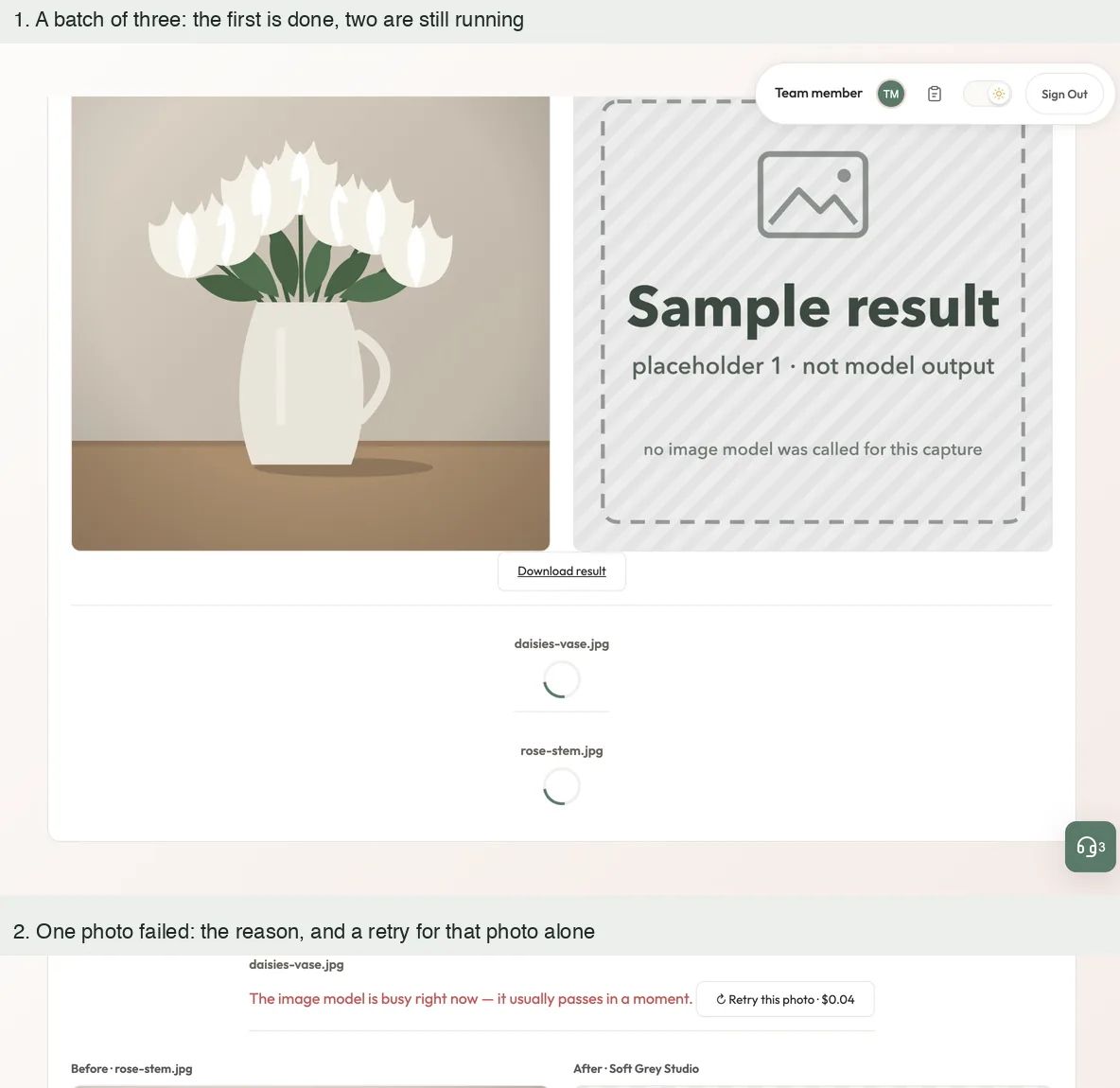
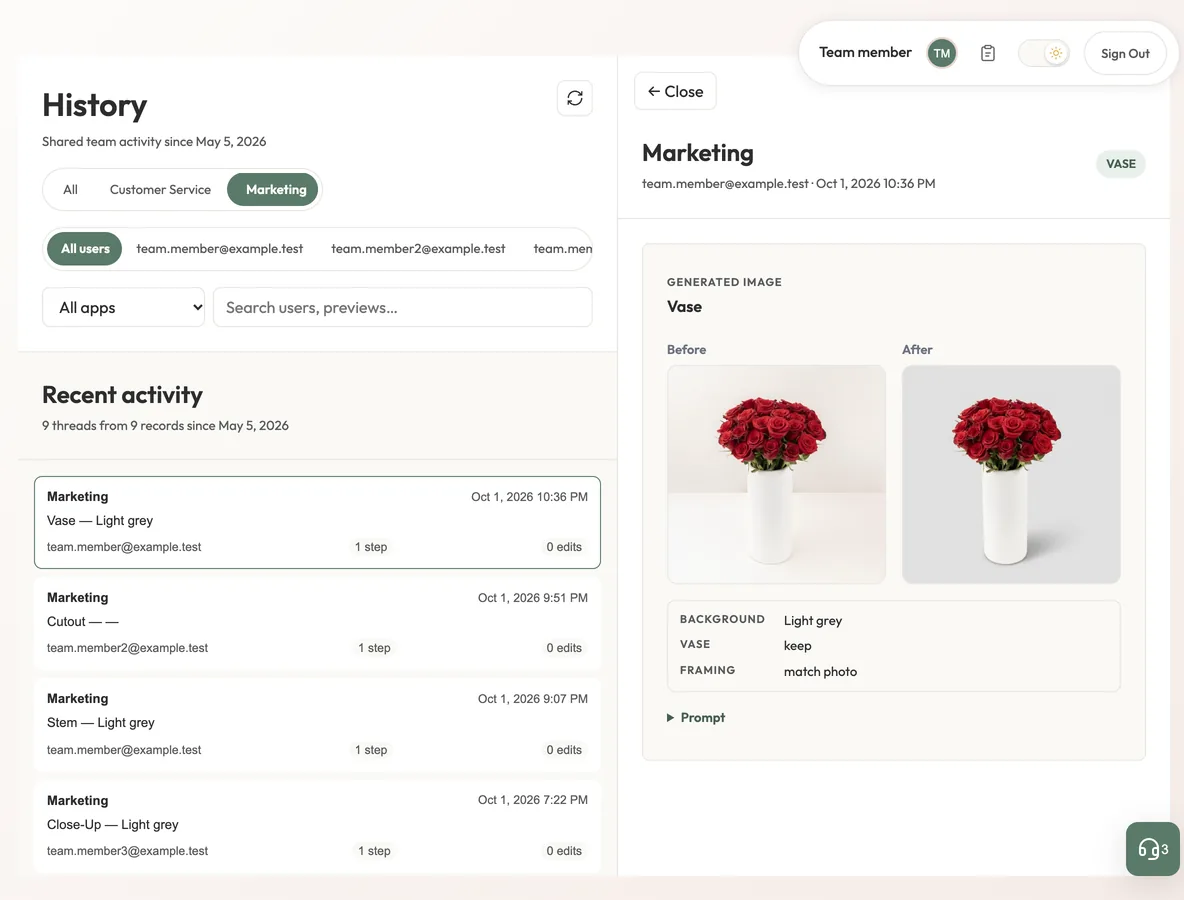
Before and after, side by sideOne photo under a built-in look: the original beside the result, with its download. The result shown is the sample that ships with the look, replayed by a stand-in; no model was called for this picture. Local run, invented accounts; no image model was called.Start with a photo and a lookThe first screen: a drop area for product photos and the row of saved looks, five built in and one made by the team in this run. Local run, invented accounts; no image model was called.Change a look for one runA look’s options: background colour, backdrop, lighting and the shape of the picture. They style this run only, and the sum for the batch is printed under the button. Local run, invented accounts; no image model was called.Cost in view before anything is spentThe sum under the button, a confirmation above 25 cents, a warning when a batch would pass the alert level, and another when it has more photos than the hourly cap allows. Local run, invented accounts; no image model was called.A real cutoutThe Cutout look removes the background: the result is shown on a checkerboard and downloads as a transparent file. The pictures are the samples that ship with the app. Local run, invented accounts; no image model was called.The exact colourGenerated backgrounds drift a little from the colour asked for. Exact color rewrites the background to that colour after generation, and any colour can be picked. Local run, invented accounts; no image model was called.A batch, one result at a timeEach photo gets its own result as it finishes, and a photo that fails can be retried alone. The photos here are drawings and the result tile is marked as a placeholder: no model was called. Local run, invented accounts; no image model was called.Every result is keptHistory keeps each result with who made it, the look and the settings used. The people are invented; the result is the sample that ships with the look. Local run, invented accounts; no image model was called.
Preset Creation
Looks the team builds and shares.
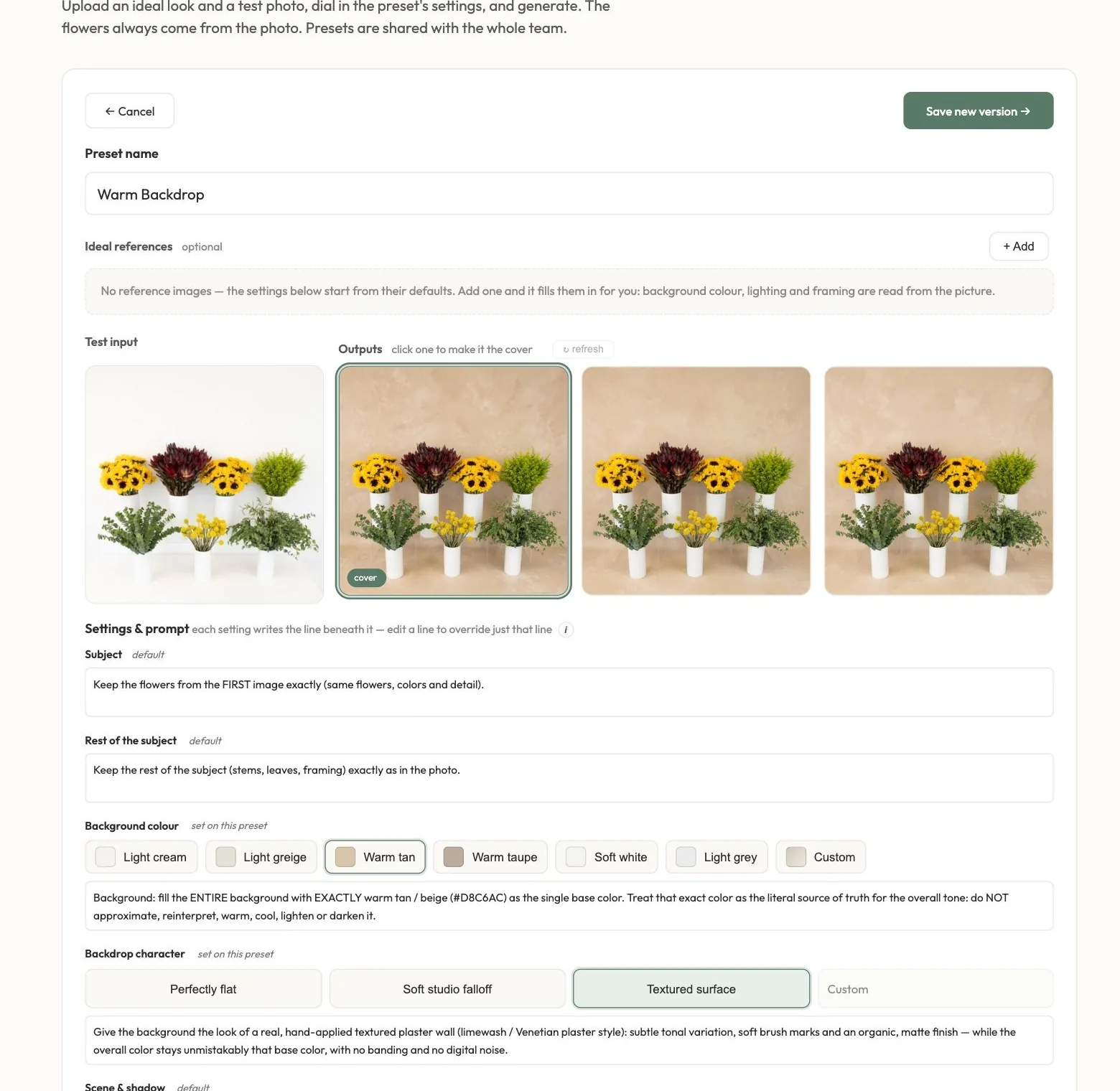
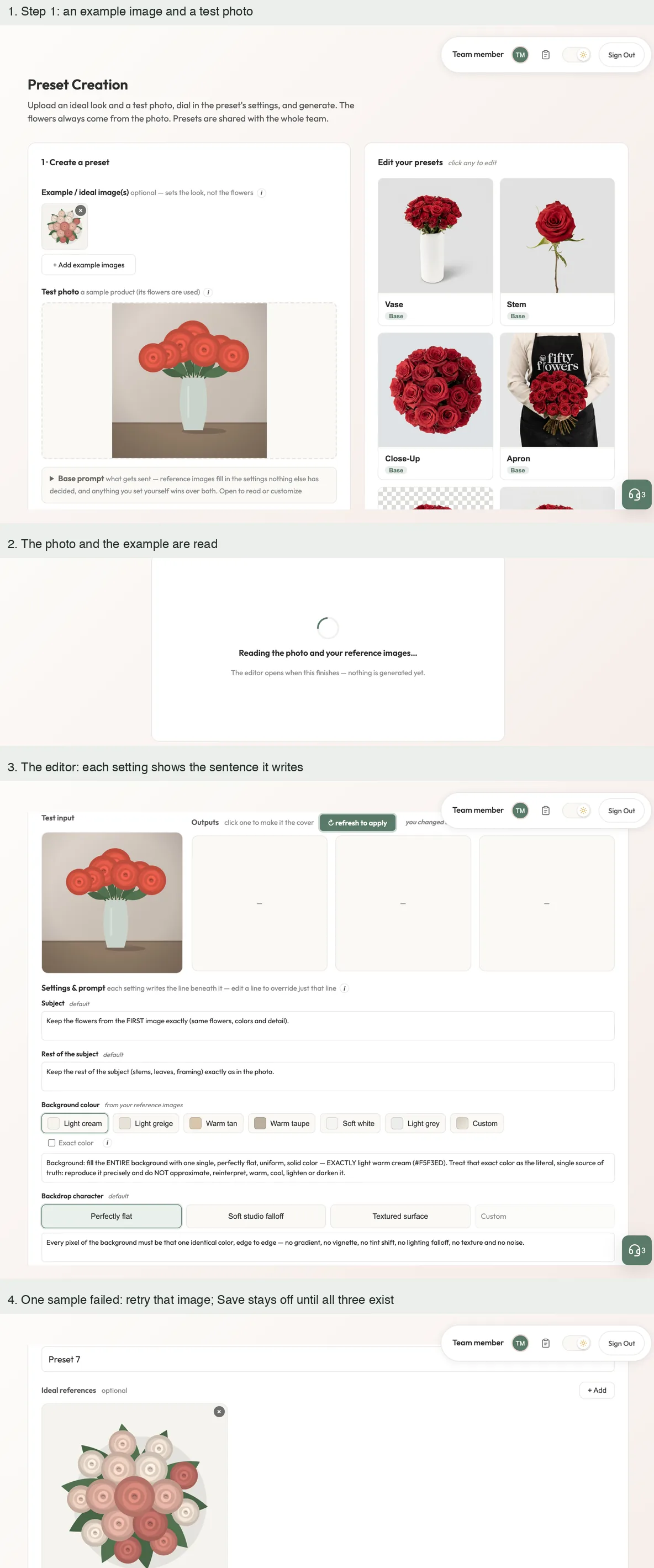
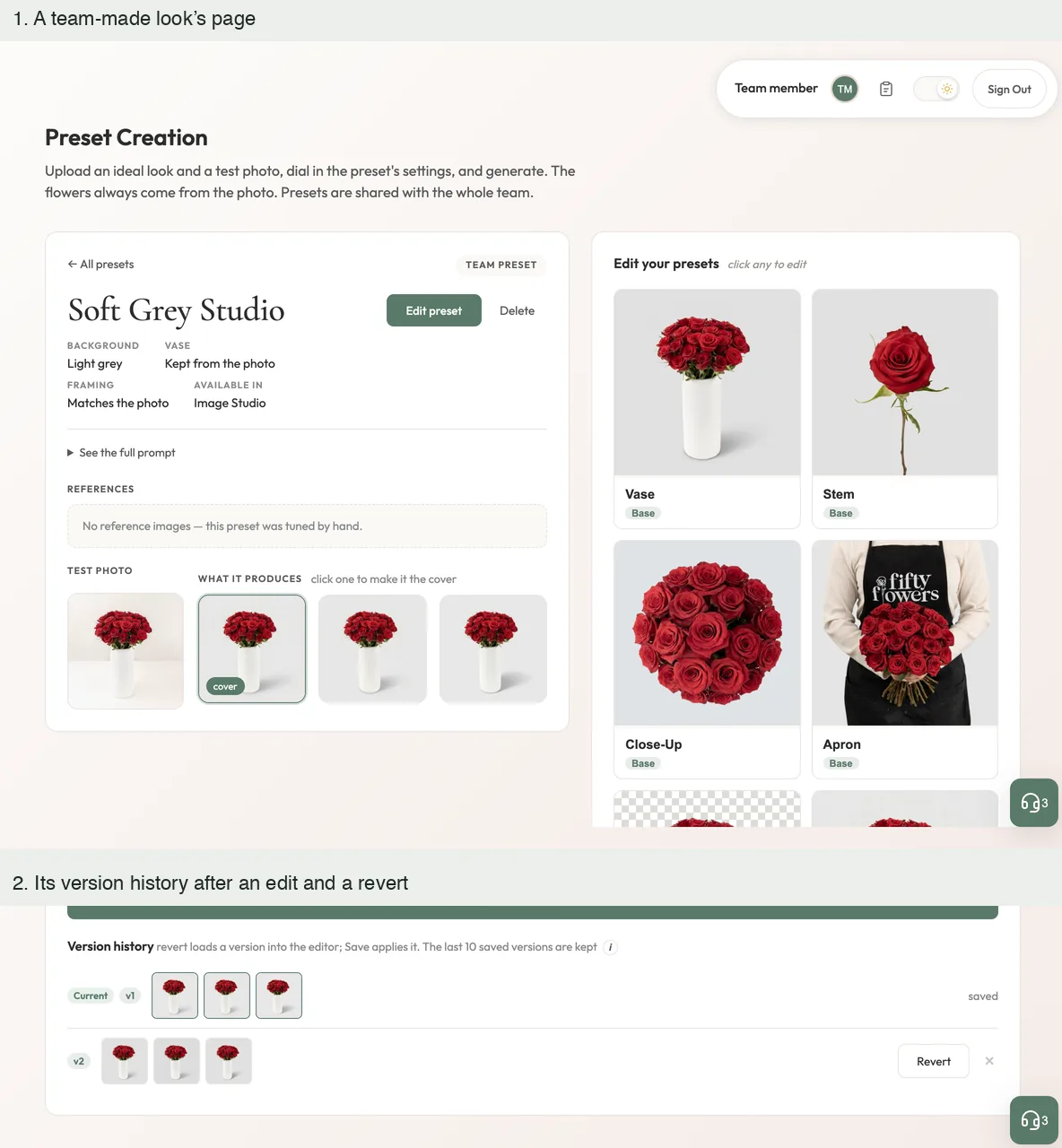
A look is built from a test photo and optional example images. The app reads the examples into settings, shows the sentence each setting adds to the instruction, generates three samples and saves the look for everyone, with its earlier versions kept.
A team look in the editorA team look reopened for editing, with its test photo, three sample results and every setting beside the sentence it adds to the prompt. An existing capture of the live product. Local run, invented accounts; the first picture is an existing capture of the live product.From examples to a lookAn example image and a test photo go in, the app reads them, and the editor opens with the settings it found. A failed sample can be retried alone, and a look cannot be saved until all three exist. The photos are drawings, the reading replays the project’s own test values, and the finished samples are tiles marked as placeholders. Local run, invented accounts; the first picture is an existing capture of the live product.Saved for the team, with its historyA team-made look’s page with its facts, test photo and results, and its version history after an edit and a revert. The result pictures are samples that ship with the app. Local run, invented accounts; the first picture is an existing capture of the live product.
For administrators
Spending is set by the team, and applies at once.
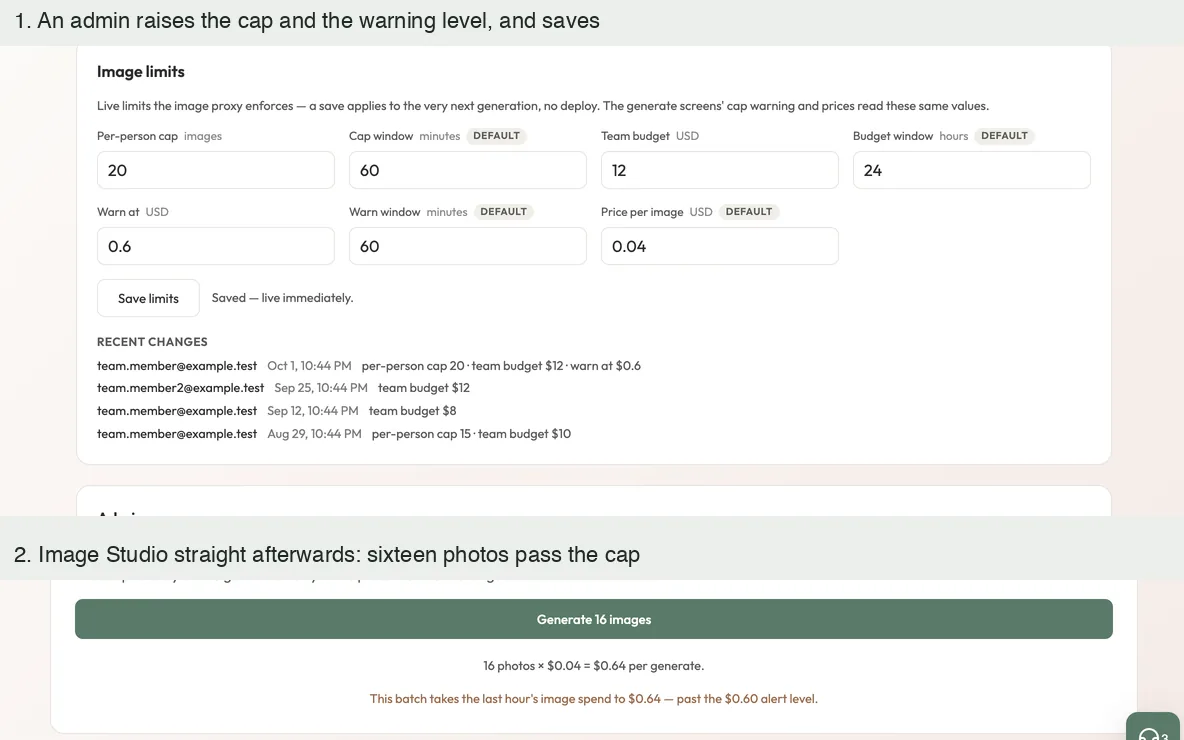
Administrators set a cap per person, a team budget, a warning level and the price booked per image. A saved change applies to the very next generation, and every change is logged.
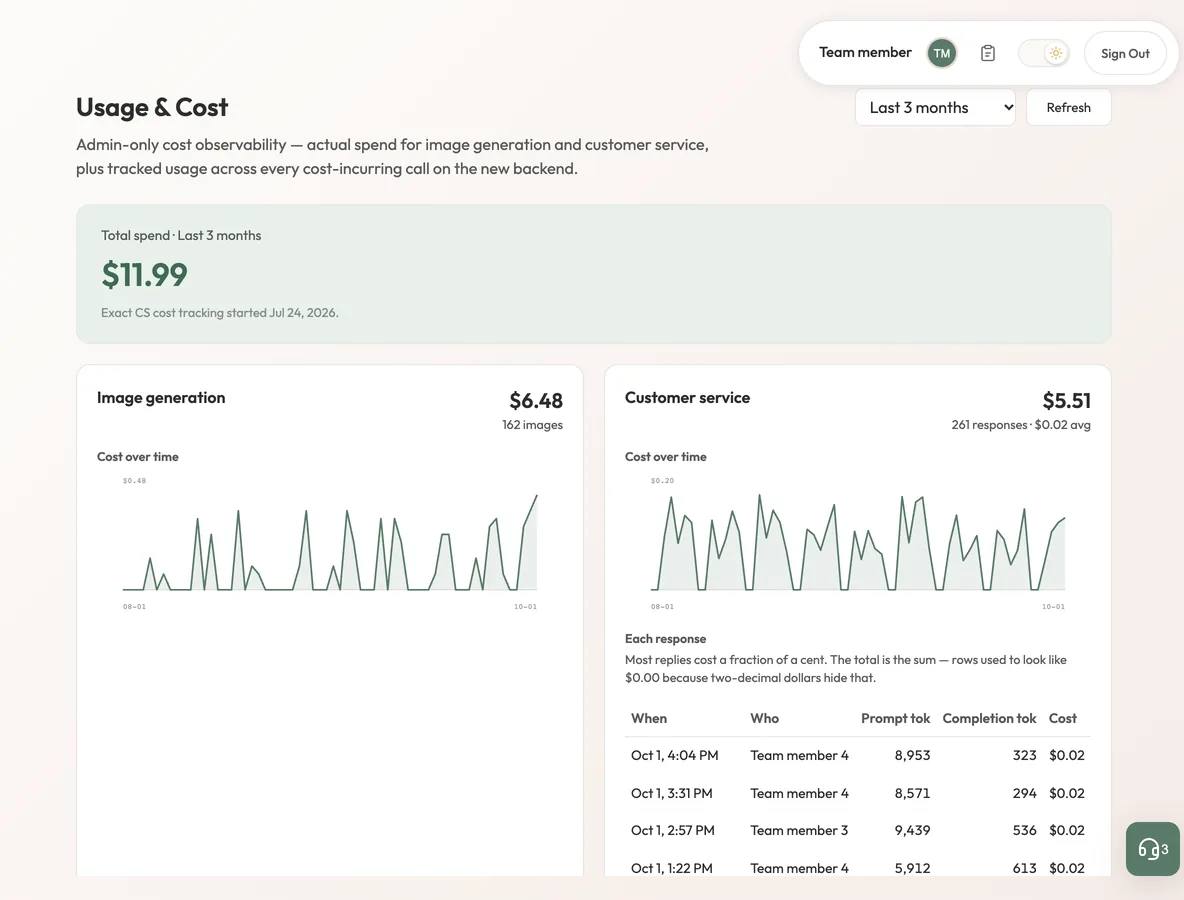
A limit changed, and felt at onceAn administrator raises the cap and the warning level; straight afterwards the same batch in Image Studio no longer trips the cap warning. Local run; every figure and account is invented.What image generation costsThe Usage page: total spend, image generation over time with its image count, beside the customer-service drafts. Every figure and account is invented. Local run; every figure and account is invented.
Measured, not assumed
The same flowers, on the colour that was asked for.
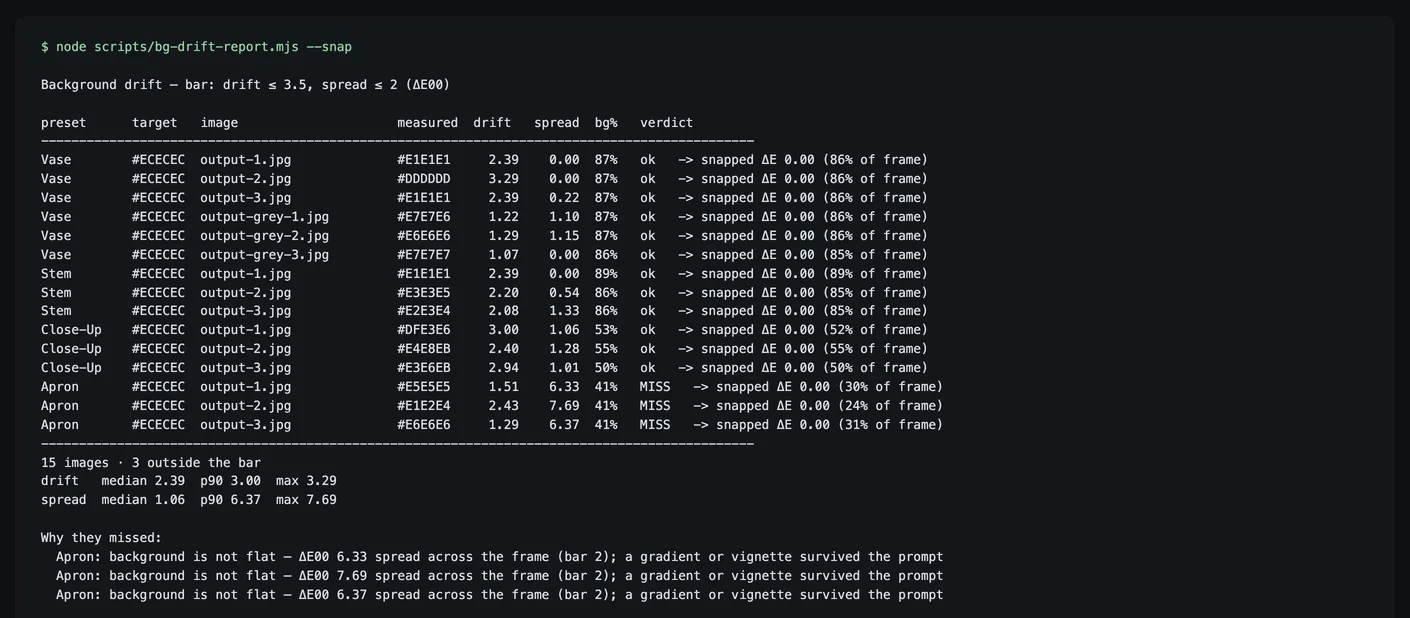
Two things have to hold for a result to be usable: the flowers stay the same, and the background is the colour that was asked for. The samples that ship with each look show the first; a script measures the second.
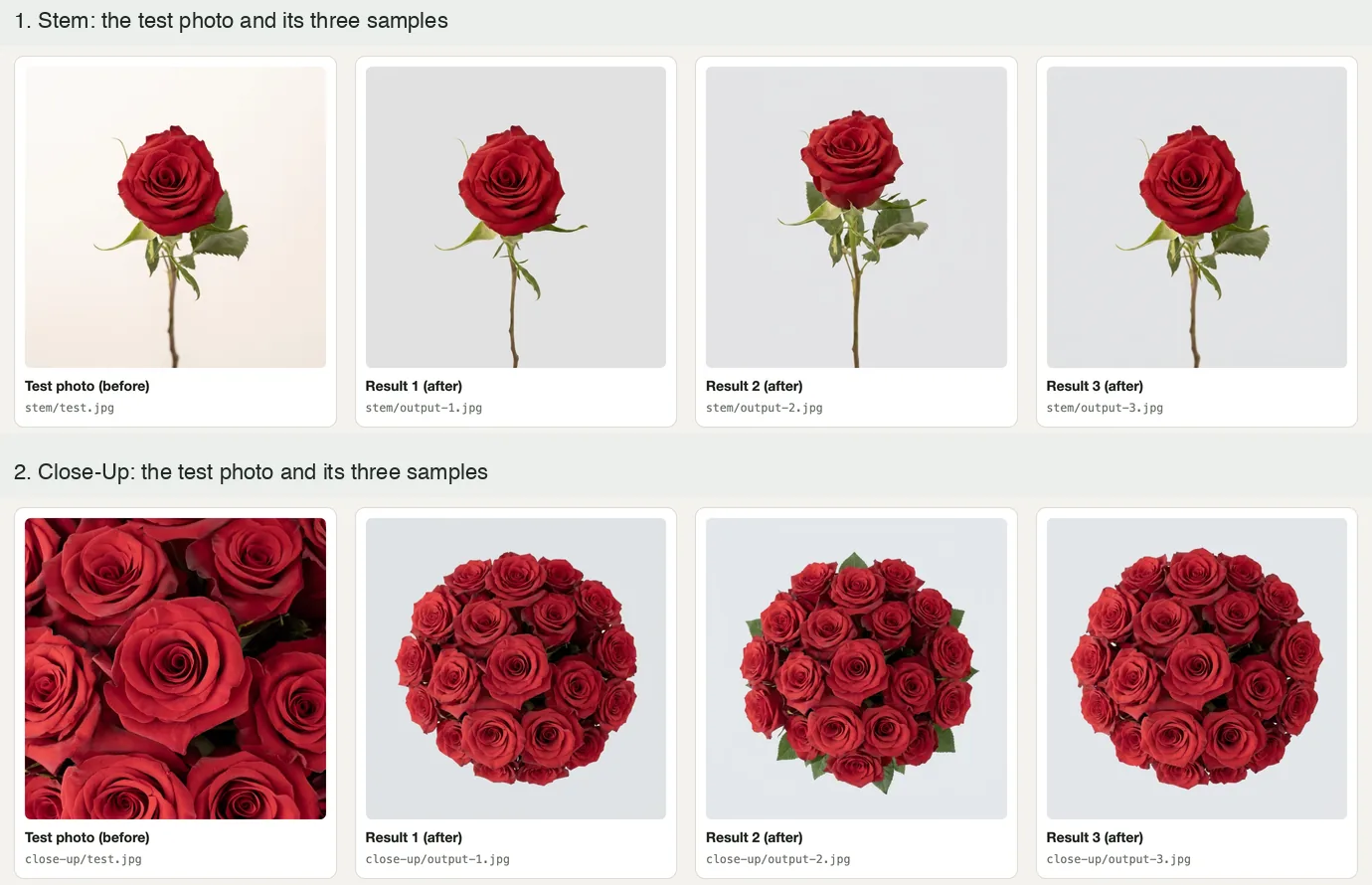
A built-in lookA built-in look: the arrangement and vase stay, the background becomes a flat light gray. Bundled sample, not a new generation. Samples bundled with the app; nothing was generated for these pictures.Two more looksThe Stem and Close-Up looks: each test photo beside the three samples that ship with the app. The close-up is recomposed into a rounded bunch, the limit the pilot found for tight close-ups. Samples bundled with the app; nothing was generated for these pictures.Background colour, measuredThe app’s own script over the fifteen bundled samples: the colour asked for, the colour measured, the drift, and the drift after the exact-colour correction. Three miss because their backgrounds are not flat. Real output, read from the bundled files. Samples bundled with the app; nothing was generated for these pictures.
Where it started · April 2026
A pilot that made the cost case first.
Pilot · April 2026
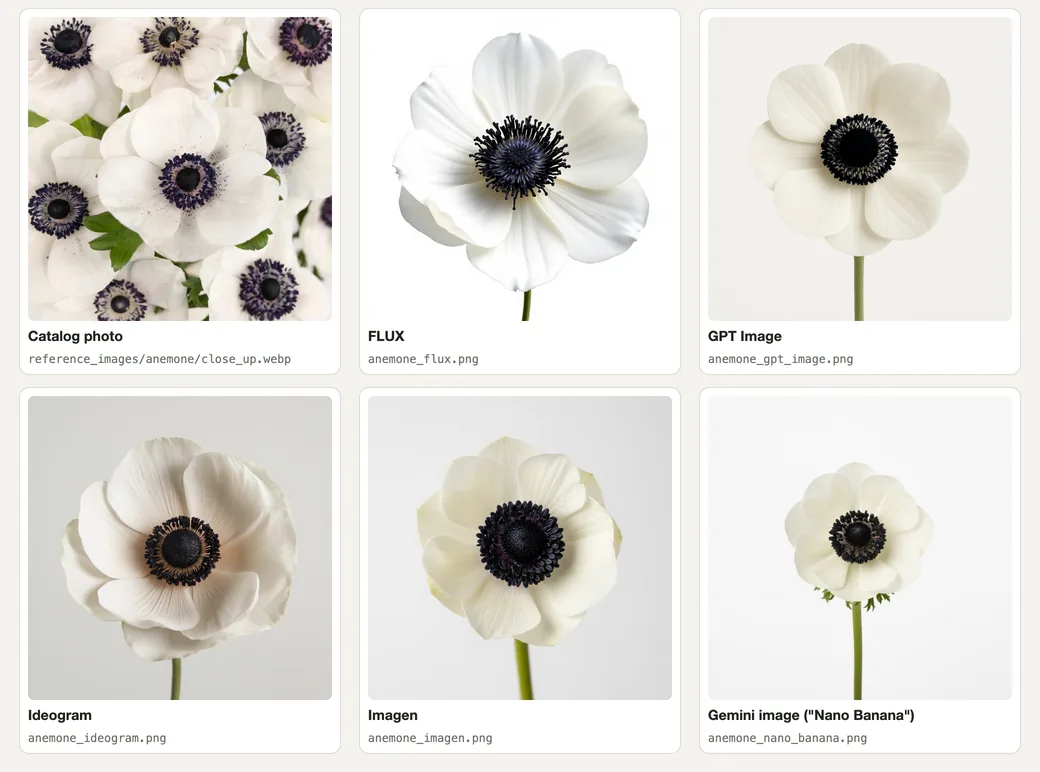
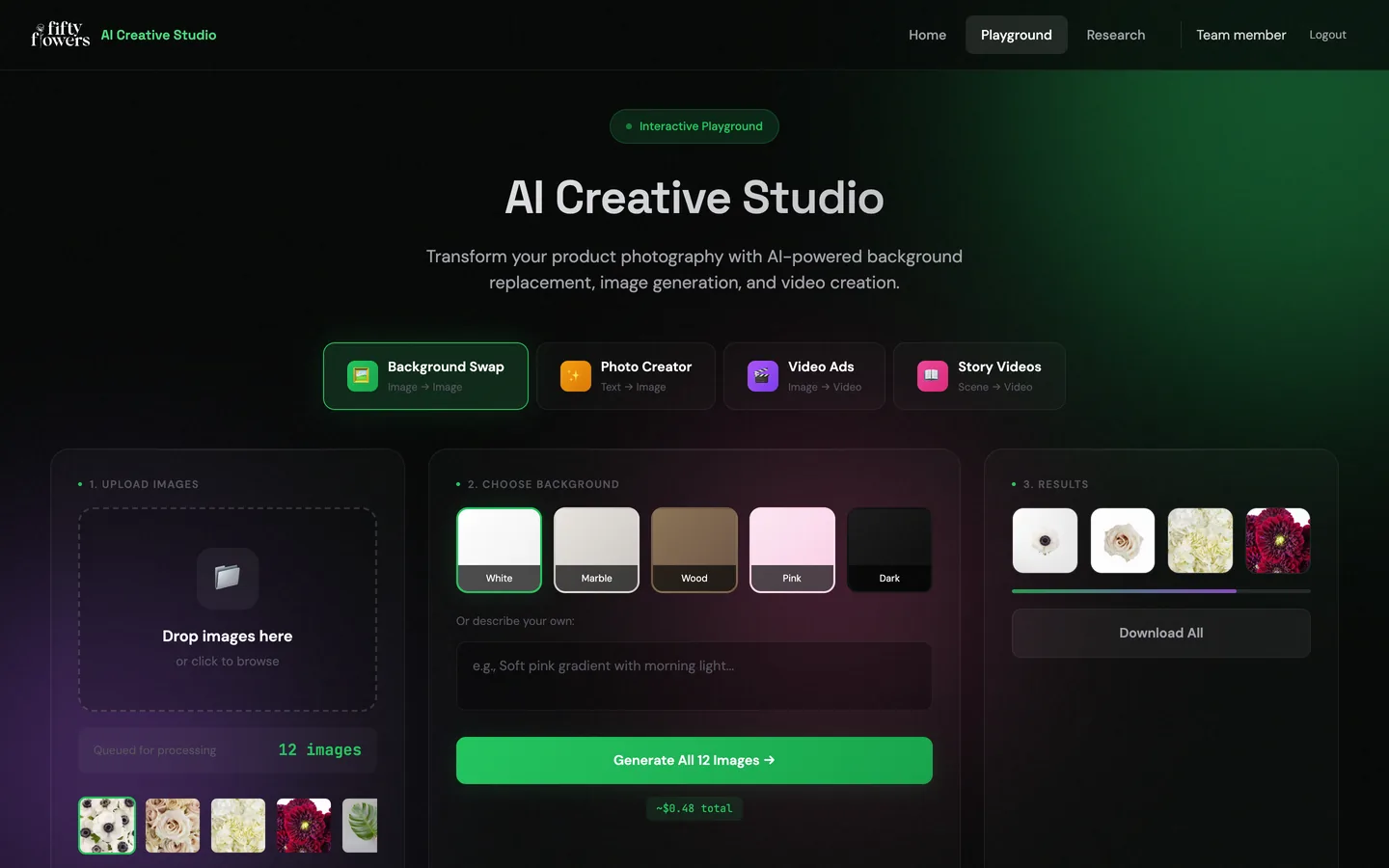
Before Image Studio there was a pilot: the same job done by calling image models directly, five models compared on one flower, and five catalog products restaged on five backgrounds. Its site had a working background studio, a research page and a playground. The pictures of the site are its own code running on my machine, and the result pictures are the pilot’s own saved outputs from April 2026.
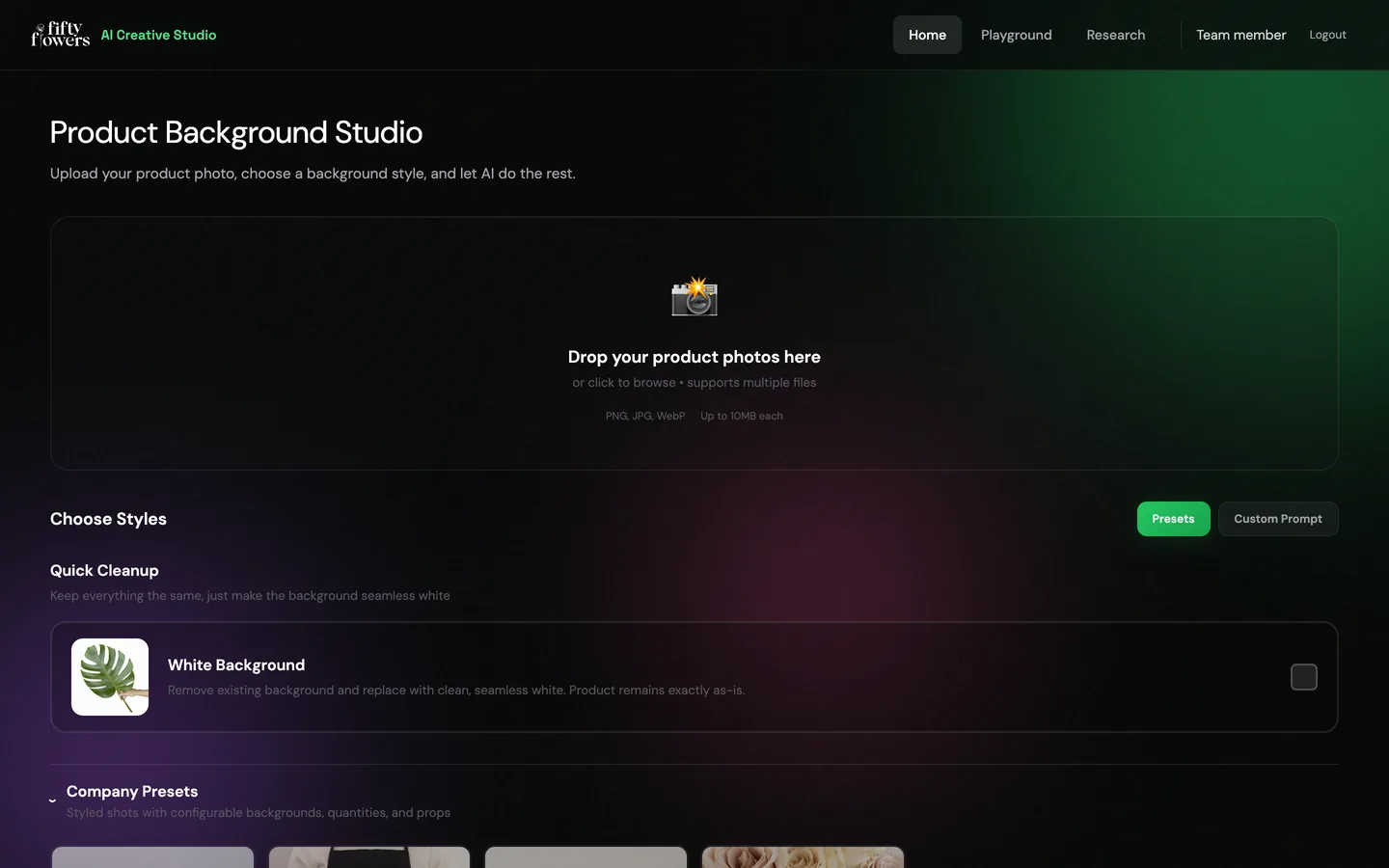
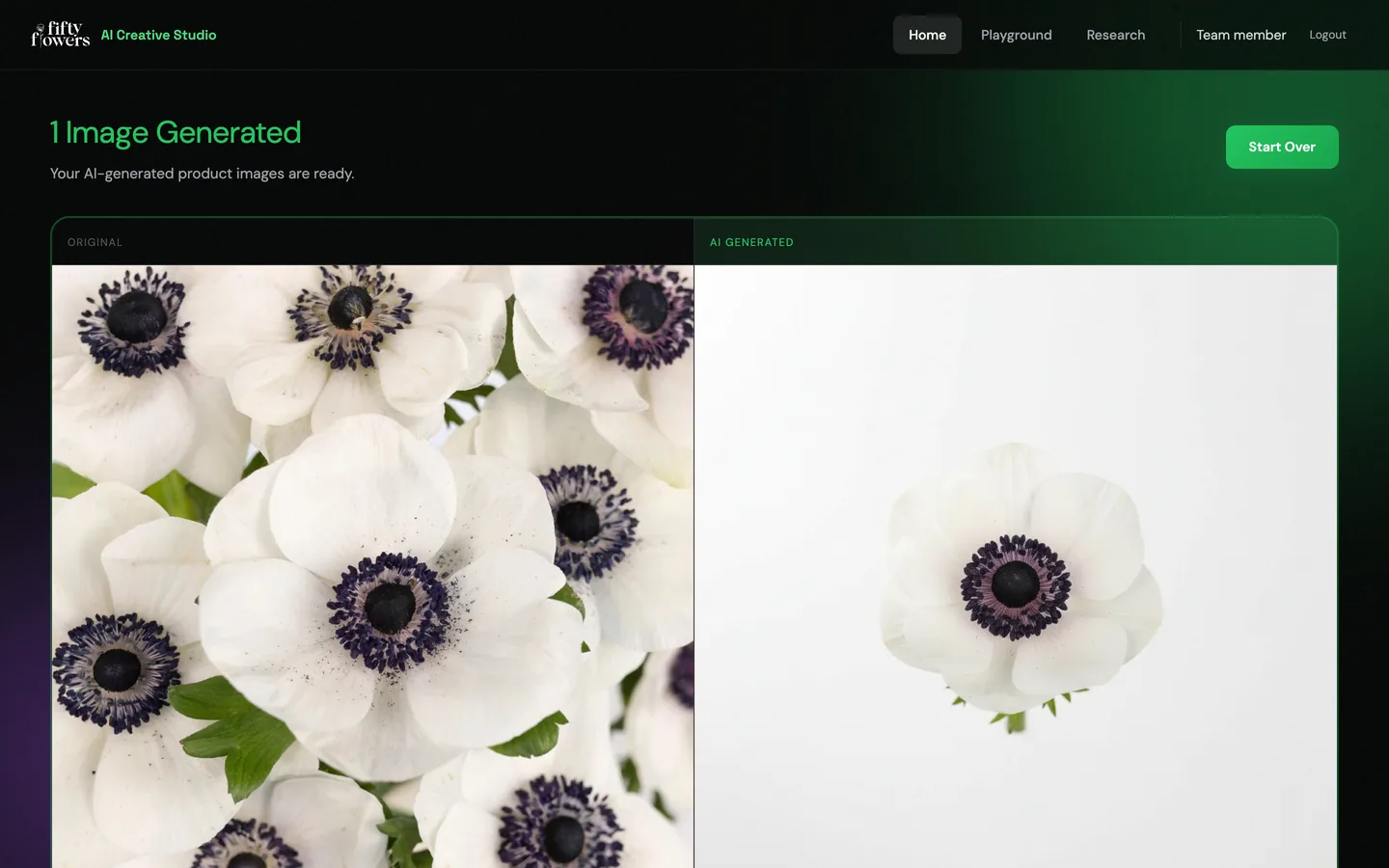
Five products on five backgroundsApril 2026 pilot: catalog photos (top row) on five generated backgrounds. The leaf kept its shape every time; most tight flower close-ups were recomposed rather than kept, a limit the pilot recorded. Local run of the pilot site; the results are the pilot’s own saved April 2026 outputs.Five models, one flowerThe catalog photo and what five image models returned for the same written description, from the pilot’s saved outputs. Local run of the pilot site; the results are the pilot’s own saved April 2026 outputs.The pilot’s studioUpload photos and choose a style: a plain white background, a company preset or a custom prompt. Local run of the pilot site; the results are the pilot’s own saved April 2026 outputs.Original and resultThe pilot studio’s result view: a catalog photo beside the pilot’s own saved result for it on a white background. Local run of the pilot site; the results are the pilot’s own saved April 2026 outputs.A playground for four kinds of contentBackground swap, photo creator, video ads and story videos, with an estimated cost for the batch. Local run of the pilot site; the results are the pilot’s own saved April 2026 outputs.
Engineering choices
The decisions behind the interface.
01
Call the models directly.
The pilot compared a credit-based tool with direct model calls on the same task: about 15 cents against an estimated 4 cents an image on the model tested. The released studio uses a newer, more expensive model, so the saving per image is smaller than the pilot’s estimate.
02
Show the exact prompt.
Every option writes one sentence of the prompt, and the full prompt is visible before generating, so a look is inspectable rather than magic.
The April pilot also ran 250 text-to-image experiments; they were not scored and are not presented as results.
Where it stands
Released, with one check left.
Released in the company platform in August 2026. A full photo-to-result check across every look is the remaining step.