An AI assistant for commercial real-estate advisors, built to email listing brokers, read their replies into the advisor’s tracker and flag the decisions that are hers. In development: the private beta is paused while each step is proven on live test campaigns.
PROJECTSiteSift AI
MY ROLECo-founder & engineer
STAGEIn development · private beta paused
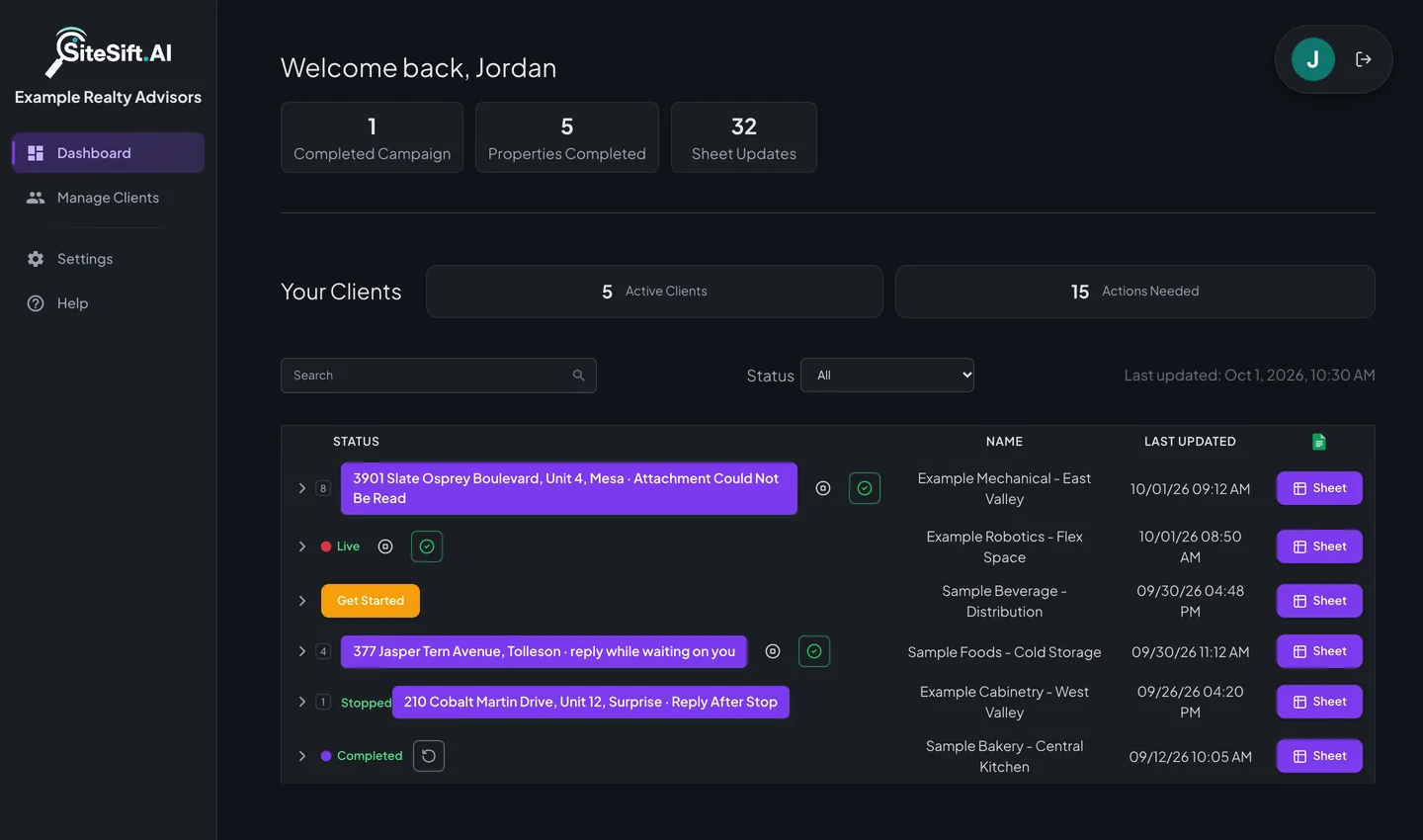
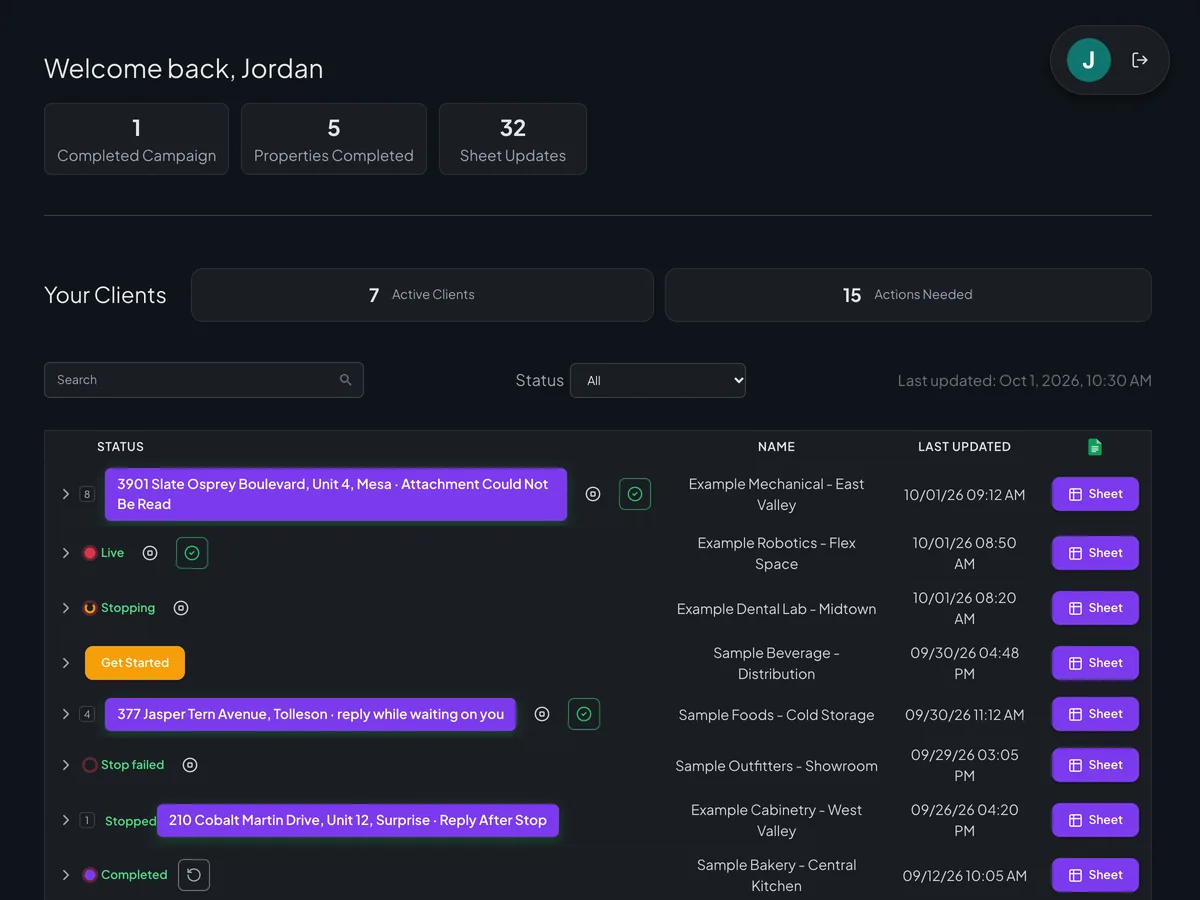
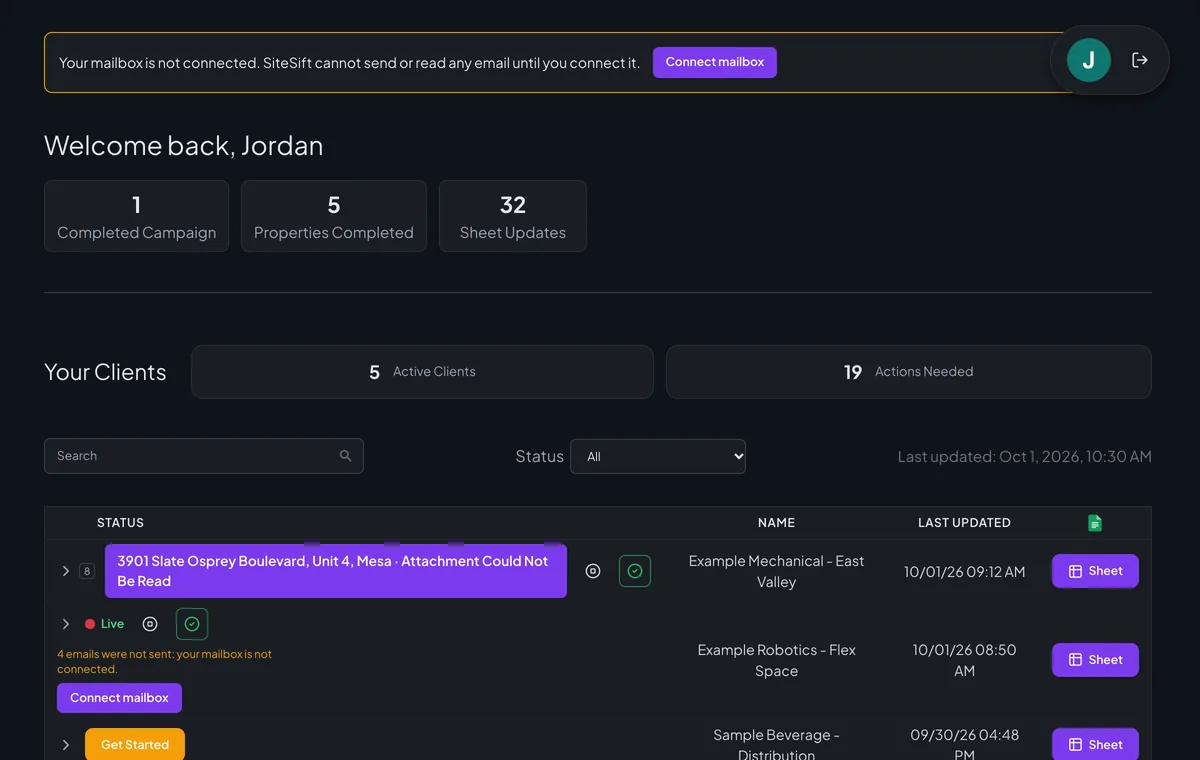
The advisor’s dashboard in today’s build. A local run with an invented advisor, brokers and addresses.
The context
A problem worth solving.
A tenant-representation advisor screens a list of 5 to 30 candidate properties by emailing every listing broker, reading each reply and recording the answers in a tracker. The emails go out under her name, so every message and every recorded figure has to be right.
My contribution
What I brought to the work.
Built the product’s engineering: the advisor’s dashboard and campaign wizard, and the email worker that sends an opening per property, reads broker replies and attachments, writes stated facts to the property’s tracker row and drafts replies in the advisor’s voice. The first beta showed that automated email was not yet meeting that standard, so the beta is paused while each step is proven before advisors rely on it again.
The product
What it is being built to do.
Eight parts follow, in the order an advisor meets the product. Every screen is a local run of today’s build with invented people and addresses: they show what is built. What is proven is counted only on live test campaigns, under Where it stands.
01
Check every row first
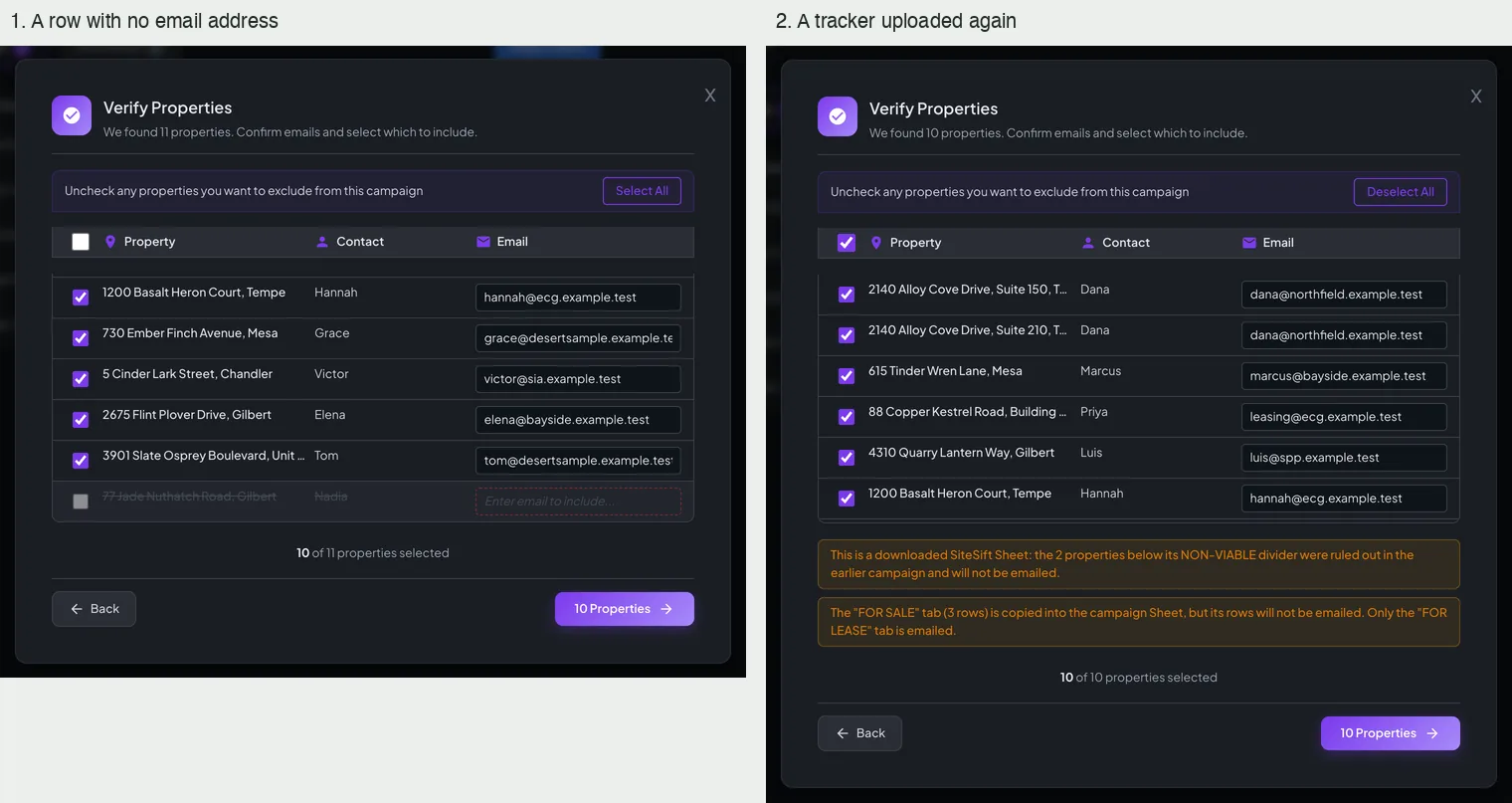
The advisor uploads her own spreadsheet. Each property shows the contact and street it will write to before anything is sent, and any row can be left out.
02
One right opening per broker
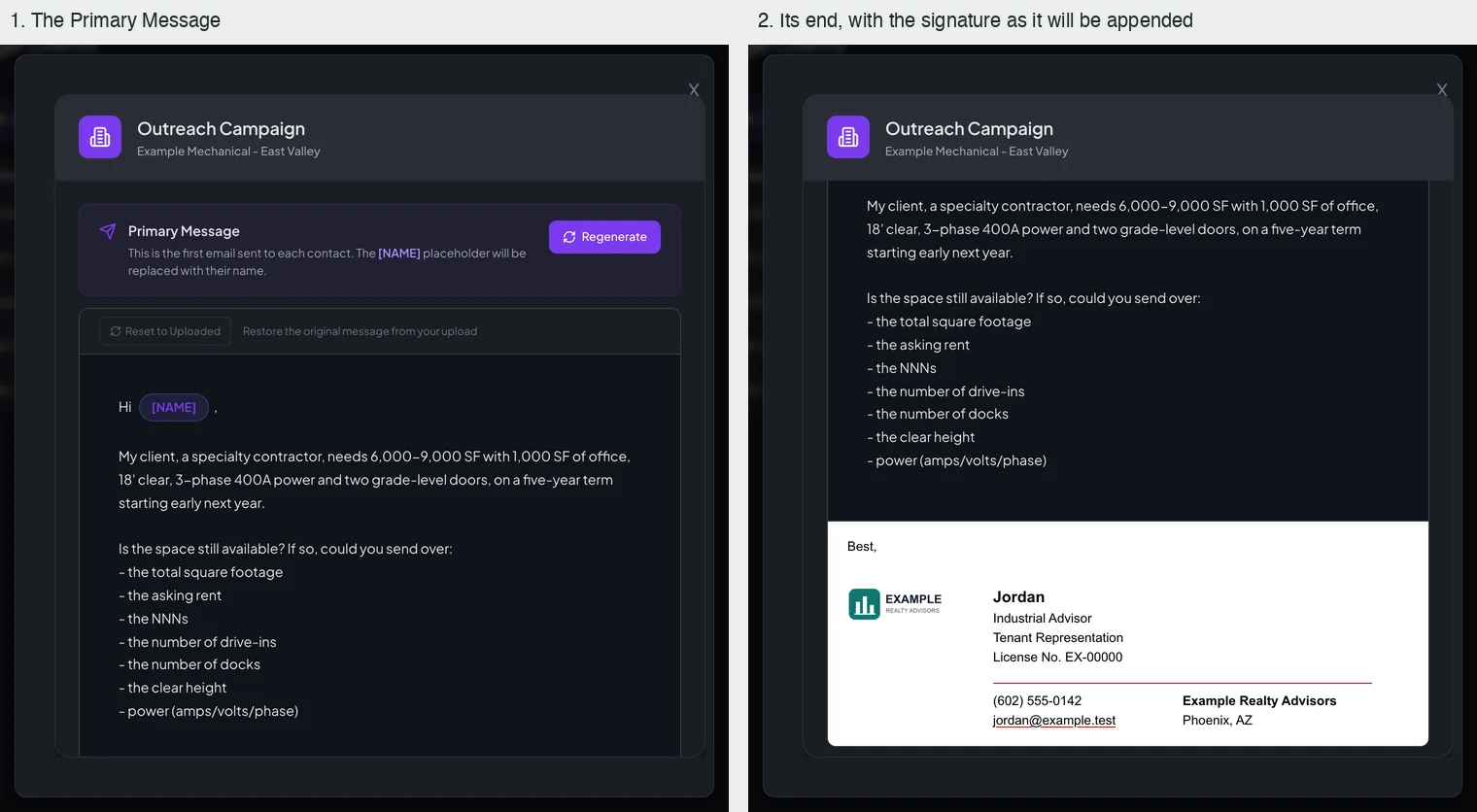
One email per property, greeted by first name or not at all, carrying the client’s requirements and a plain way to say the space is gone or to offer another building.
03
Facts to the right row
Rent, size, power, doors and clear height go to the property’s own row as the broker stated them, including mixed bases such as yearly rent with monthly charges. Figures for other buildings must never be written there.
04
Attachments read
Flyers, brochures and availability lists are read for the row they belong to, or the advisor is told exactly which file could not be read.
05
Replies in her voice
Questions the outreach already answers are answered without involving the advisor, a missing fact is asked for once, and a finished conversation is closed with thanks.
06
Her decisions, clearly flagged
Call requests, alternative buildings and replies that must wait on an owner become cards that say what happened and what was or was not sent, leaving the choice to her.
At a glance / simplified product view
01Property list
02Broker conversations
03Tracker and advisor decisions
Campaign wizard · before anything is sent
Every row is checked before a single email goes.
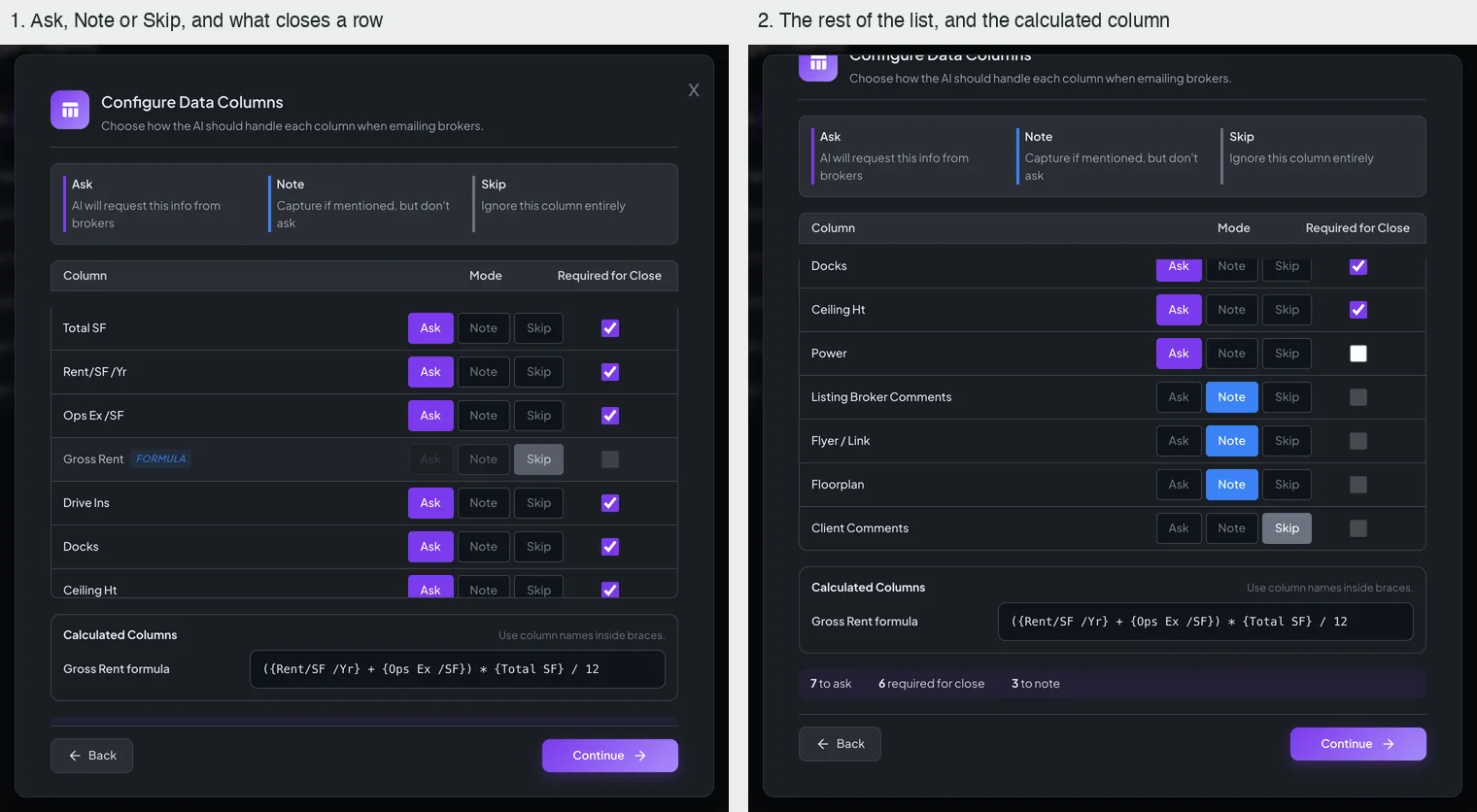
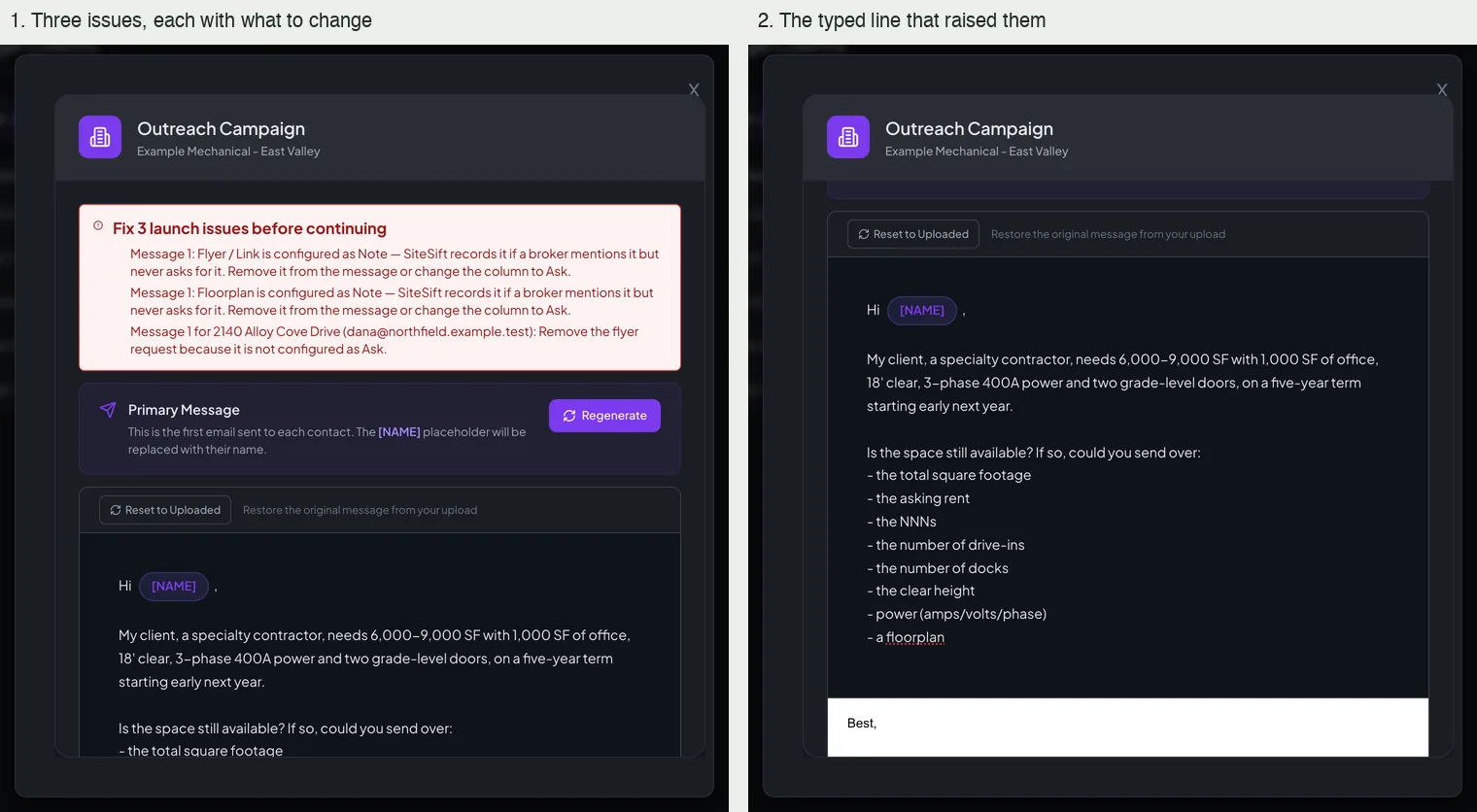
The advisor uploads her own property list. The wizard shows each row with the contact it will write to, lets her say what to ask for column by column, drafts the opening email in her name, and holds the launch if the message asks for something the columns say not to.
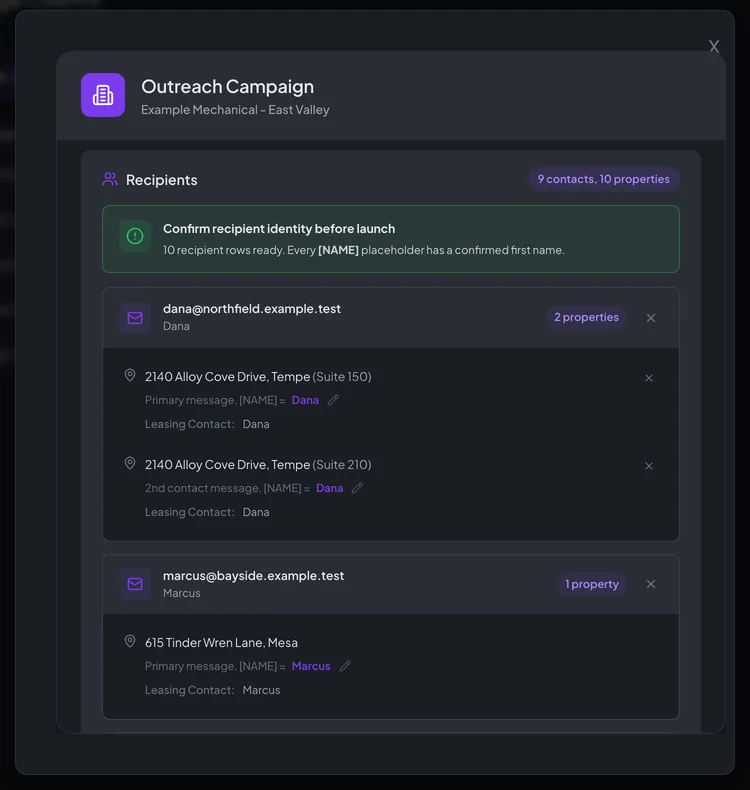
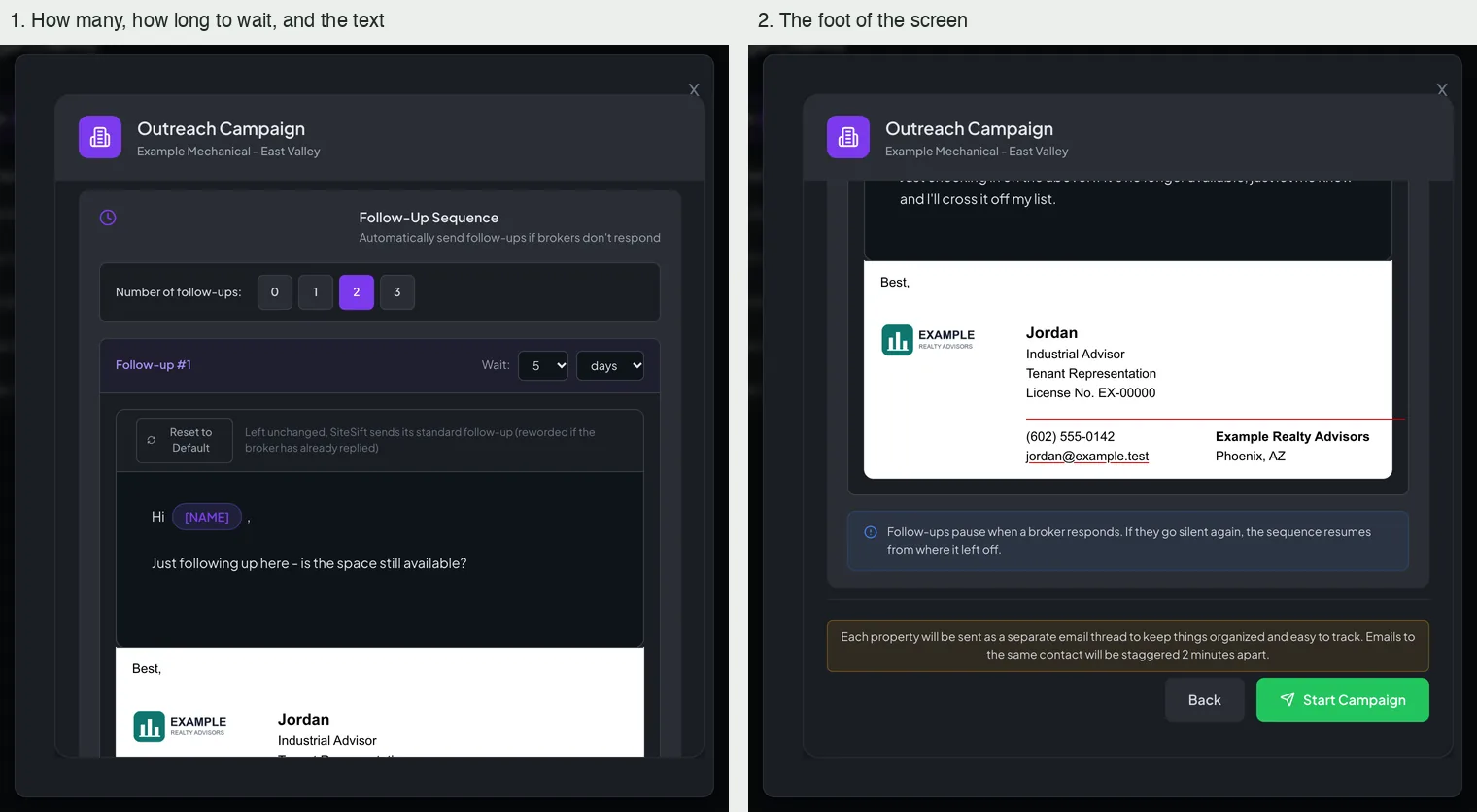
Rows that must not be written toA row with no email address opens struck through and unticked. A tracker uploaded again carries two warnings: the properties below its non-viable line, and the rows of its second tab, will not be emailed. Local run of today’s build with invented people and addresses; nothing was sent and no AI was called.What to ask forEach column is set to Ask, Note or Skip, with a tick for the facts a property needs before it counts as complete, and a calculated column with its formula. Local run of today’s build with invented people and addresses; nothing was sent and no AI was called.The opening emailThe first message with a placeholder for each broker’s first name, and the signature exactly as it will be appended. Local run of today’s build with invented people and addresses; nothing was sent and no AI was called.Who gets which messageNine contacts for ten properties, a line confirming that every greeting has a first name, and one card per broker. Local run of today’s build with invented people and addresses; nothing was sent and no AI was called.Follow-upsHow many nudges, how long to wait before each and what it says; follow-ups pause when a broker responds. Local run of today’s build with invented people and addresses; nothing was sent and no AI was called.A launch held backA typed line asks for a floorplan while that column is set to Note. The step lists what to change and will not start the campaign until it is fixed. Local run of today’s build with invented people and addresses; nothing was sent and no AI was called.
Dashboard · what needs her
One row per campaign, one line per decision.
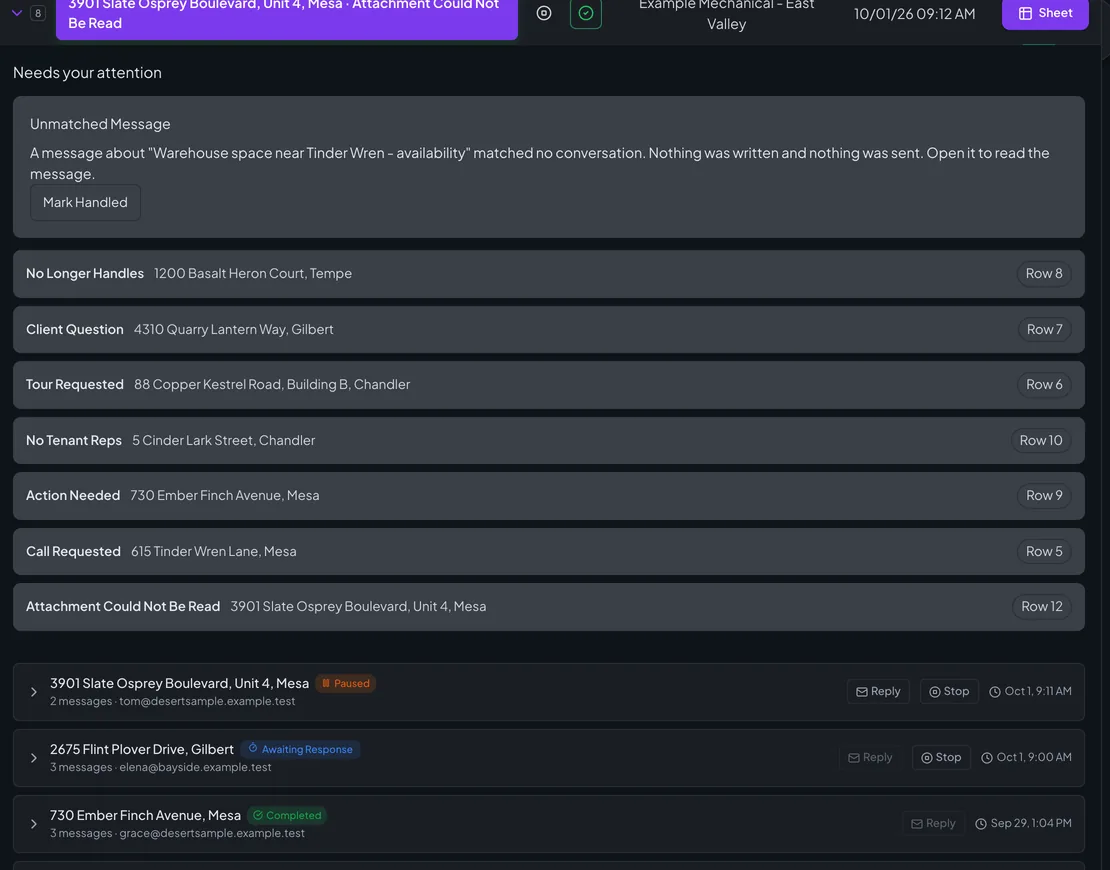
The dashboard opens on the advisor’s campaigns. A campaign that needs her says so on its own row, and opening it lists each decision by kind and property.
The campaign listThree counts, then one row per campaign in its own state, with the open decision named on the row and the Sheet button beside it. Local run of today’s build with invented people and addresses; nothing was sent and no AI was called.Needs your attentionOne campaign opened: a message that matched no conversation in full, then one line per open decision with its tracker row. Local run of today’s build with invented people and addresses; nothing was sent and no AI was called.Every state a campaign can be inLive, not yet started, waiting on a decision, stopping, a stop that failed with its retry, stopped, and completed. Local run of today’s build with invented people and addresses; nothing was sent and no AI was called.
Conversations · facts to the tracker
Each stated fact goes to the tracker; only what is missing is asked for.
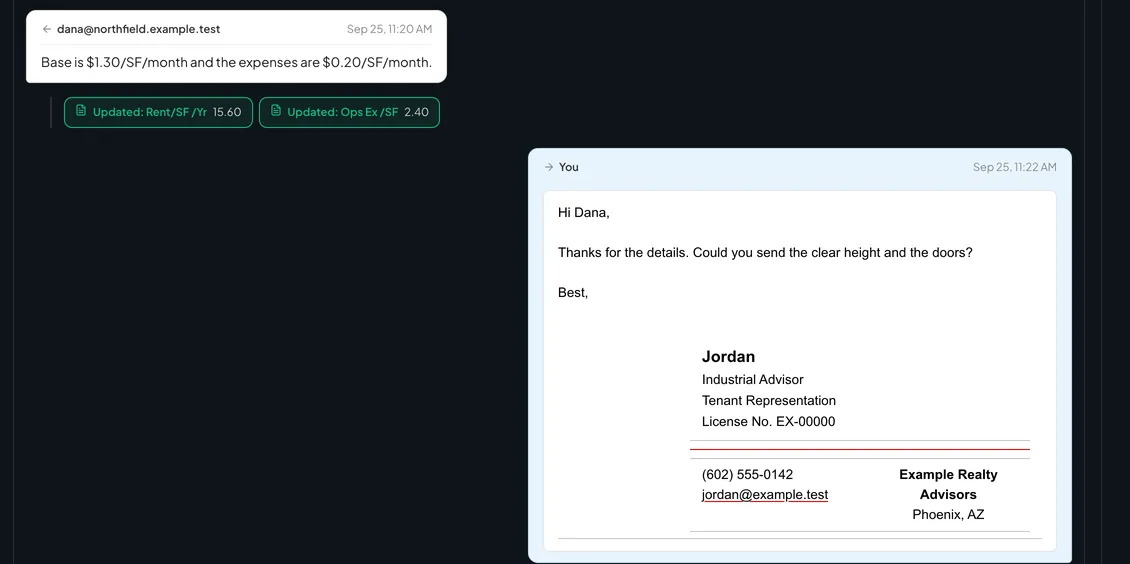
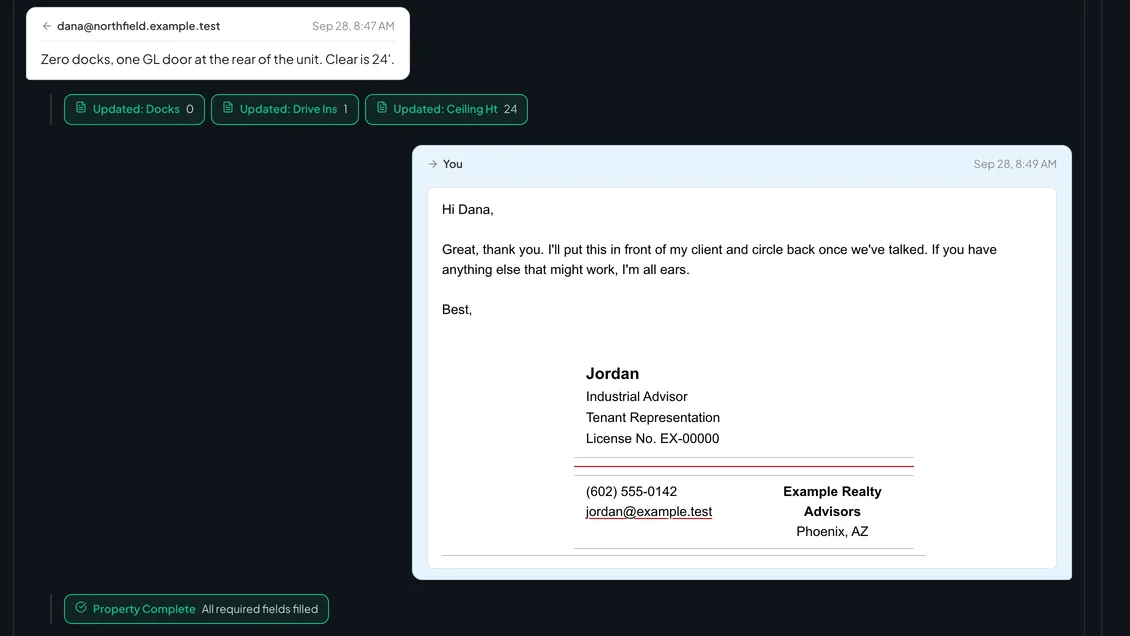
A broker answers in pieces. Each figure is written to the property’s own row as he stated it, shown as a chip under his message, and the product asks once, in one sentence, for what is still missing.
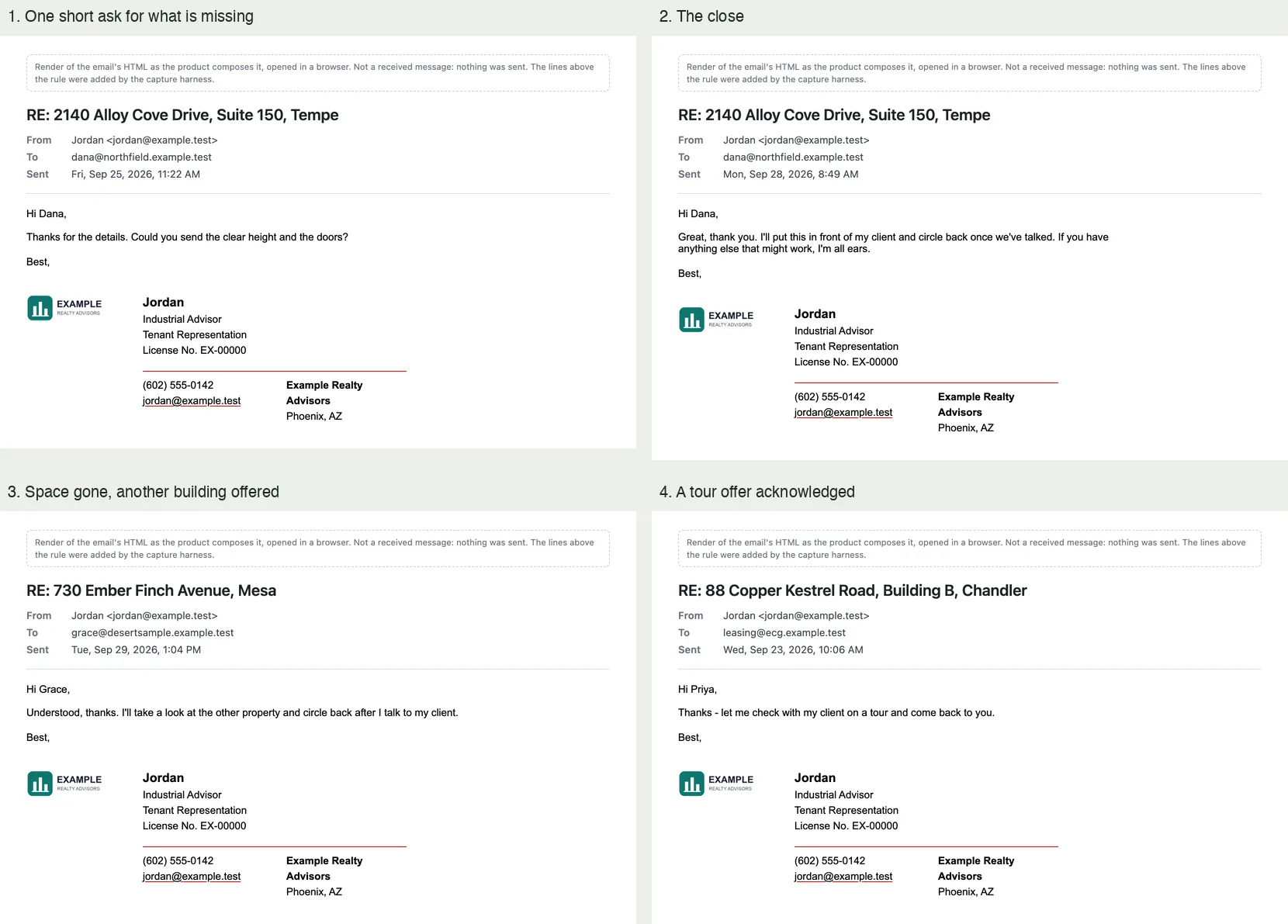
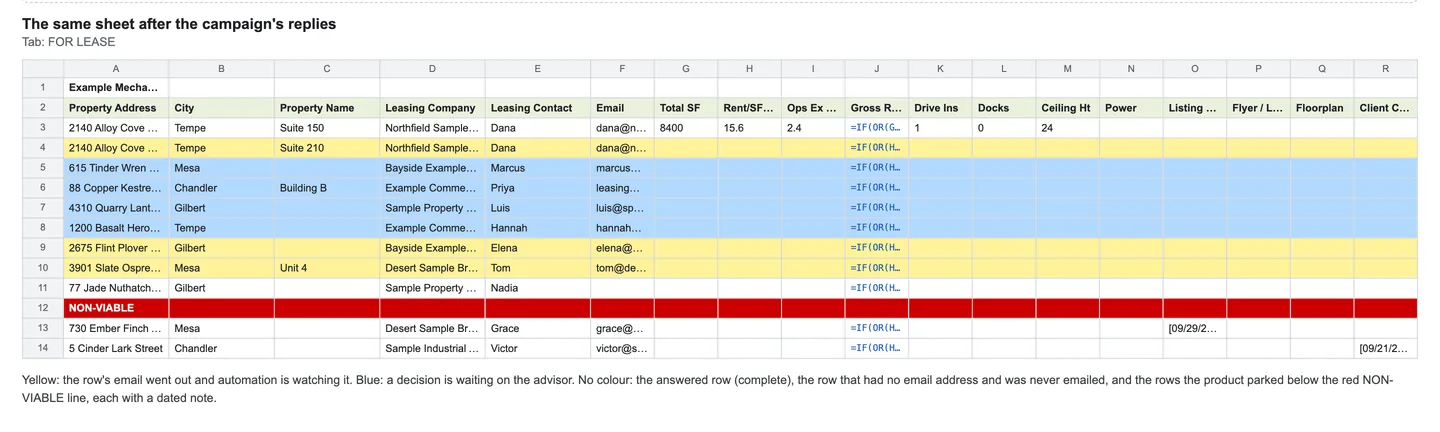
A partial answer, then one short askRent and expenses quoted per month are written to the tracker as yearly figures, and one sentence asks for the clear height and the doors. Local run of today’s build with invented people and addresses. The conversation was put together from recorded test cases and the product’s own fixed sentences; nothing was sent and no AI was called.The last answer and the closeThree more facts are written, the closing reply goes, and the property is marked complete. Local run of today’s build with invented people and addresses. The conversation was put together from recorded test cases and the product’s own fixed sentences; nothing was sent and no AI was called.The replies it sends on its ownOne short ask, the close, the reply when the space is gone, and the acknowledgement of a tour offer, each above the advisor’s signature. These are the messages as composed, not received emails. Local run of today’s build with invented people and addresses. The conversation was put together from recorded test cases and the product’s own fixed sentences; nothing was sent and no AI was called.The tracker after the repliesRows being watched in yellow, rows waiting on the advisor in blue, the answered row filled in, and two ruled-out rows below the red line. A plain grid drawn from what the product wrote, not a picture of the spreadsheet program. Local run of today’s build with invented people and addresses. The conversation was put together from recorded test cases and the product’s own fixed sentences; nothing was sent and no AI was called.
Advisor cards · her call
When the decision is hers, the reply is already written.
Tours, other buildings, hand-offs to a colleague, questions only the client can answer: each reaches the advisor as a card that says what happened and what already went out, with a reply she can send as it is or rewrite.
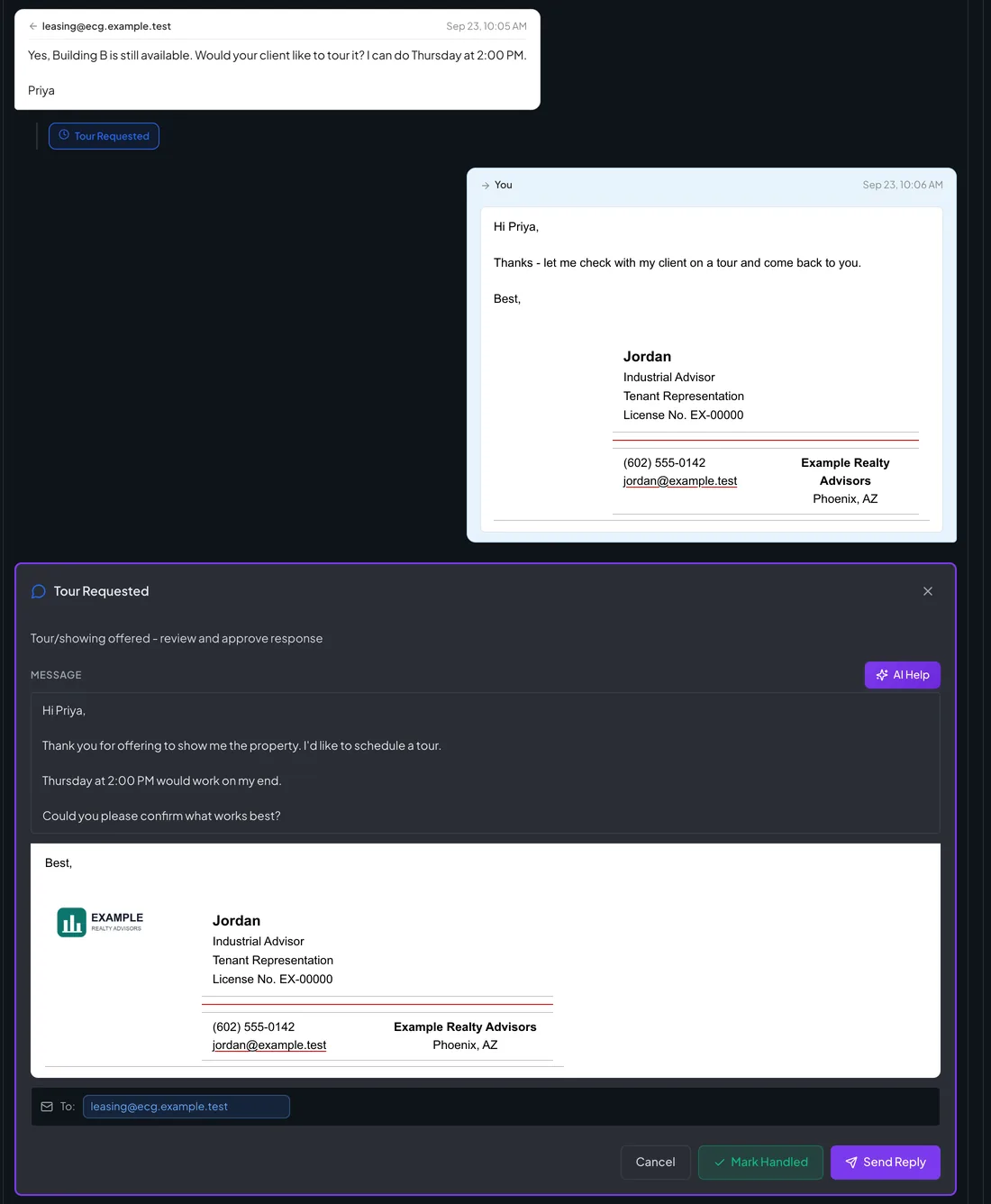
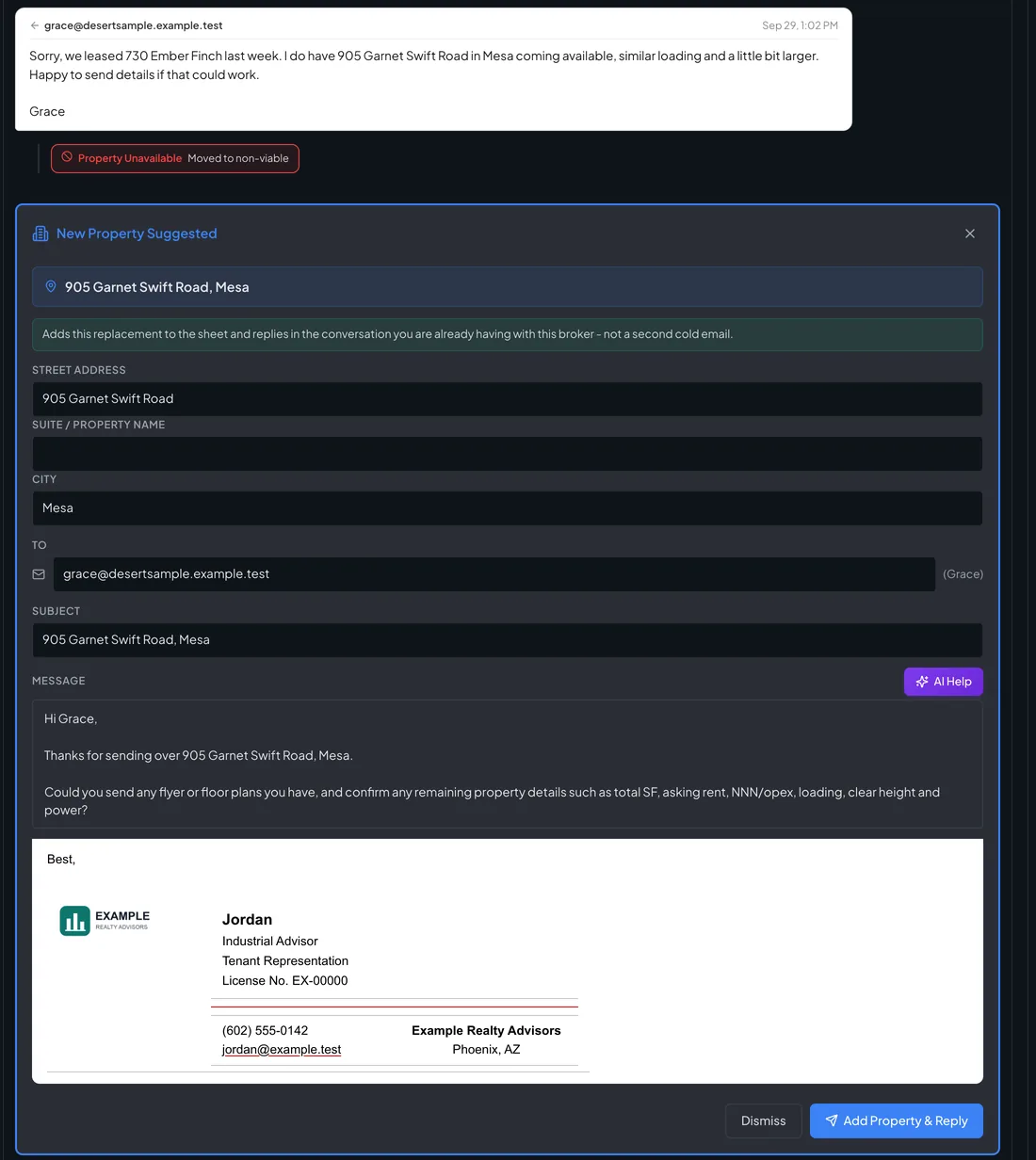
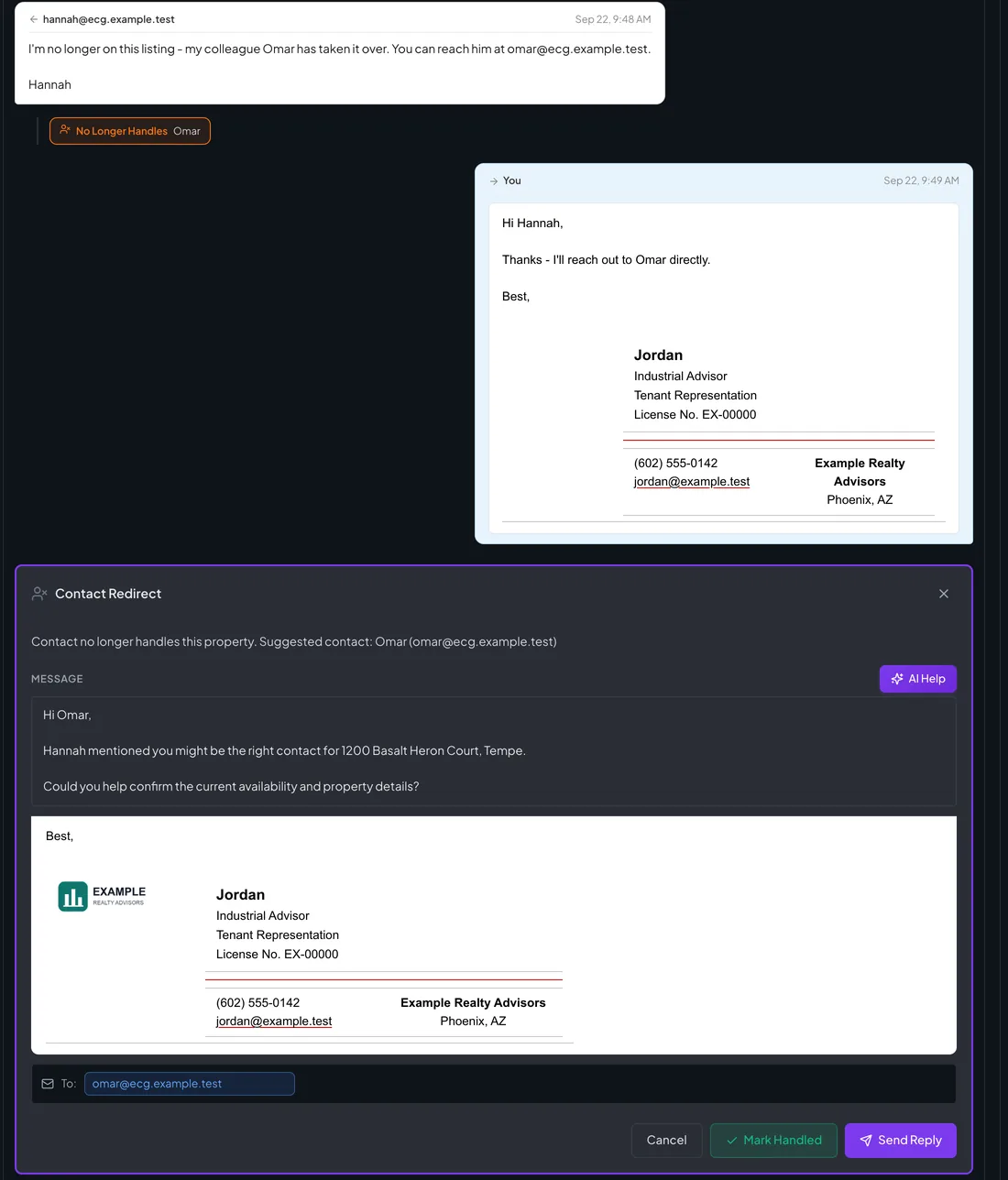
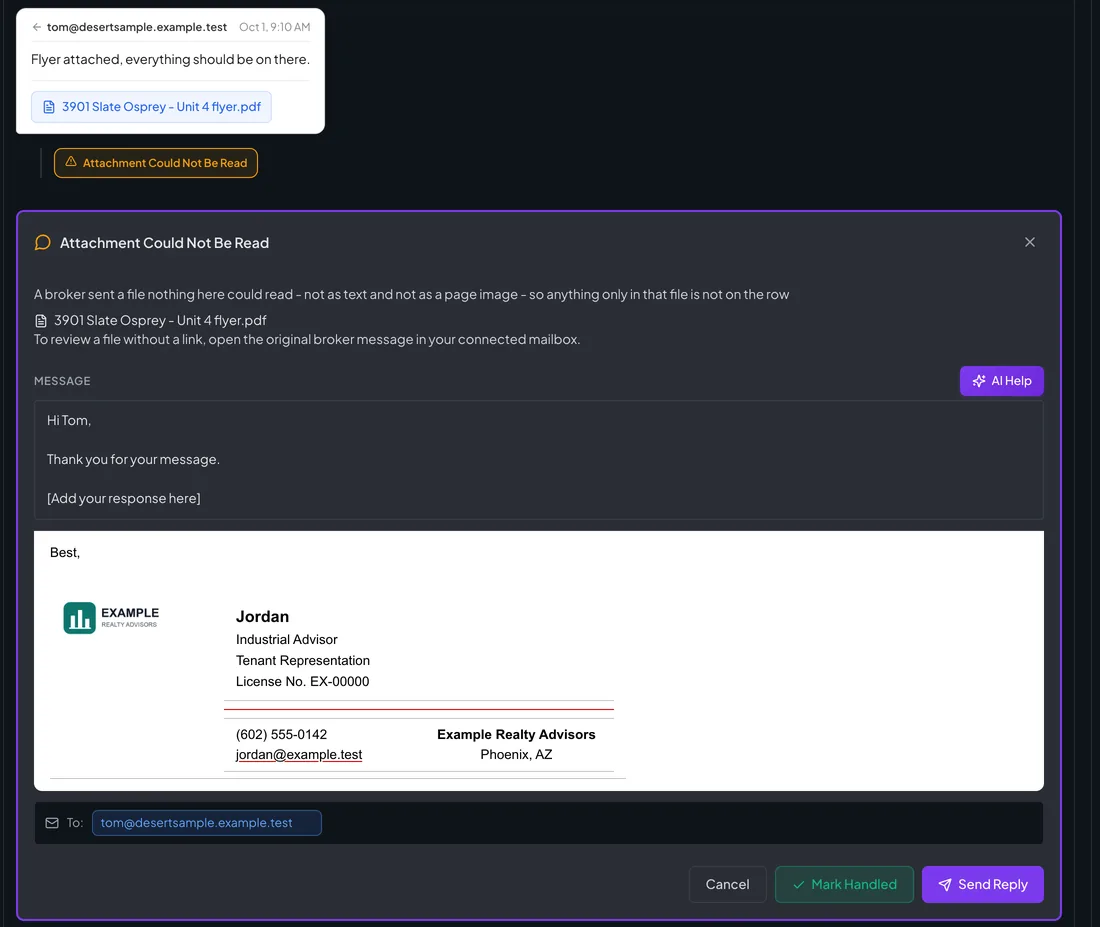
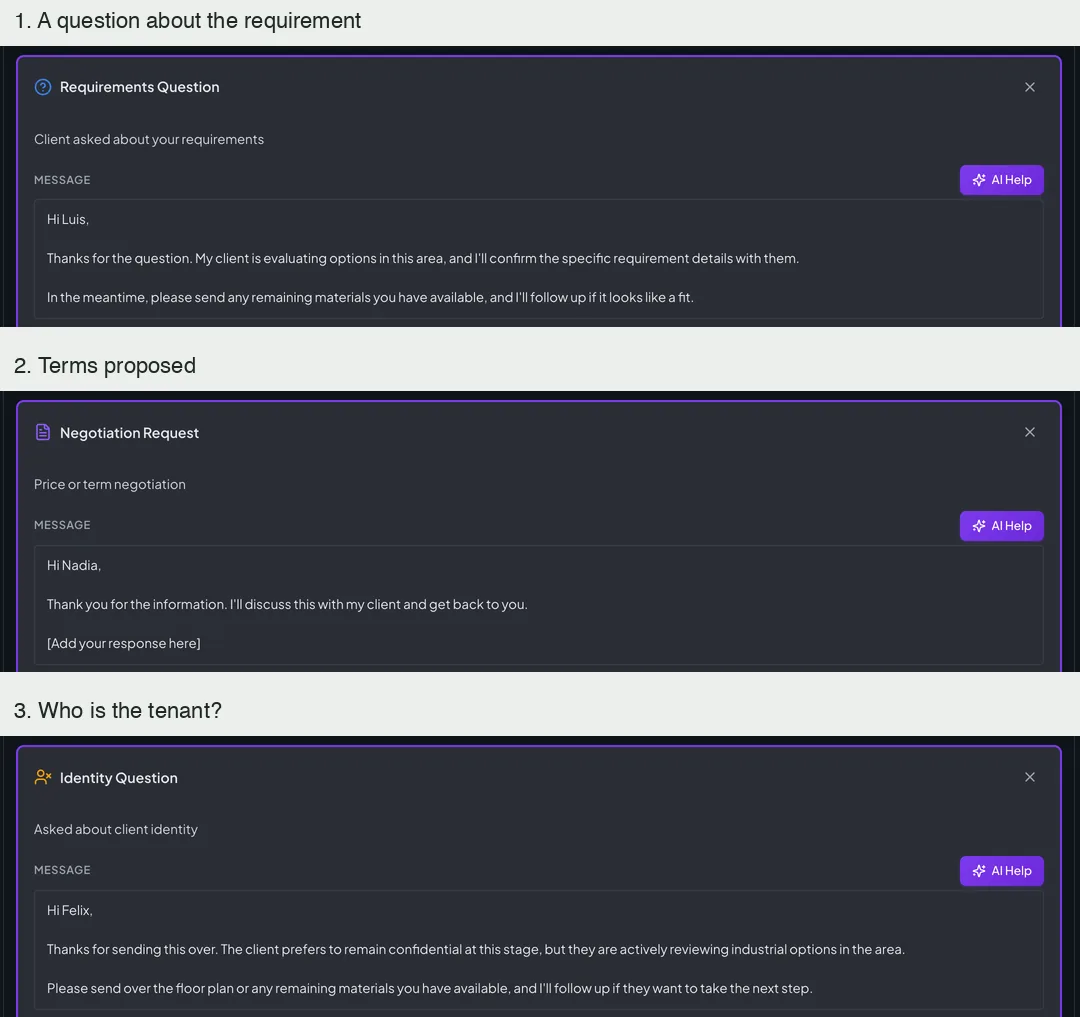
A tour offerThe broker offers a time. He gets a short acknowledgement, and the card holds a reply that accepts the time, to send, change or mark as handled. Local run of today’s build with invented people and addresses. The broker messages are invented and the product’s replies are its own fixed text; nothing was sent.Another building offeredThe leased property moves to non-viable, and the building the broker offers becomes a card: dismiss it, or add the property and reply in the same conversation. Local run of today’s build with invented people and addresses. The broker messages are invented and the product’s replies are its own fixed text; nothing was sent.A hand-off to a colleagueThe broker names a colleague. He is thanked, and the card holds a first email to her, addressed and ready. Local run of today’s build with invented people and addresses. The broker messages are invented and the product’s replies are its own fixed text; nothing was sent.A file that could not be readThe card names the file, says that anything only in it is not on the row, and tells her how to review it. Local run of today’s build with invented people and addresses. The broker messages are invented and the product’s replies are its own fixed text; nothing was sent.Questions that are the client’s to answerA question about the requirement, proposed terms, and who the tenant is; the identity reply keeps the client confidential. Local run of today’s build with invented people and addresses. The broker messages are invented and the product’s replies are its own fixed text; nothing was sent.
Endings · nothing sent that should not be
A stop is a stop, and the dashboard says so.
A broker who asks to be left alone is stopped and remembered. Stopping a campaign says what it will cancel and what it keeps, and when nothing can be sent the dashboard says why.
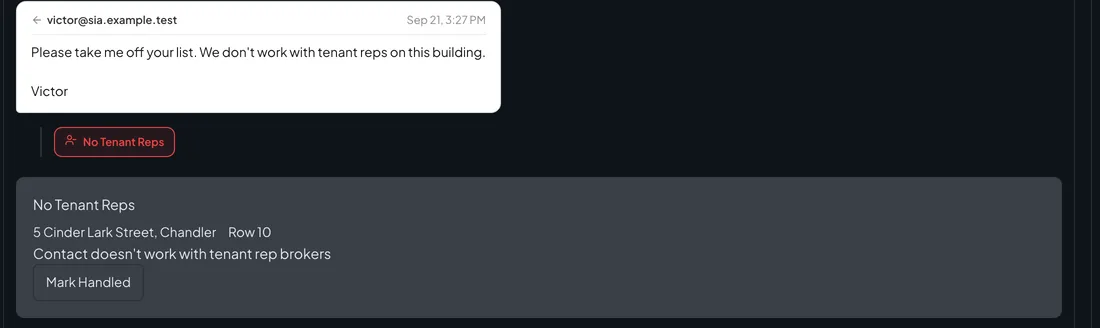
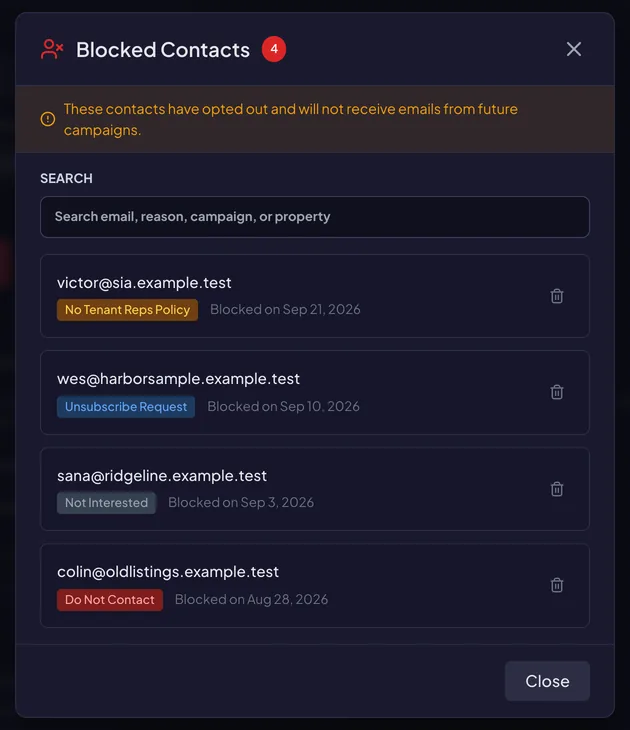
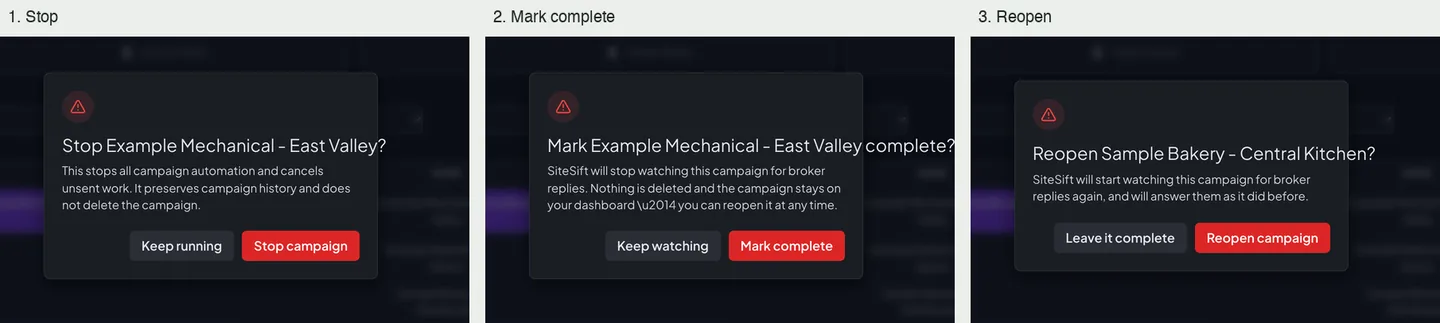
A broker asks to be taken off the listHis message is marked, the conversation stops, and the notice offers one button only. Local run of today’s build with invented people and addresses. The broker messages are invented and the product’s replies are its own fixed text; nothing was sent.Everyone who opted outSettings keeps each broker who asked not to be contacted, with the reason and the date. Local run of today’s build with invented people and addresses. The broker messages are invented and the product’s replies are its own fixed text; nothing was sent.Stop, complete, reopenEach confirmation says what it will do before anything changes. Local run of today’s build with invented people and addresses. The broker messages are invented and the product’s replies are its own fixed text; nothing was sent.When nothing can be sentWith the mailbox not signed in, a banner offers the fix and the campaign’s own row says four emails were not sent and why. Local run of today’s build with invented people and addresses. The broker messages are invented and the product’s replies are its own fixed text; nothing was sent.
Admin · operating the product
Health, spend and limits on one screen each.
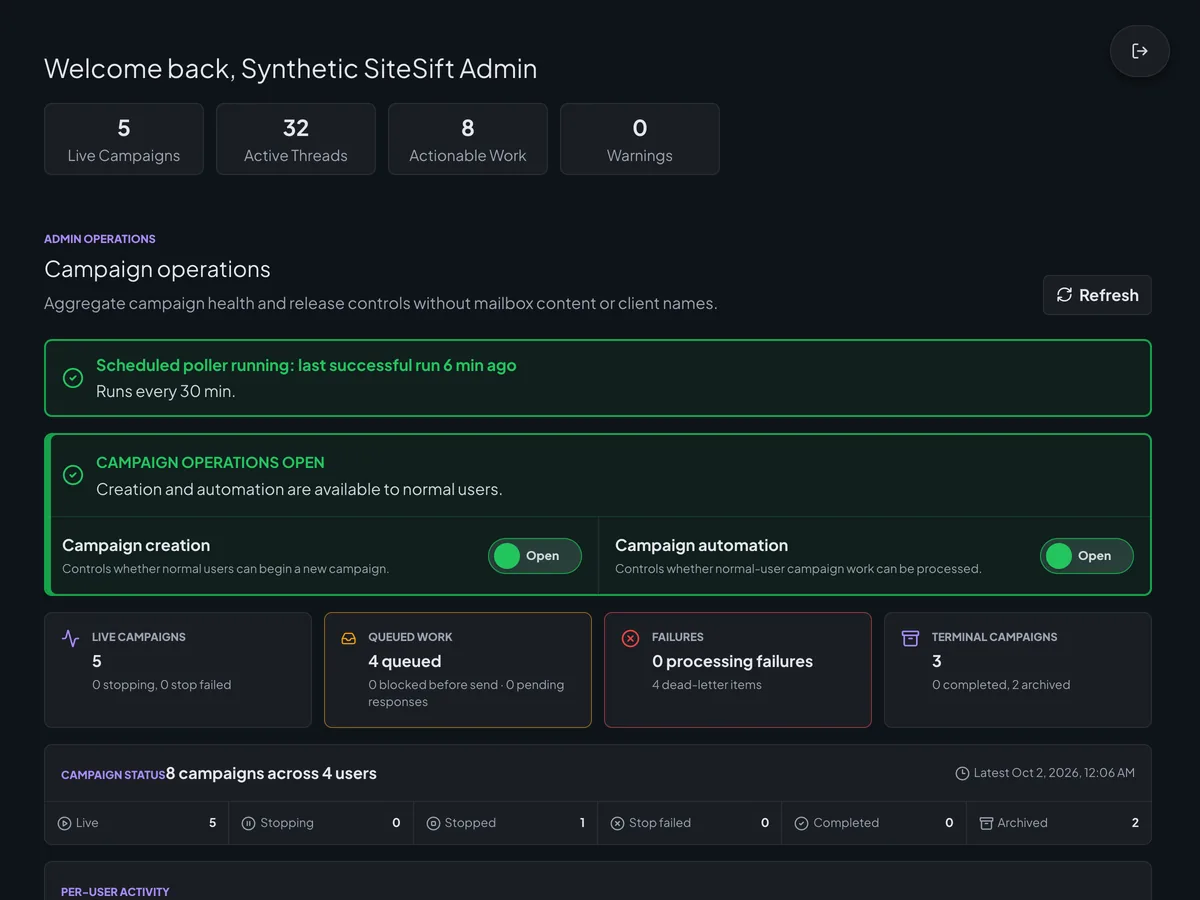
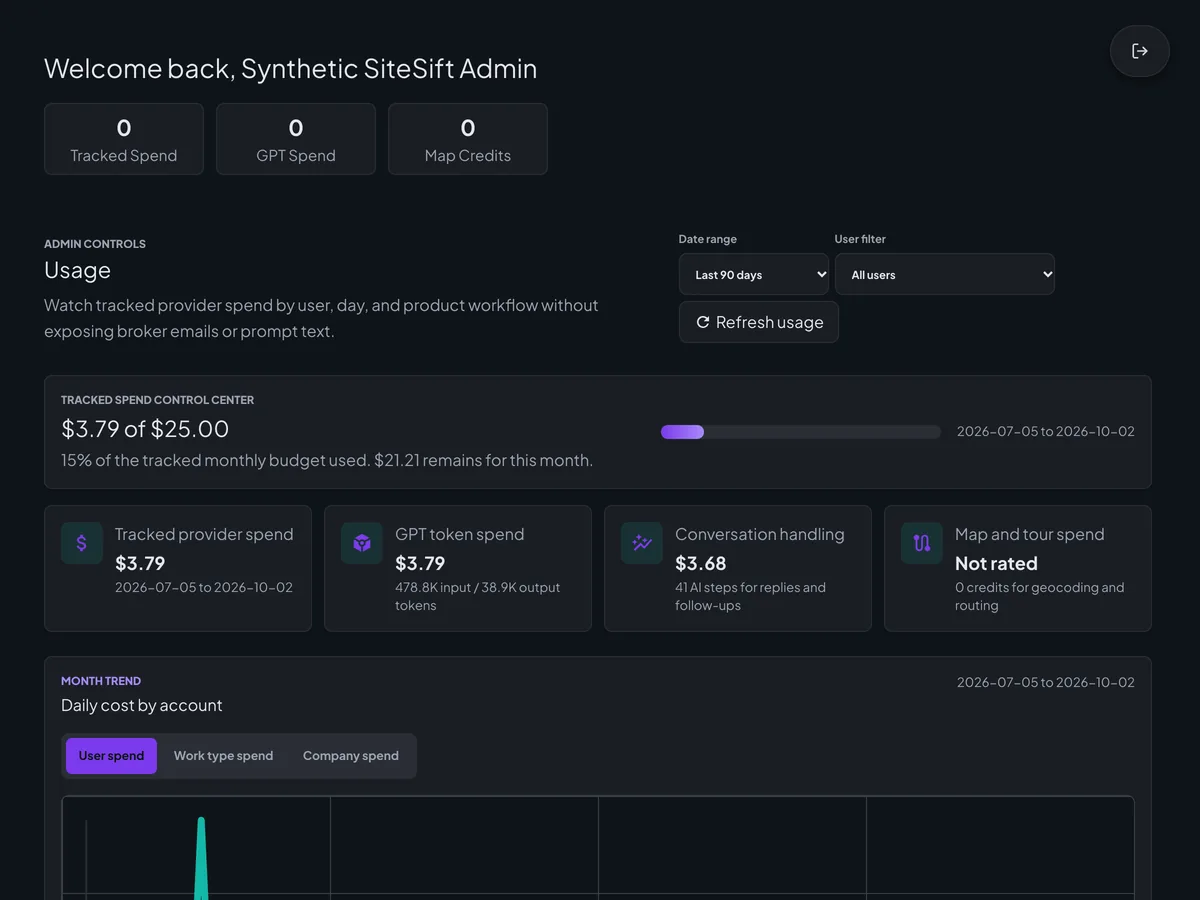
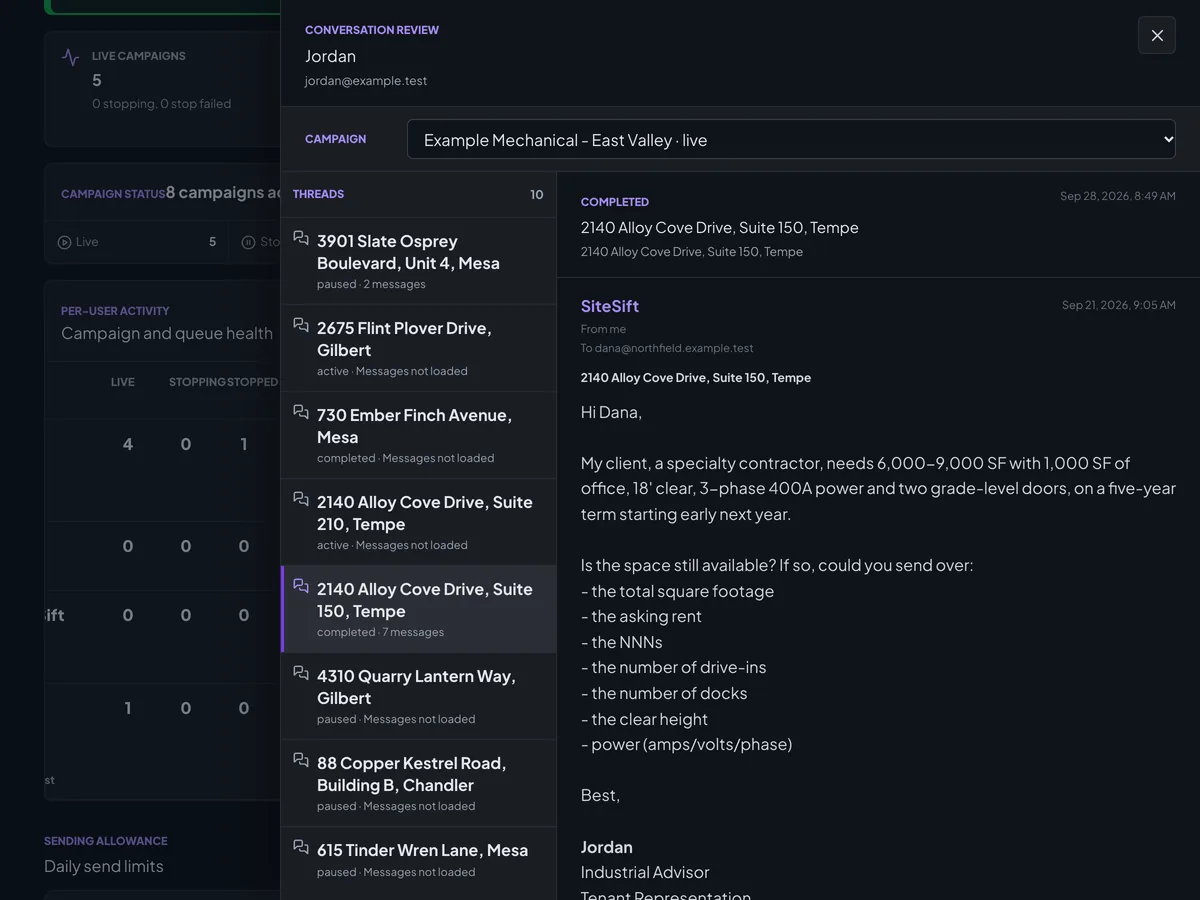
The admin pages show whether the scheduled run is healthy, switch campaign creation and automation on and off, track what the product spends by day and kind of work, and let a conversation be read exactly as it happened.
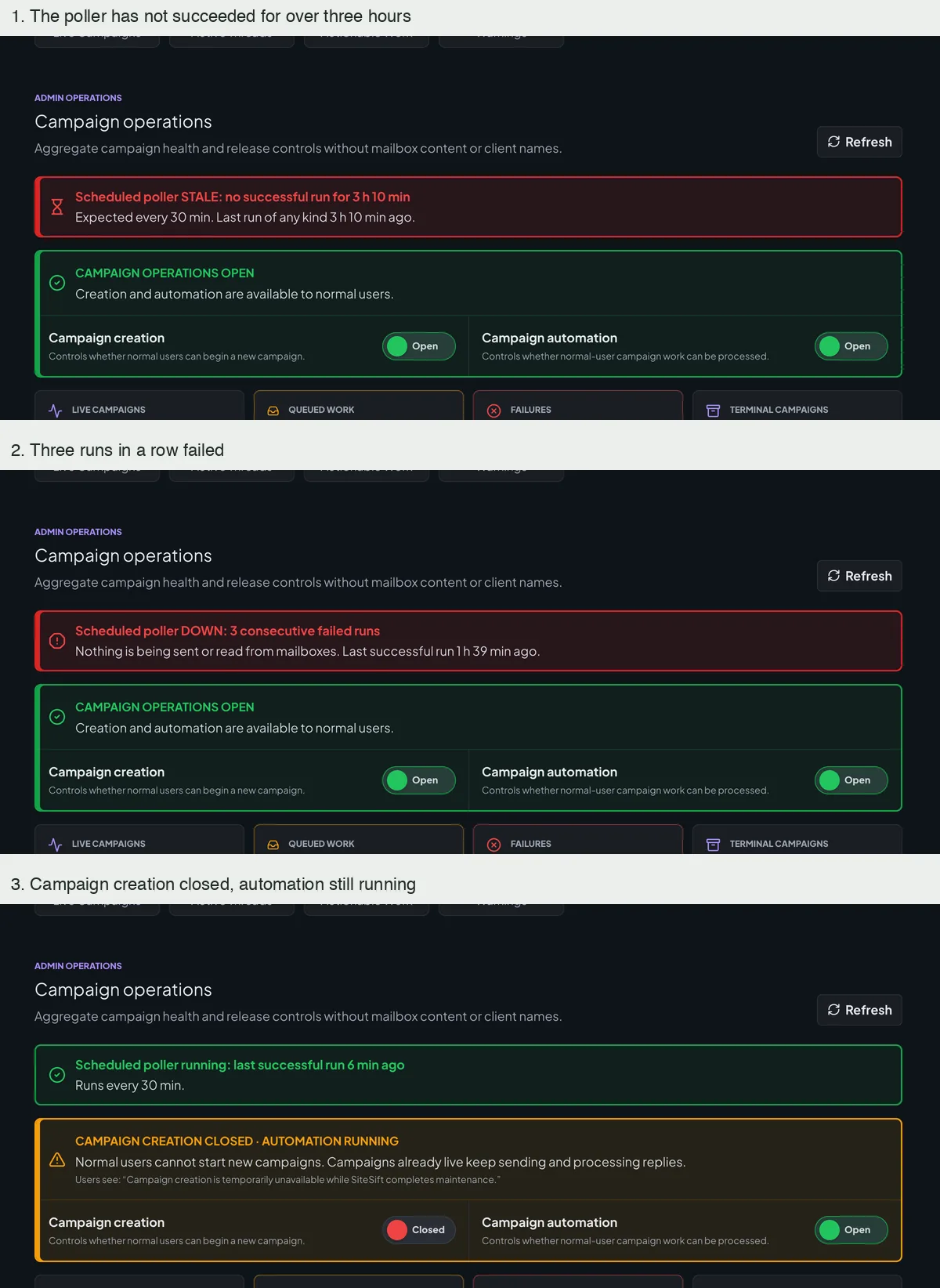
Health and the two switchesWhether the scheduled run is healthy, the switches for campaign creation and automation, and the queue. Local run of the admin pages with synthetic accounts; the spend figures are computed from an invented list of calls.When the run is late or failingThe banner turns red when the run has had no success for over three hours, and again when three runs in a row fail. The third picture shows campaign creation closed while automation keeps running. Local run of the admin pages with synthetic accounts; the spend figures are computed from an invented list of calls.What it has spentSpend against the monthly budget over the last 90 days, with the split by provider, AI, conversation handling and maps. Local run of the admin pages with synthetic accounts; the spend figures are computed from an invented list of calls.Reading a conversation as it happenedThe review drawer: a campaign’s conversations with their status, and the selected one message by message. Local run of the admin pages with synthetic accounts; the spend figures are computed from an invented list of calls.
Testing · measured, not assumed
A failing case has a name and a cost.
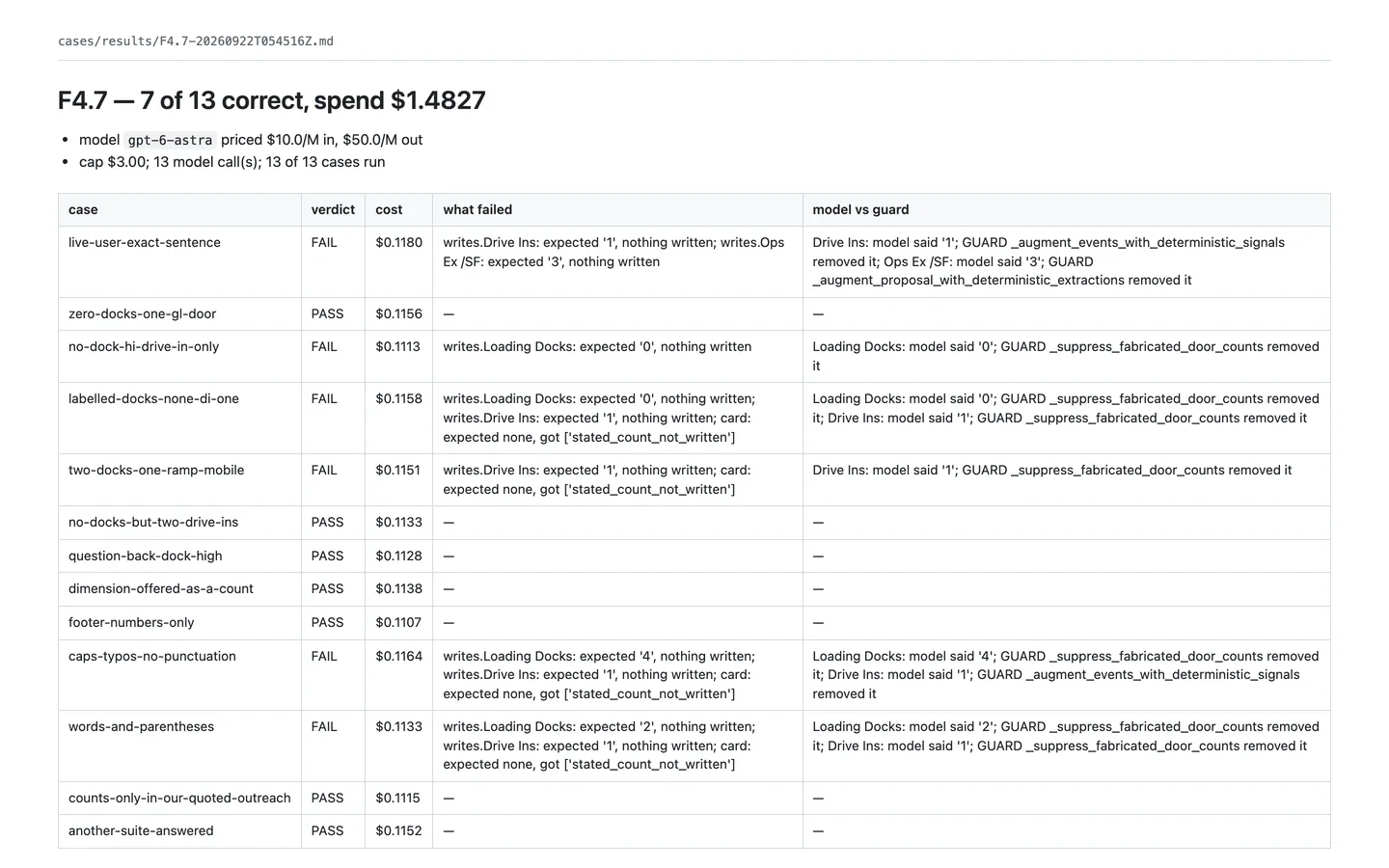
A harness feeds realistic broker replies through the product’s one reply entry point with the real AI, under a dollar cap. An offline sweep of phrasings costs nothing to run, and every fixed reply is checked against a voice rubric.
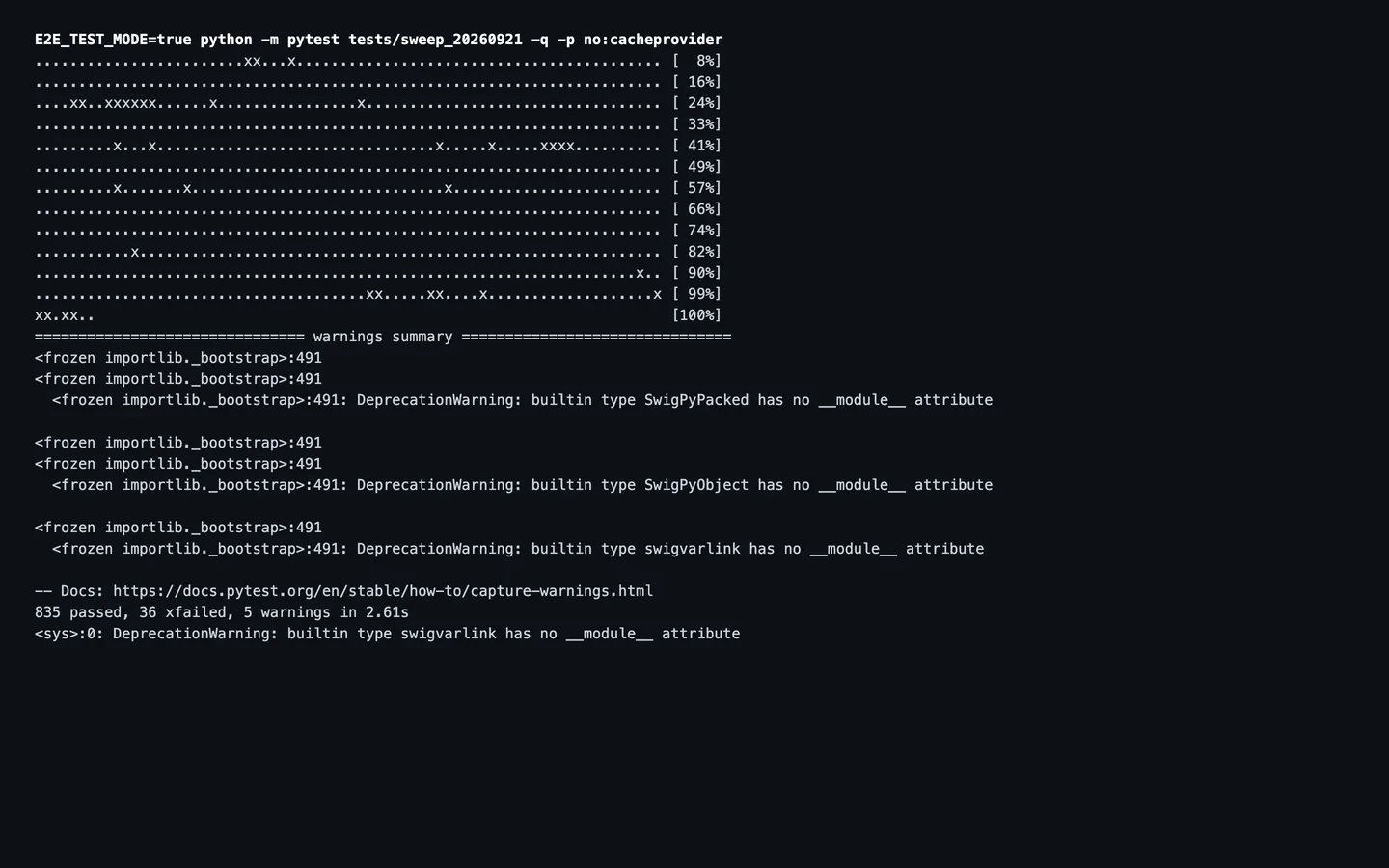
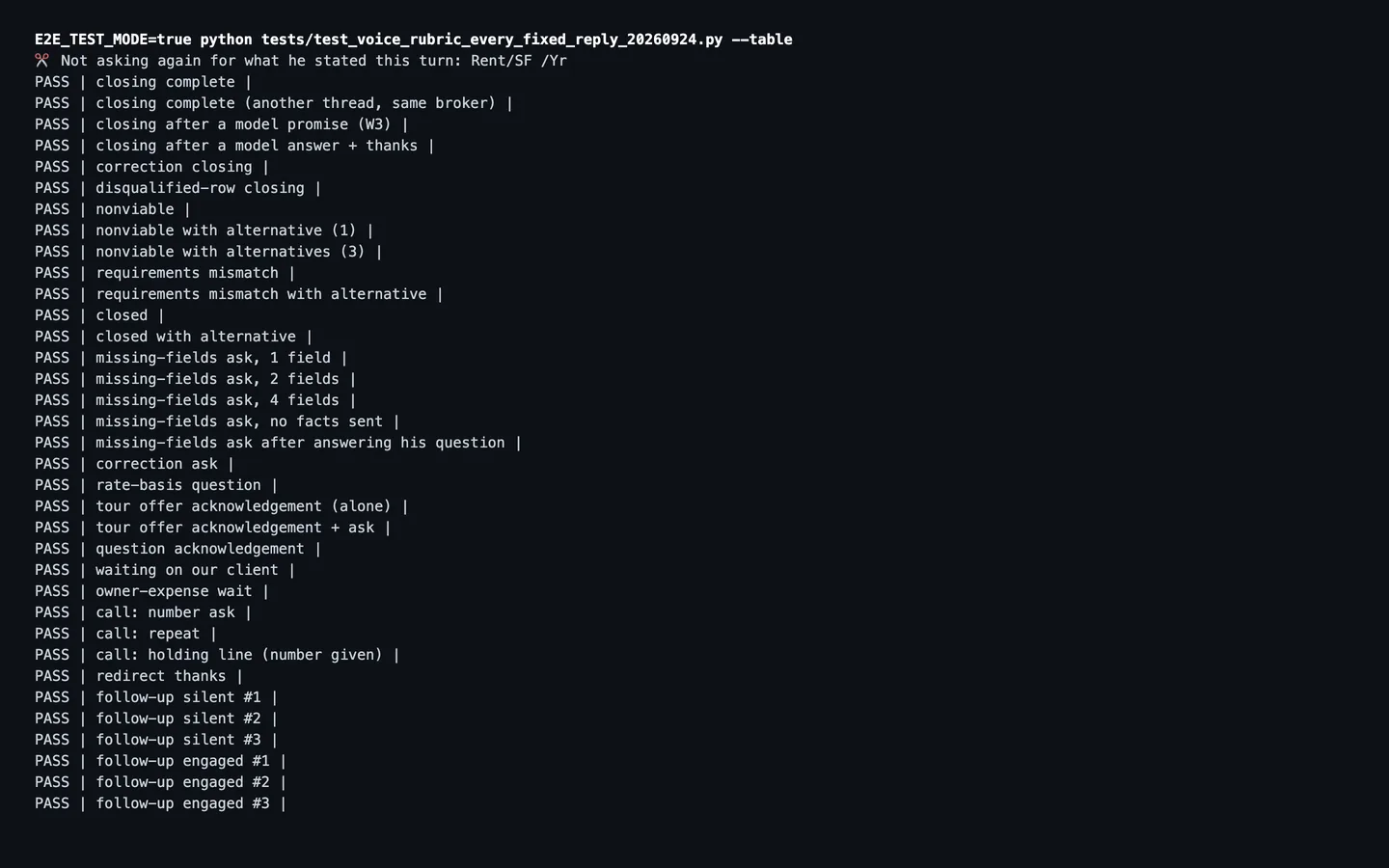
A real-AI result, with its failures namedOne feature on 22 September 2026: 7 of 13 cases correct for $1.48, and for each failing case which value was lost and what removed it. A saved result, shown as written. Saved results and terminal output of the product’s own test tools; every case is an invented broker reply.The offline sweep871 phrasings on 2 October 2026: 835 pass and 36 known failures are pinned by name, so a fix shows up as a flipped test. Saved results and terminal output of the product’s own test tools; every case is an invented broker reply.The voice tableOne line per kind of fixed reply with its verdict against the voice rubric; all 35 pass. Saved results and terminal output of the product’s own test tools; every case is an invented broker reply.
Results · after the replies are in
From a filled tracker to a tour packet.
In development · left out of released builds
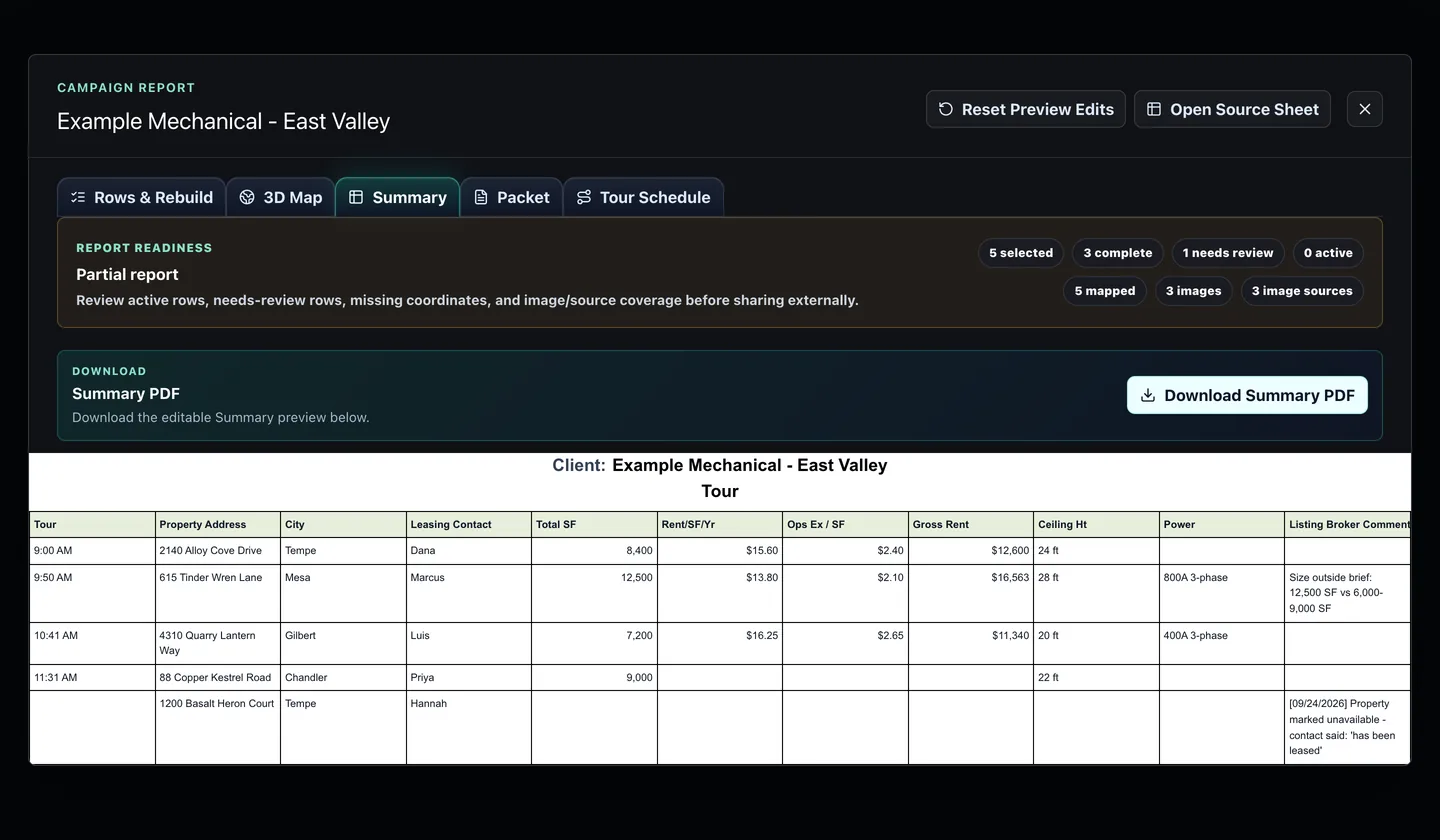
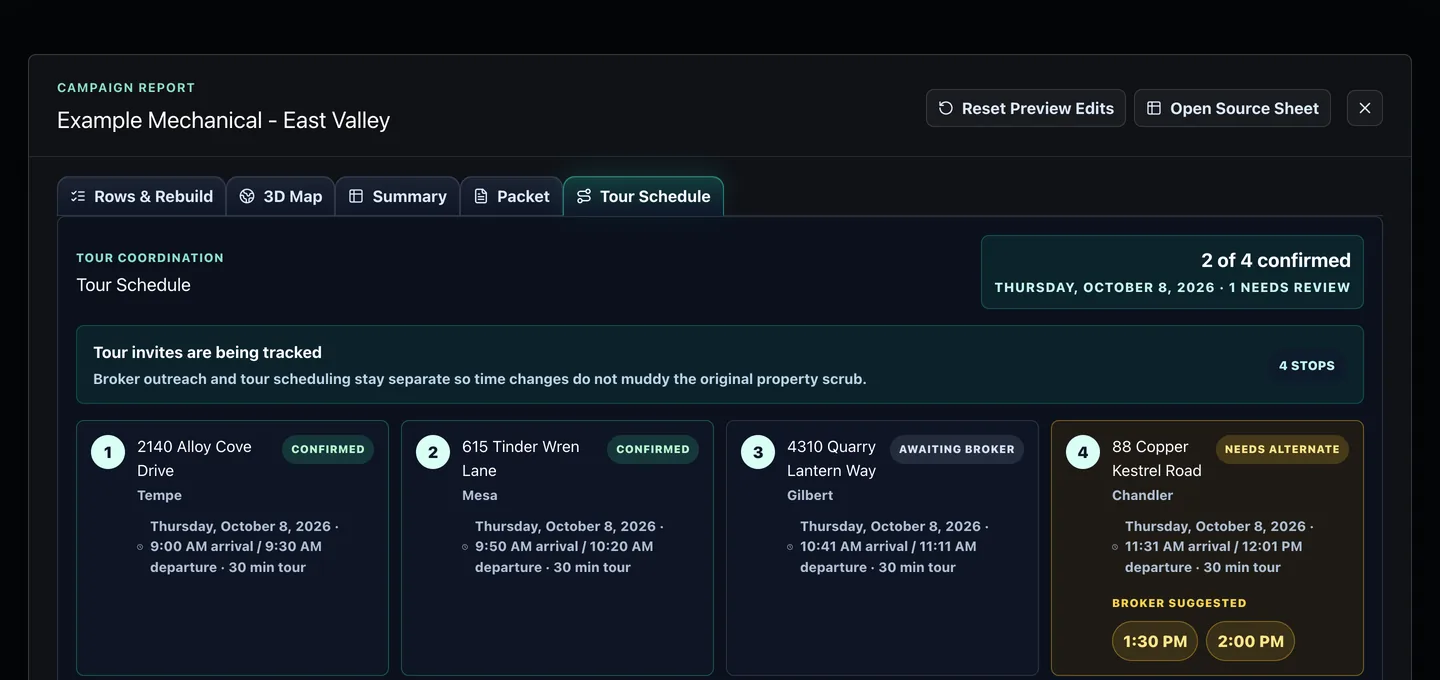
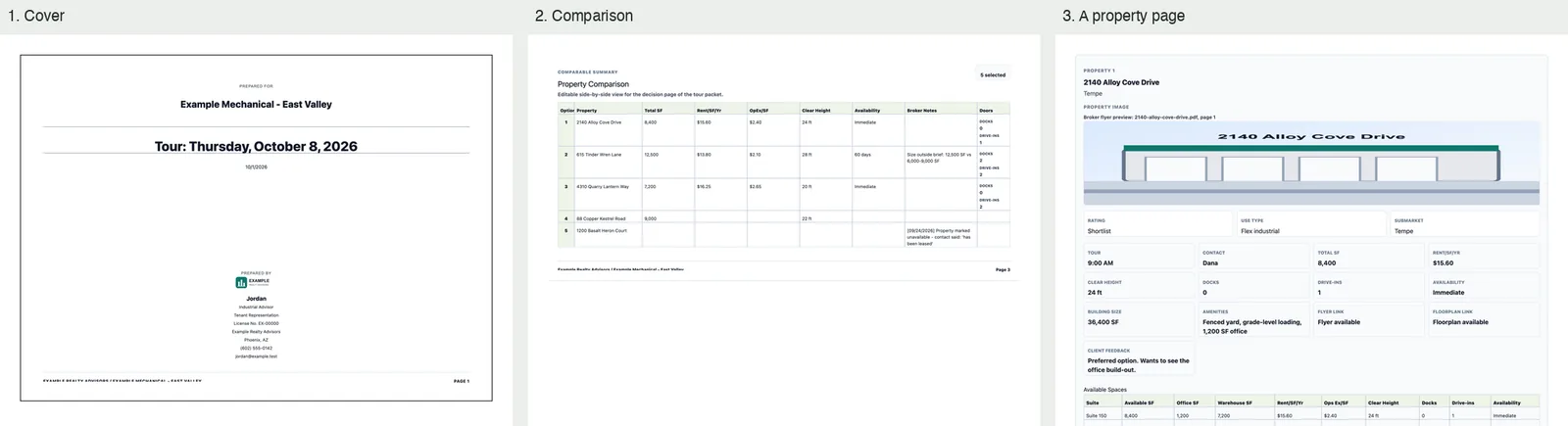
Once a campaign has its answers, the results workspace turns the selected rows into a summary, a tour packet and a planned route, and tracks each broker’s answer to a tour invitation.
The summaryReport readiness, the download, and one line per selected property in tour order. Local run of the workspace with an invented campaign; the building pictures in the packet are drawn sketches.The tour scheduleTwo of four stops confirmed, one awaiting its broker and one needing another time, with the times that broker suggested. Local run of the workspace with an invented campaign; the building pictures in the packet are drawn sketches.The tour packetThree pages of the downloaded packet: the cover, the side-by-side comparison and one property page. Local run of the workspace with an invented campaign; the building pictures in the packet are drawn sketches.
Engineering choices
The decisions behind the interface.
01
Test fixes against the real model.
A harness feeds realistic broker replies through the product’s single reply entry point with the real model, under a dollar cap per run; reading one reply costs about 14 cents. Its first run traced every failure to the rules around the model rather than the model itself.
02
Pin every known fault.
An offline sweep of 871 realistic phrasings costs nothing to run. Each failing case is pinned to a named fault, so a fix shows up as a flipped test instead of passing silently.
03
Prove it live with the fewest emails.
Changes are proven on single-property campaigns between owned test mailboxes, with a fixed email and spend budget. One overnight session ran six such campaigns and shipped four releases for $1.55 of model spend.
More than 10,000 automated backend tests and about 3,800 dashboard and cloud-function tests (local runs, 28 September 2026, with 13 known failures tracked by name). Passing tests are not counted as proof here; only live test campaigns are.
Where it stands
In development, measured honestly.
SiteSift is not open to users today. Each of its eight steps has measurable criteria that count only when proven on a live test campaign against the build that is serving: nine of 22 so far, and no step is complete yet. The beta stays paused until every fault a broker could see is closed.