Every booking since 2009, verified and in one place.
The company’s booking history back to 2009, verified to the cent in its own AWS storage, with a dashboard and a read-only ChatGPT connection live behind a company sign-in; every answer ties its figure to the report row it came from. A daily AI export agent is built and being proven run by run.
PROJECTCreate Spaces
MY ROLESoftware Engineer · Manifold
STAGEDashboard and ChatGPT connection live · daily export being proven
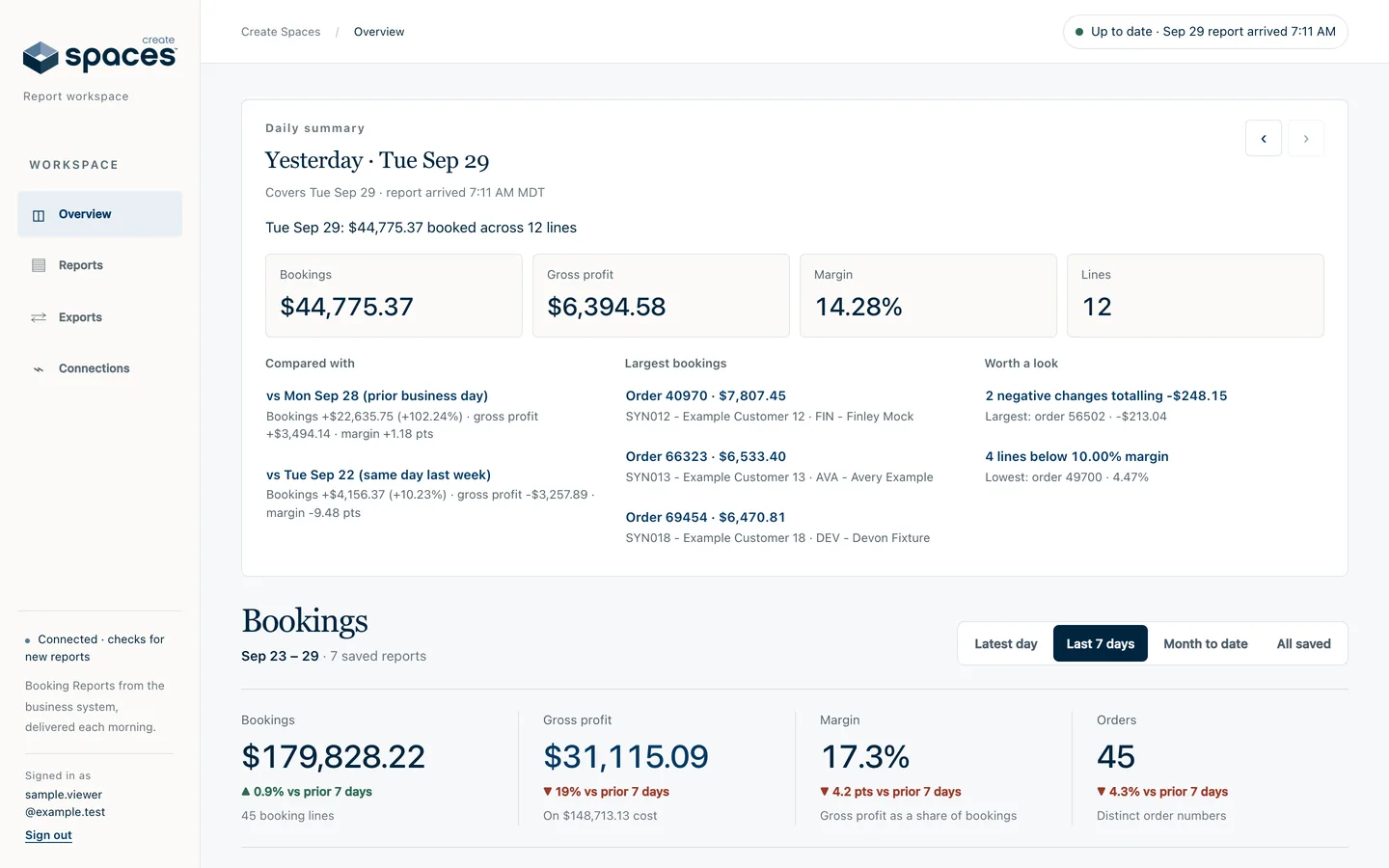
The dashboard’s Overview: yesterday’s summary and the totals for the chosen period. A local run of the product’s own code with invented bookings in the report’s exact format; real figures stay private.
The context
A problem worth solving.
Sales information lived inside the company’s desktop business system, as reports someone had to run and export by hand. The team wanted the full history in one place and a safe way to ask questions without losing the original numbers.
My contribution
What I brought to the work.
Built the export agent and its verification, the storage and alerting on the company’s own AWS account, the dashboard and the read-only ChatGPT connection. An AI agent with its own cloud computer is set to sign in to the business system each morning and export the previous day’s report, so no one’s computer has to be on; every file is checked against the report’s printed totals before it is kept. The first supervised cloud run passed every check, and unattended runs are being confirmed.
The product
What it makes possible.
Five parts follow: the dashboard, the report rows behind each figure, the daily export and its checks, the ChatGPT connection, and who gets in. Each screen is a local run of the product’s own code with invented bookings; the company’s real figures stay private.
01
No one’s computer required
A hosted AI agent with its own cloud computer is scheduled to sign in to the business system each morning and export the previous day’s Booking Report as Excel. The first supervised run passed every check; unattended runs are being proven.
02
Every line checked
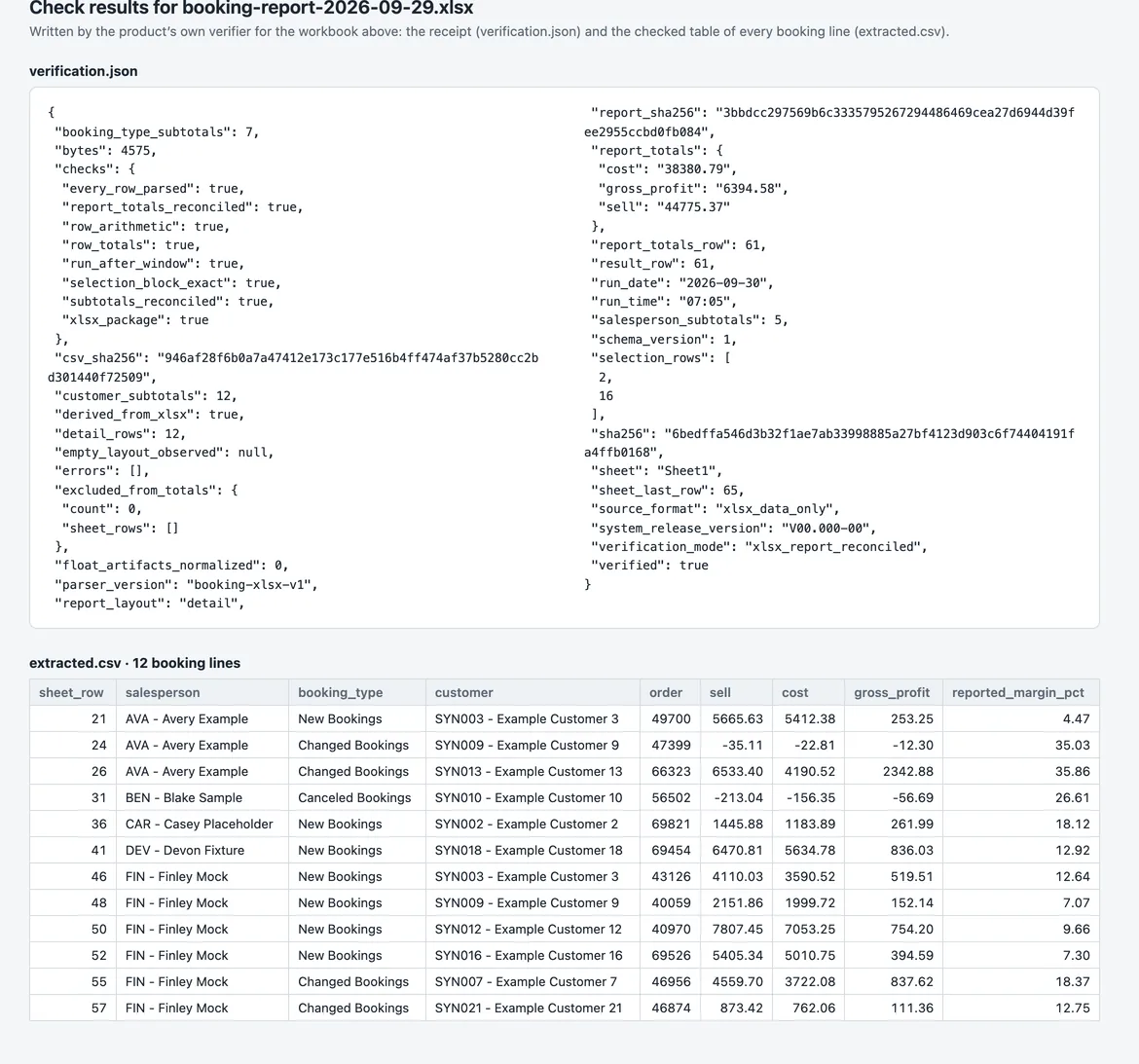
A report is kept only when its lines add up to the report’s own printed totals to the cent. The full history back to January 2009 was verified the same way.
03
The company’s own cloud
Storage sits in Create Spaces’ own AWS account, blocked from public access, with health alarms, a spending alert and an activity log.
04
Ask in your own ChatGPT
Each person connects their own ChatGPT through a read-only connection, switched on in October 2026. The connection returns every figure with the report row it came from and has no way to change the data.
05
See the business
A dashboard opens on the latest day, then bookings, gross profit and margin by salesperson for the latest day, the last 7 days, the month so far or all saved history, the original Excel rows, and a calendar of every day received.
At a glance / simplified product view
01Business-system report
02Verified daily export
03Dashboard and ChatGPT answers
The dashboard
Yesterday’s bookings, then any period, without opening a report.
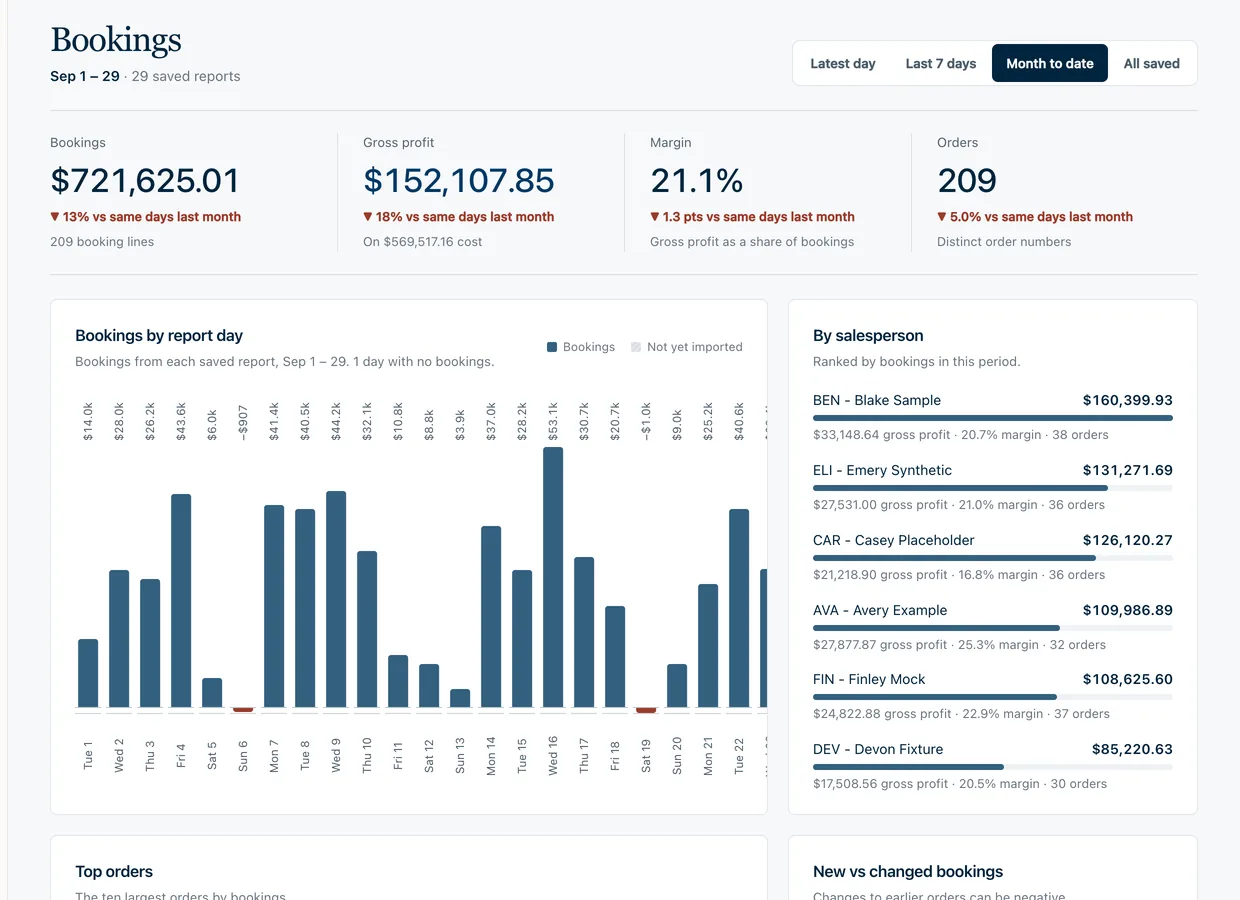
The dashboard opens on the latest report day in one paragraph of figures, then shows bookings, gross profit, margin and orders for the latest day, the last seven days, the month so far or everything saved, ranked by salesperson.
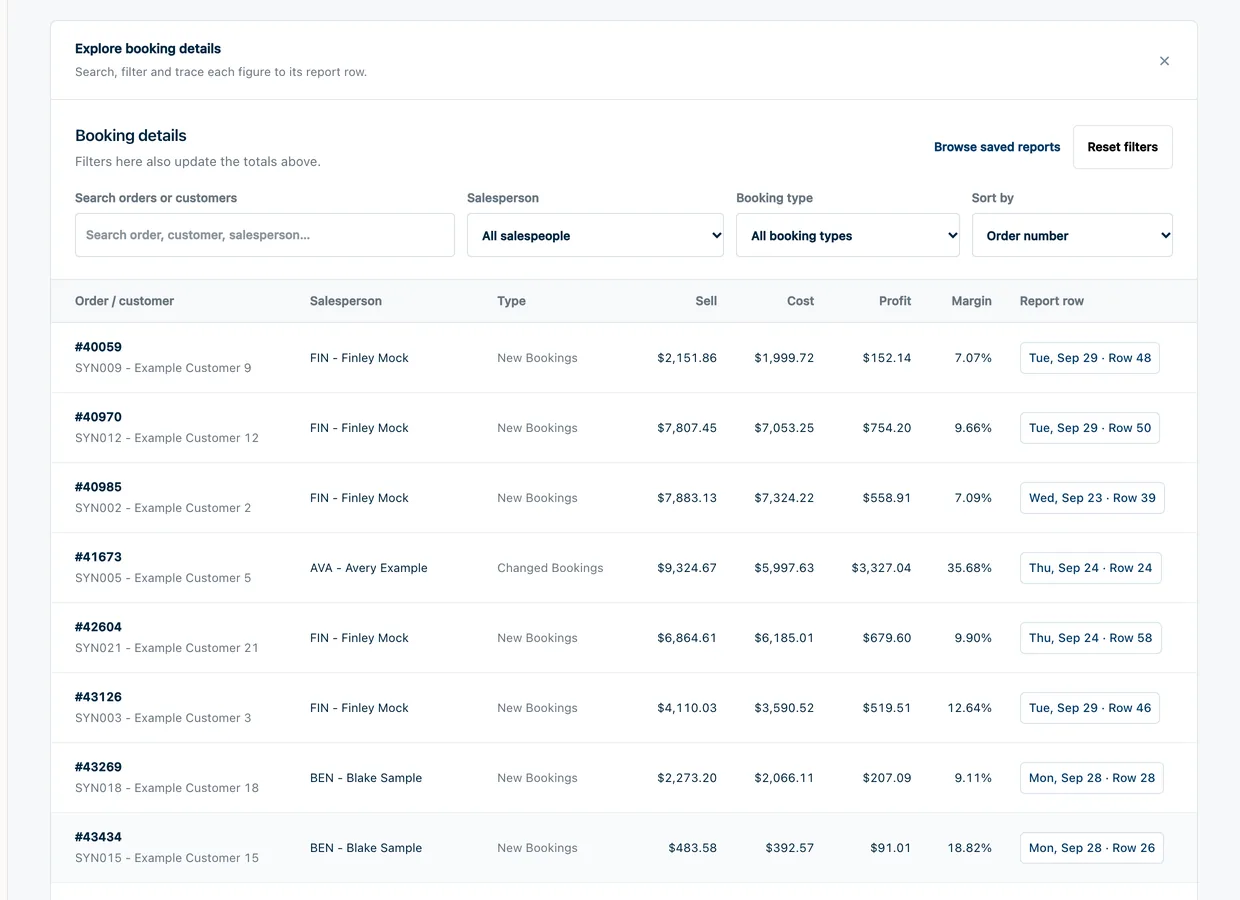
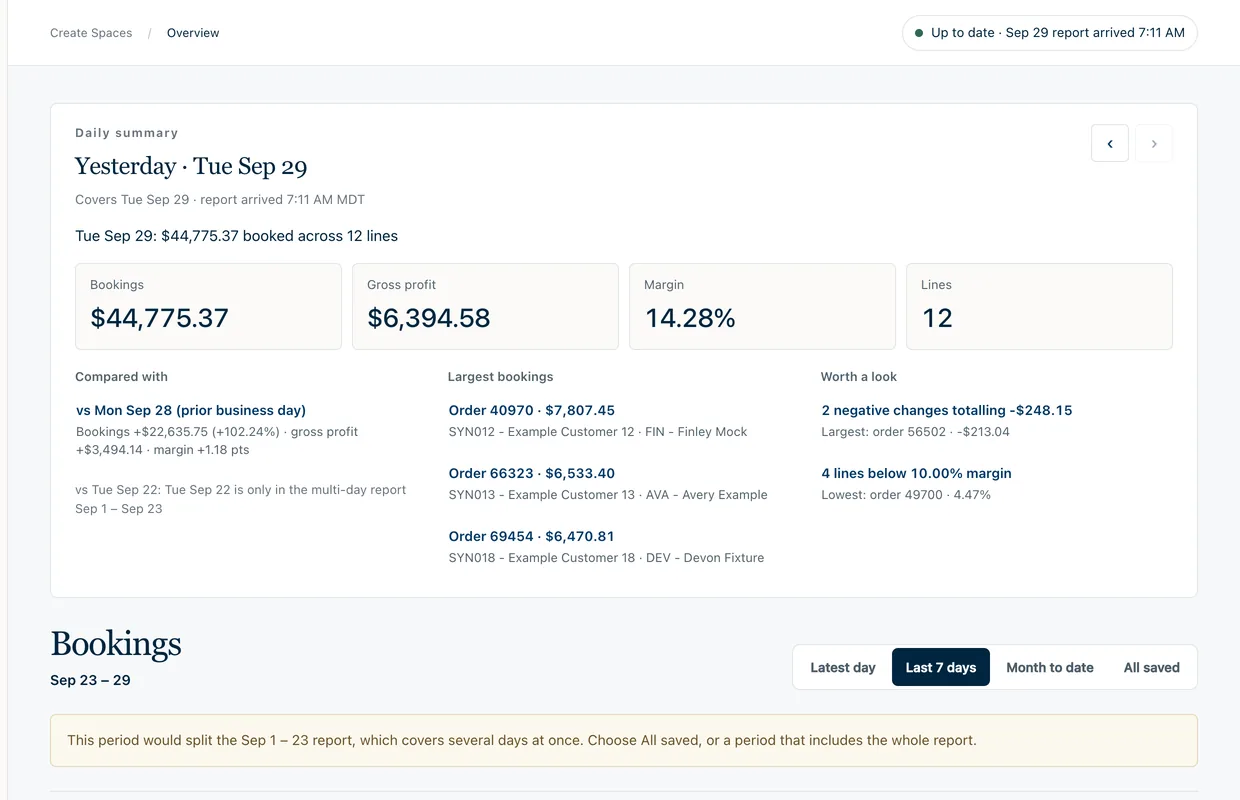
The morning viewYesterday’s summary with its largest bookings and what is worth a look, above the totals for the chosen period. Local run of the product’s own code with invented bookings in the report’s exact format.The month so farMonth to date: the four totals against the same days last month, bookings by report day and the salespeople ranked. Local run of the product’s own code with invented bookings in the report’s exact format.Every booking, searchableBooking details with search, salesperson, booking type and sort; each line ends with the report day and row it came from. Local run of the product’s own code with invented bookings in the report’s exact format.It says what it cannot answerAsked for a period that would split a multi-day report, the page declines and says why instead of showing a partial total. Local run of the product’s own code with invented bookings in the report’s exact format.
Sources
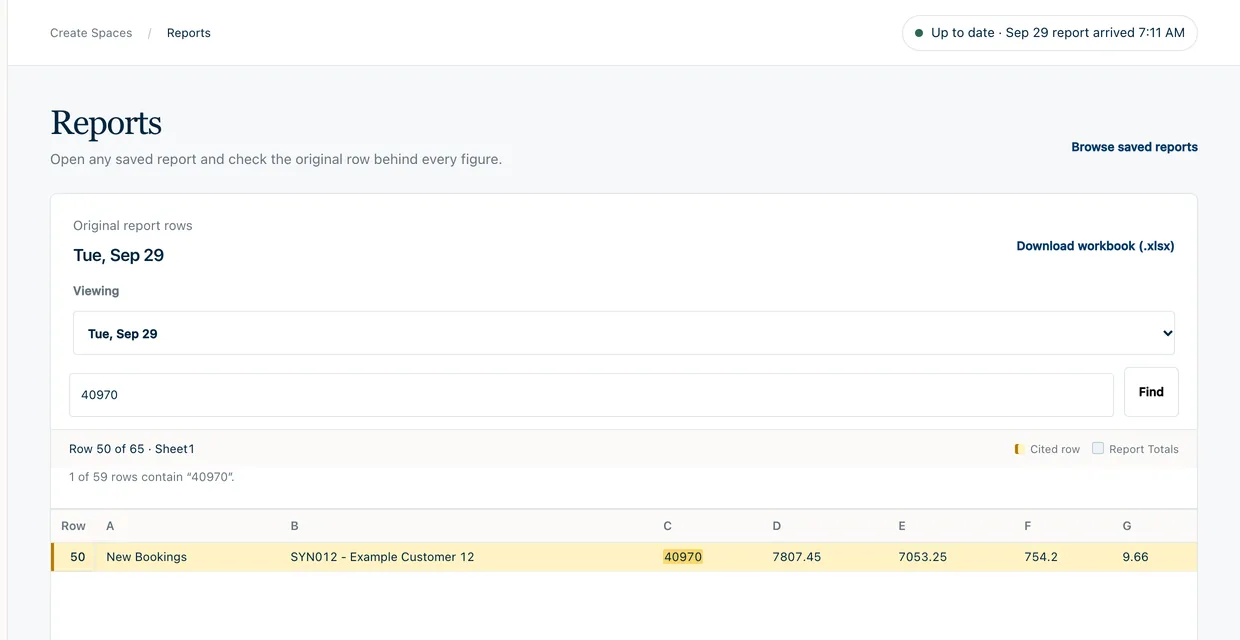
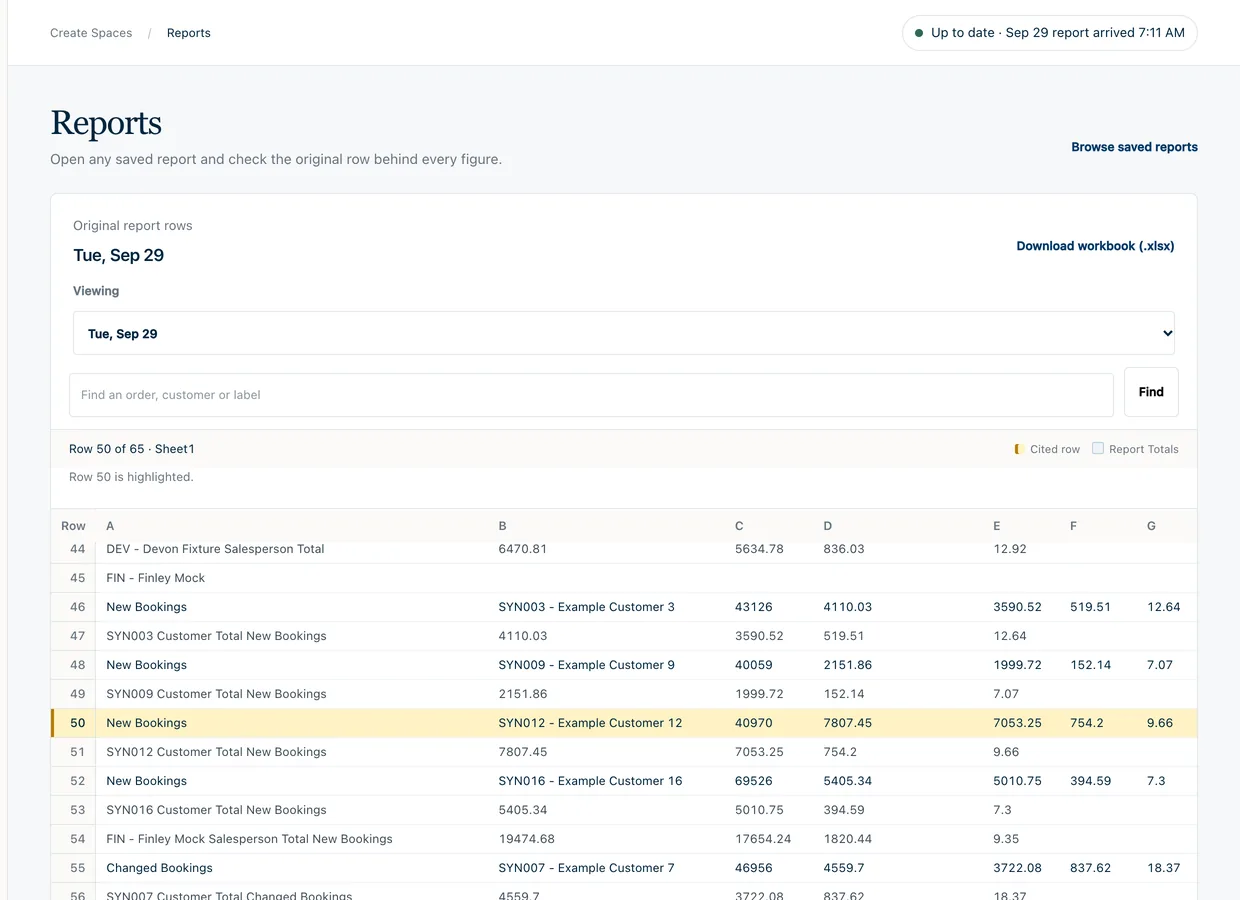
Every figure opens the Excel row it came from.
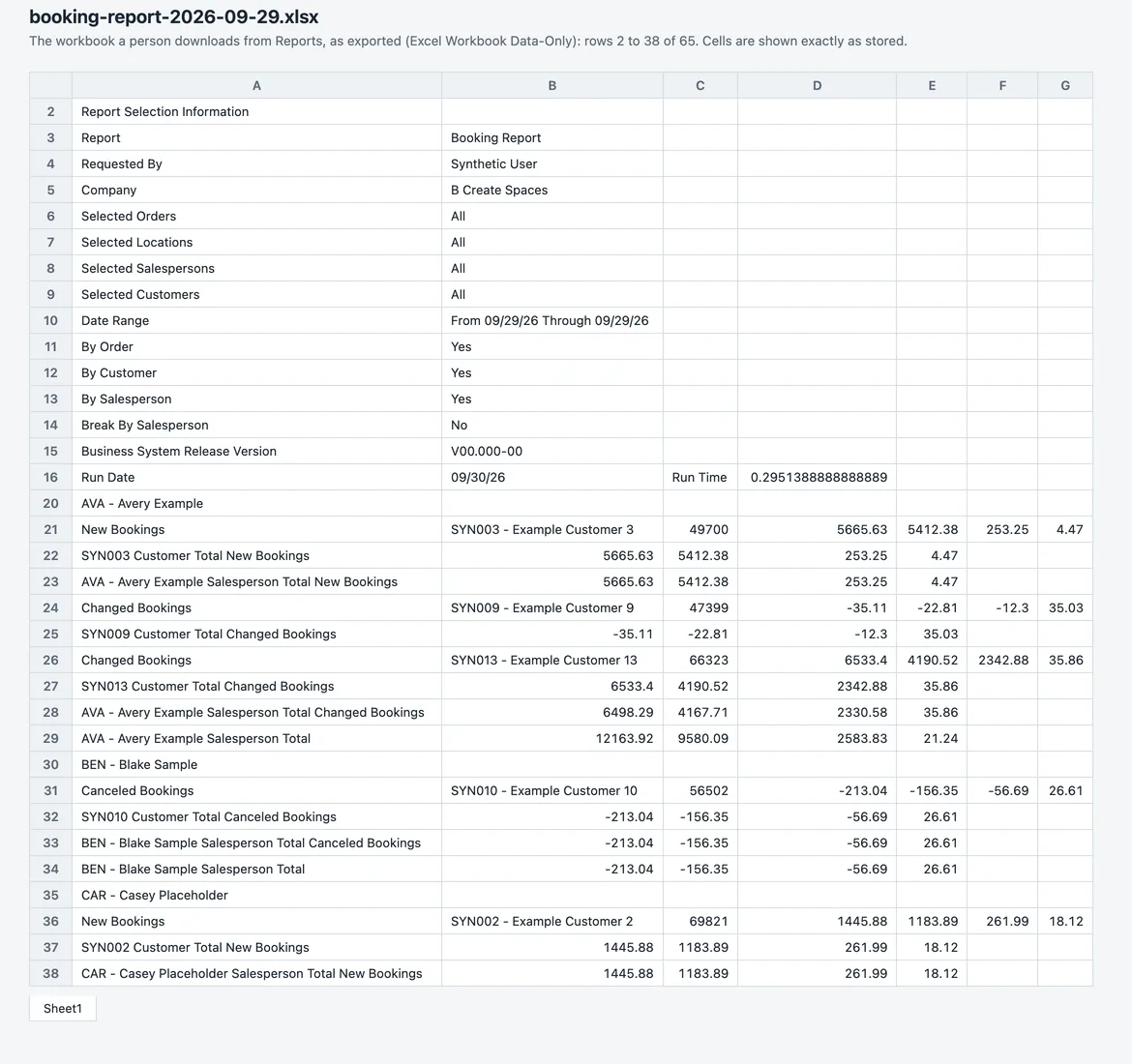
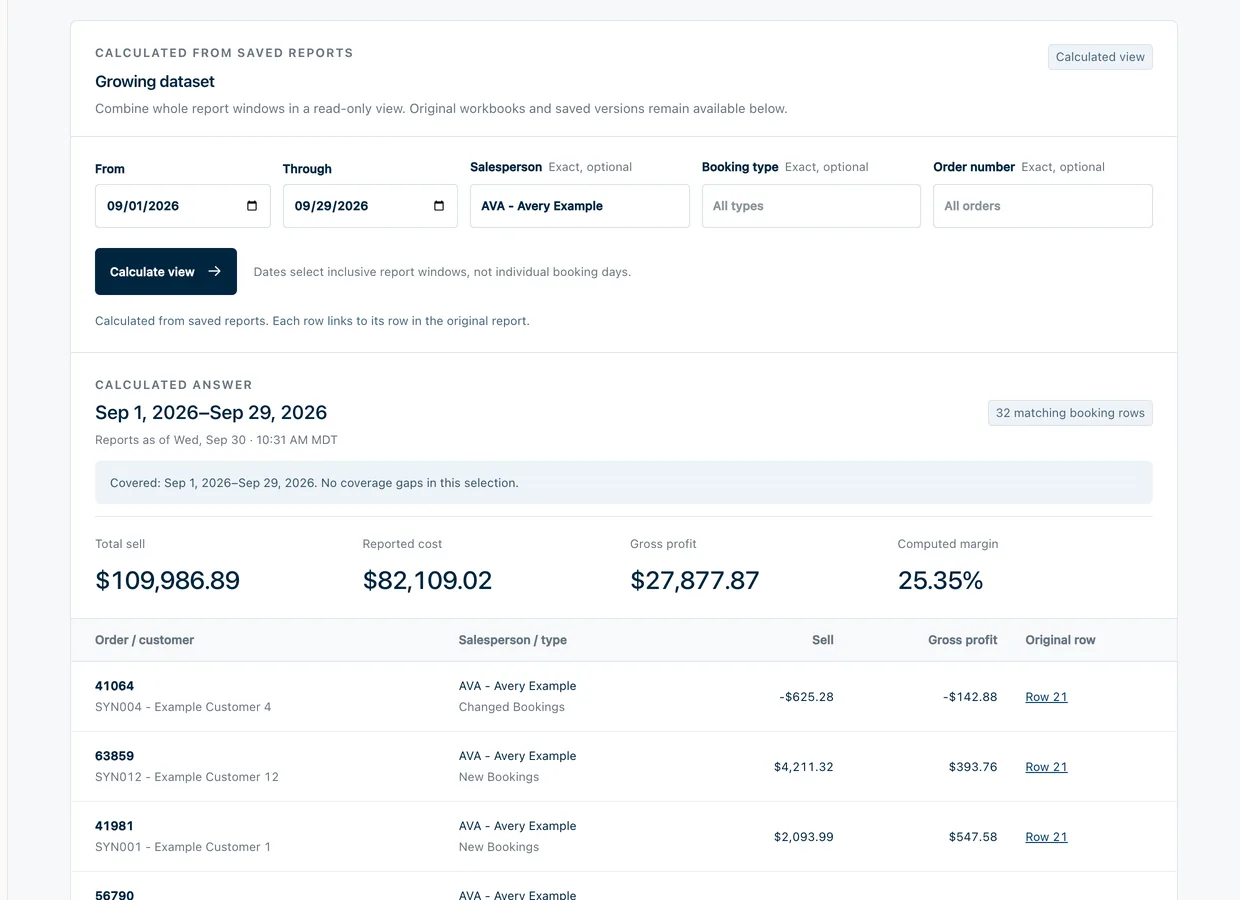
Nothing on the dashboard is a number on its own. A figure links to its line in the saved report, shown exactly as it was exported, and the original workbook can be downloaded.
From a figure to its rowThe largest booking on the Overview, opened in Reports: the row is found and highlighted in the original report. Local run of the product’s own code with invented bookings in the report’s exact format.The row among its neighboursThe same row in place, with the customer totals and salesperson totals around it as the report printed them. Local run of the product’s own code with invented bookings in the report’s exact format.The workbook itselfOne exported workbook as a table: the selection block that records how the report was run, then the bookings grouped by salesperson. A plain render of the file’s cells. Local run of the product’s own code with invented bookings in the report’s exact format.A calculated view across reportsA view calculated over whole saved reports for one salesperson and one month, each line linked to its original row. Local run of the product’s own code with invented bookings in the report’s exact format.
Collection
An agent collects the report; every file is checked before it is kept.
First supervised run passed every check · the daily schedule is being proven run by run
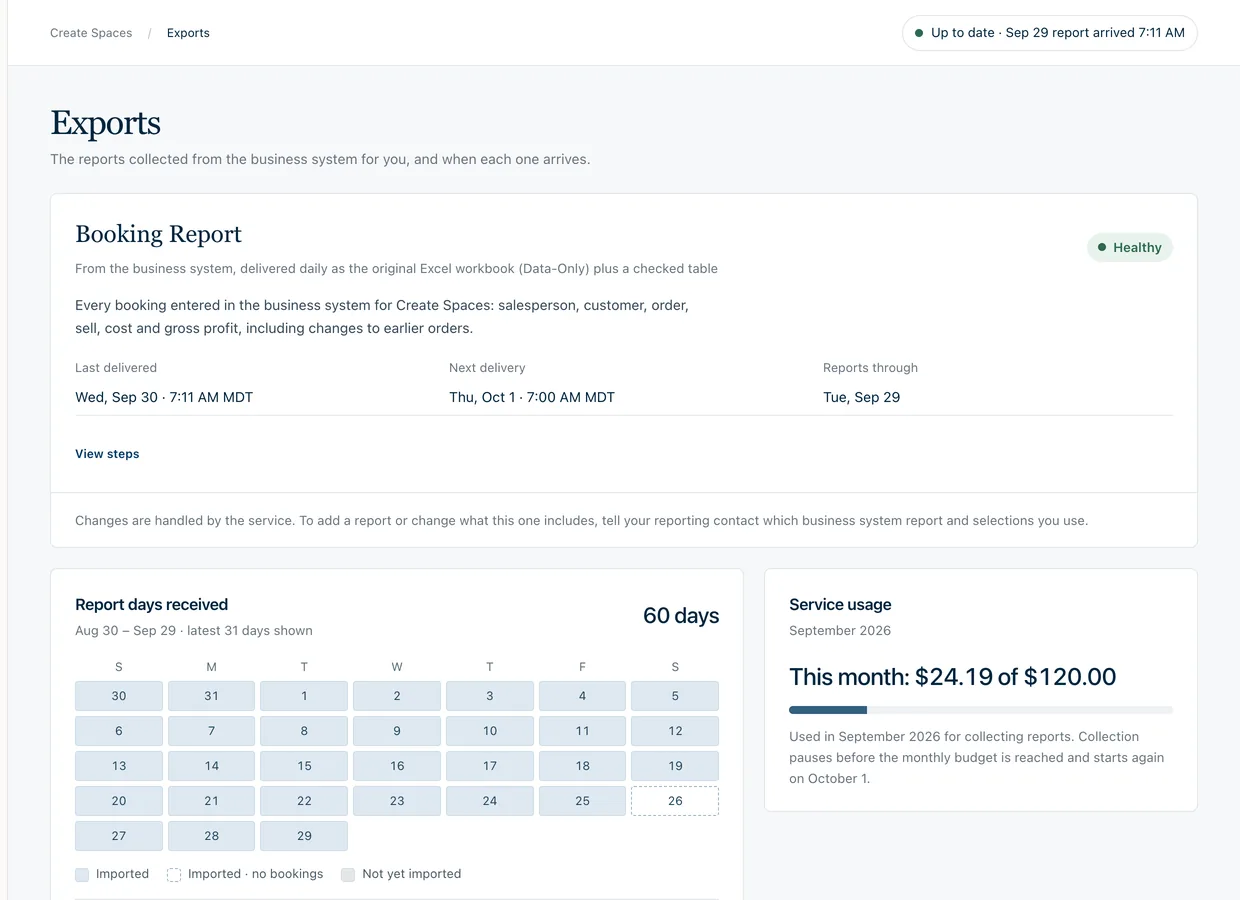
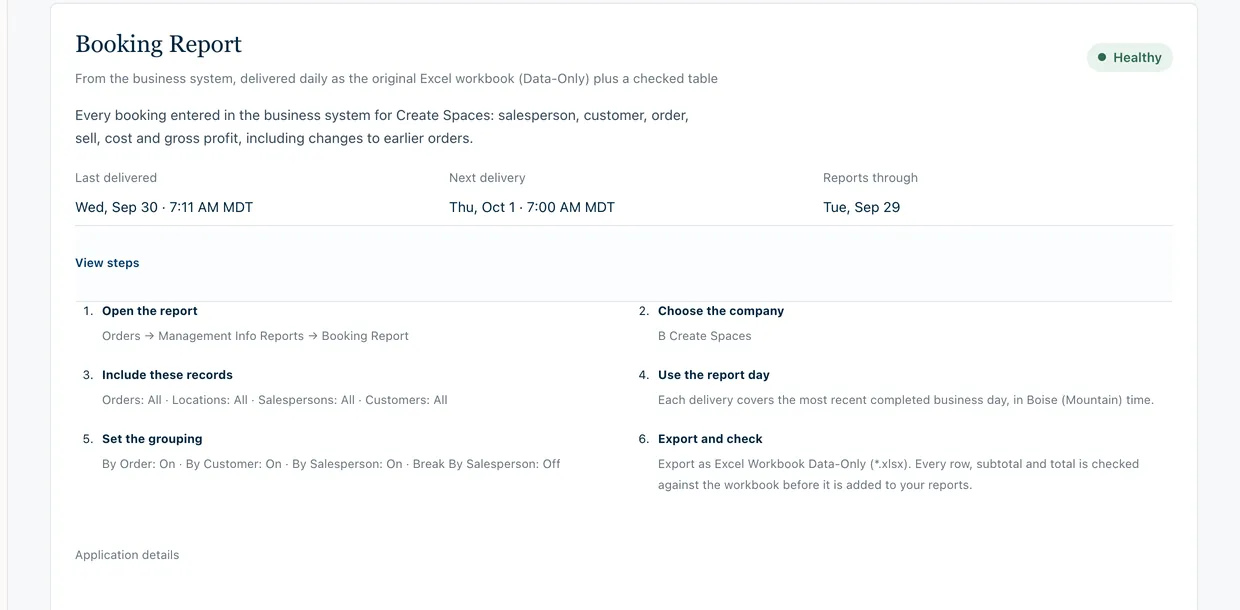
An AI agent with its own cloud computer is set to open the business system each morning and export the previous day’s report. The Exports page shows what is collected, when it last arrived and when the next one is due, and each file is kept only if its lines add up to the report’s own printed totals.
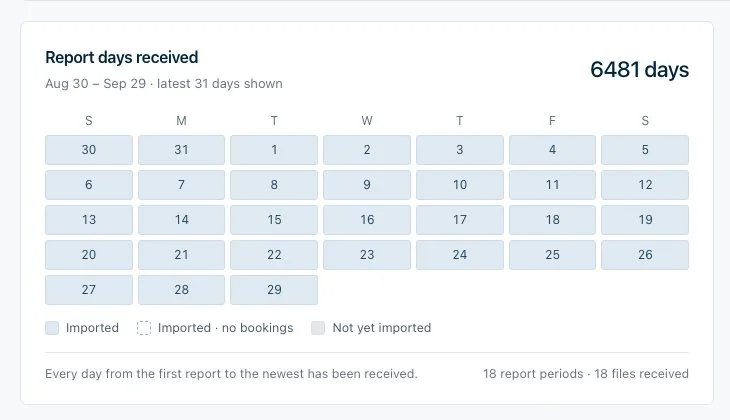
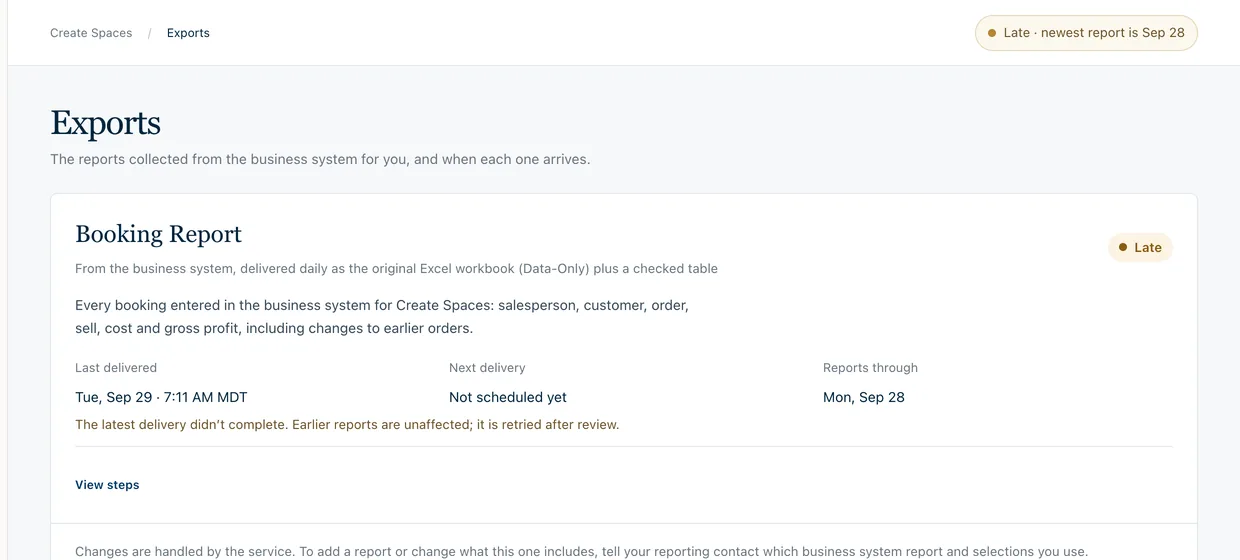
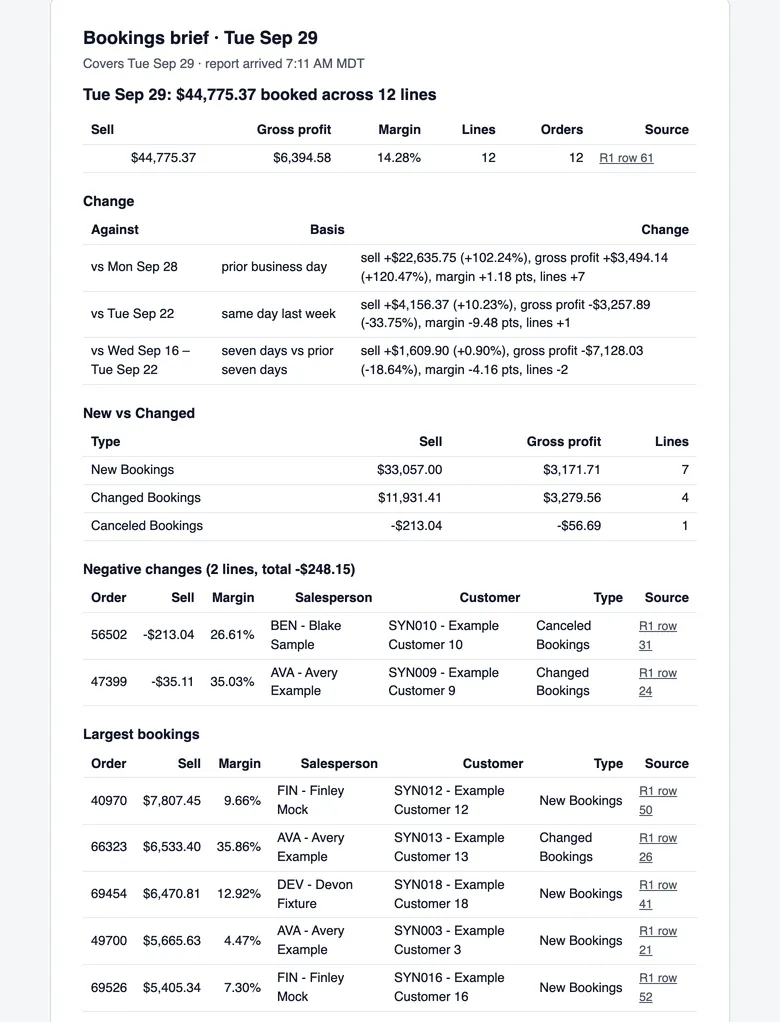
What is collected, and whenThe report being collected, its health, the last and next delivery, the days received and the month’s service cost against its budget. Local run of the product’s own code with invented bookings in the report’s exact format. The calendar of real report days is an existing capture of the live dashboard and shows no figures.The steps the agent followsThe six steps written out for the people who rely on the report: which report, which records, which day, how it is grouped, and that it is exported and checked. Local run of the product’s own code with invented bookings in the report’s exact format. The calendar of real report days is an existing capture of the live dashboard and shows no figures.The check each file must passThe receipt written for one workbook: its fingerprints, row and subtotal counts, the report’s printed totals, and eight checks that must all be true, above the checked table of its booking lines. Local run of the product’s own code with invented bookings in the report’s exact format. The calendar of real report days is an existing capture of the live dashboard and shows no figures.Every day receivedReport days received on the live dashboard: the latest 31 days on a calendar, beside the count of every day received since January 2009. An existing capture; it shows coverage, not figures. Local run of the product’s own code with invented bookings in the report’s exact format. The calendar of real report days is an existing capture of the live dashboard and shows no figures.When a delivery failsA failed delivery is stated in plain words: the newest report is late, earlier reports are unaffected, and it is retried after review. Local run of the product’s own code with invented bookings in the report’s exact format. The calendar of real report days is an existing capture of the live dashboard and shows no figures.The one-page morning briefThe brief built from the same saved reports: the day’s totals, the change against earlier days, new against changed bookings and the largest bookings, each with its source row. Local run of the product’s own code with invented bookings in the report’s exact format. The calendar of real report days is an existing capture of the live dashboard and shows no figures.
The ChatGPT connection
Each person asks in their own ChatGPT; the connection can only read.
The connection gives ChatGPT a small set of read-only tools over the saved reports. Every answer carries the report, sheet and row behind each figure, and a request without a valid company sign-in is refused before any data is read.
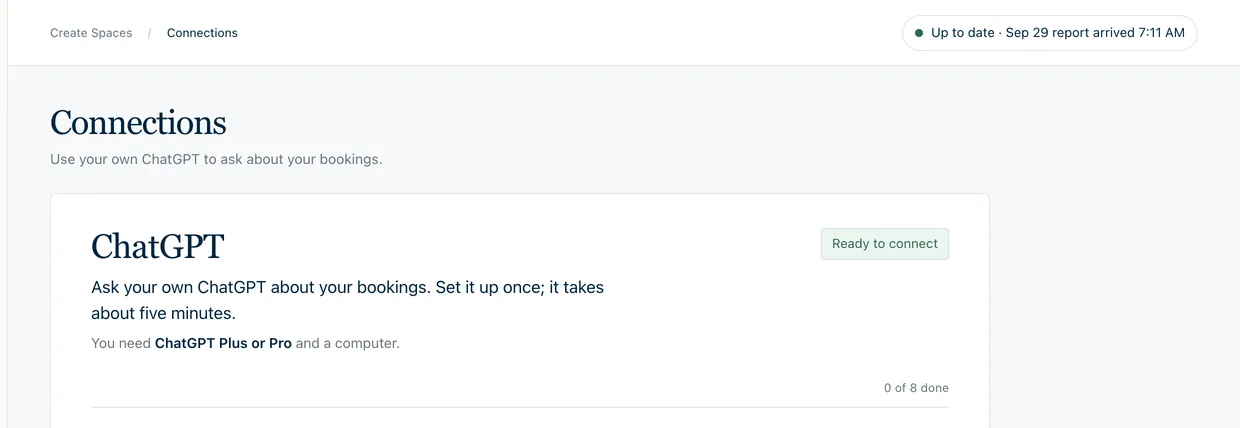
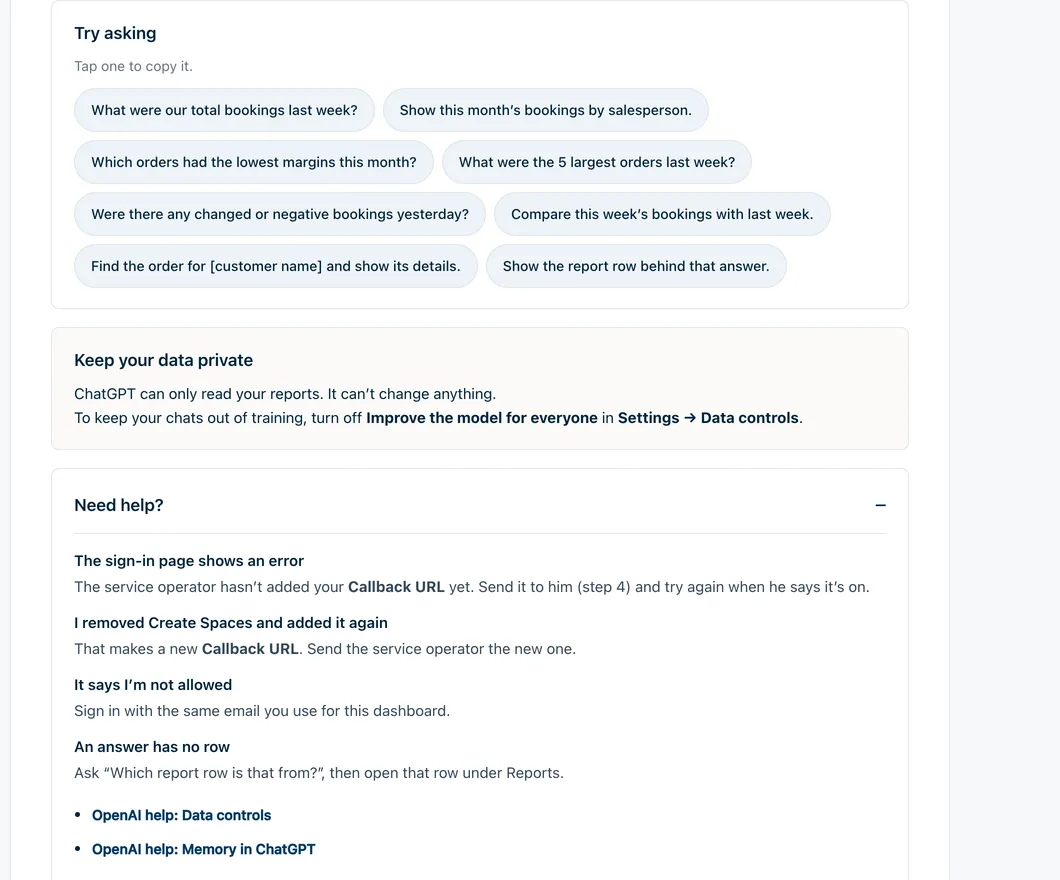
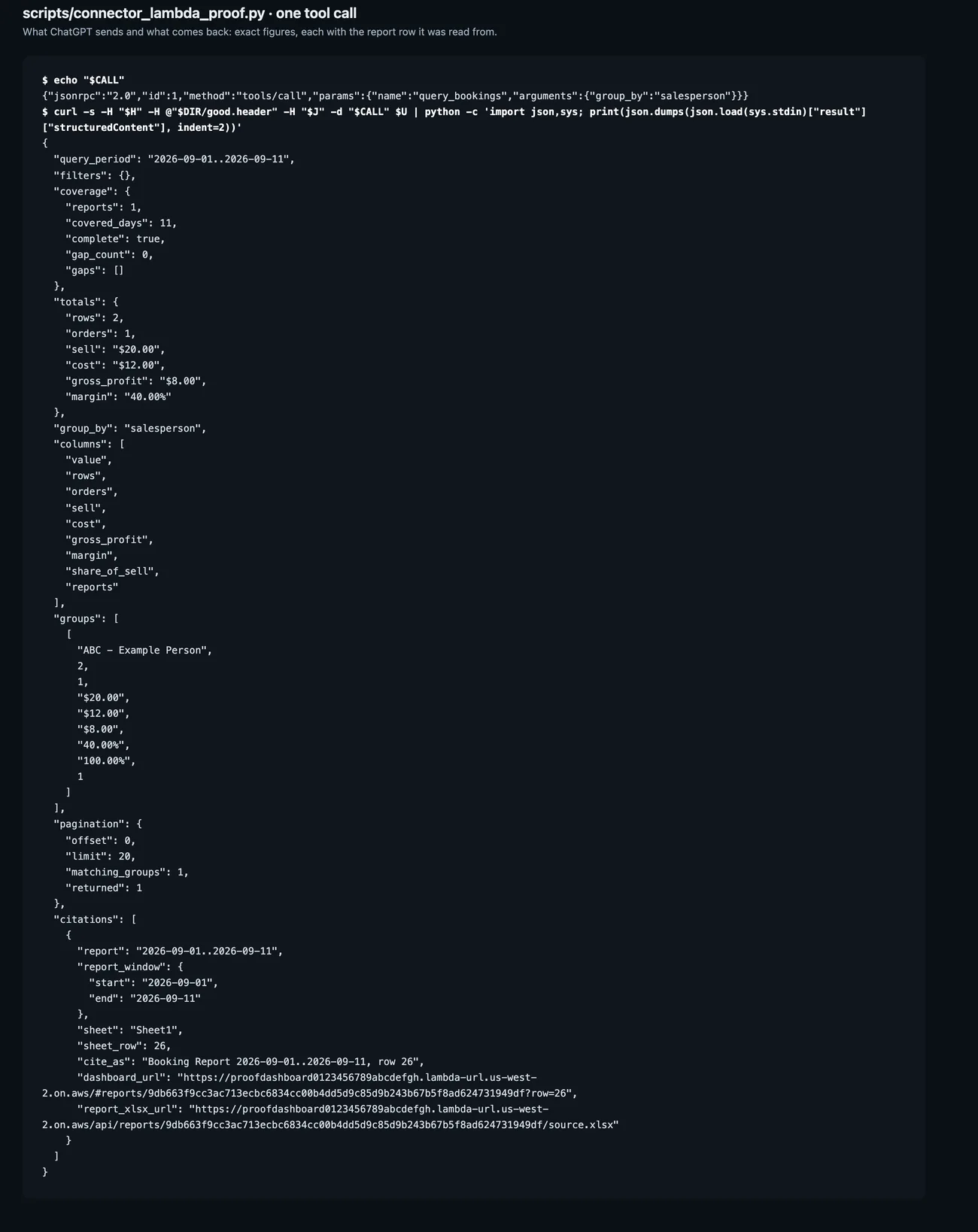
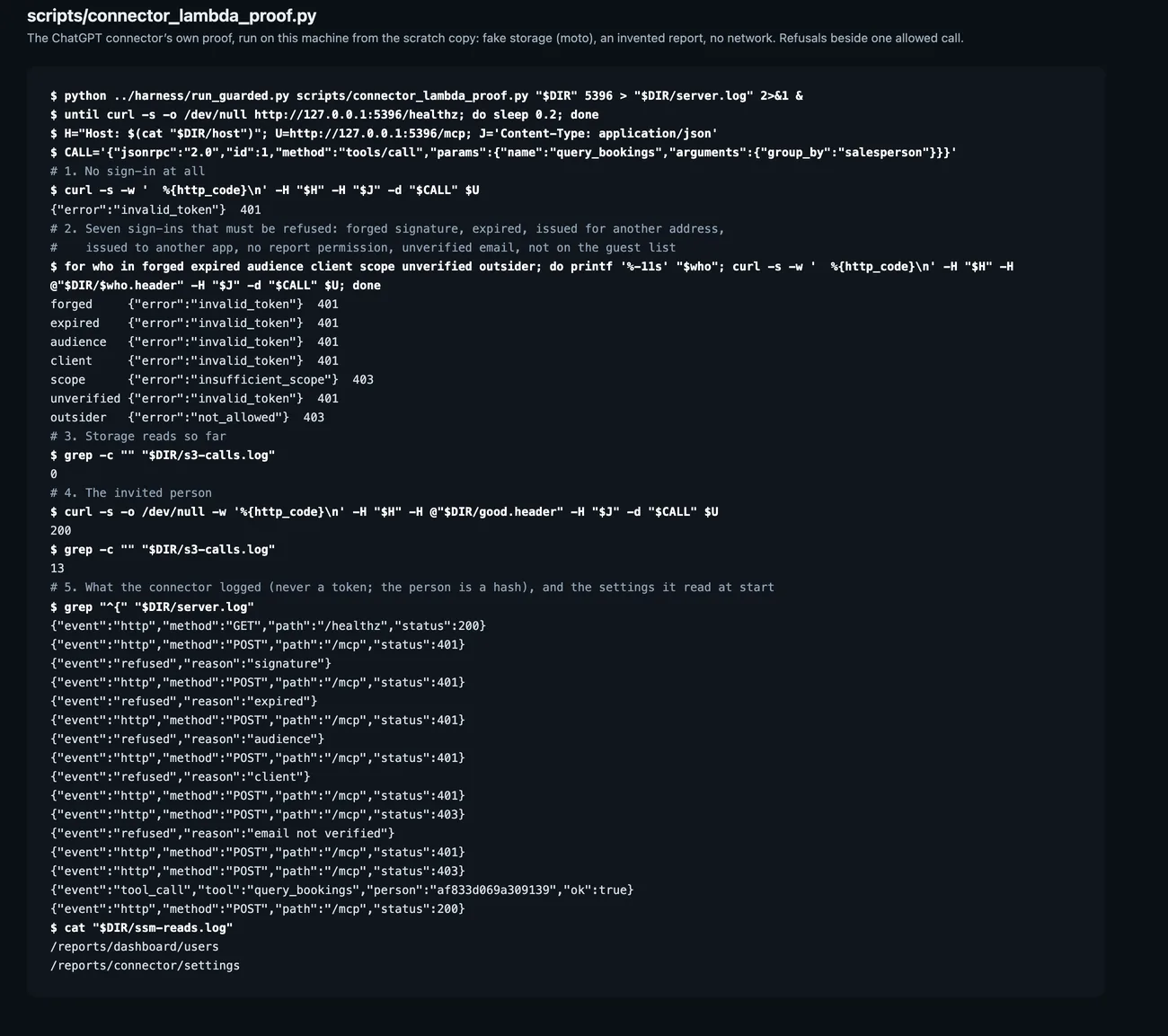
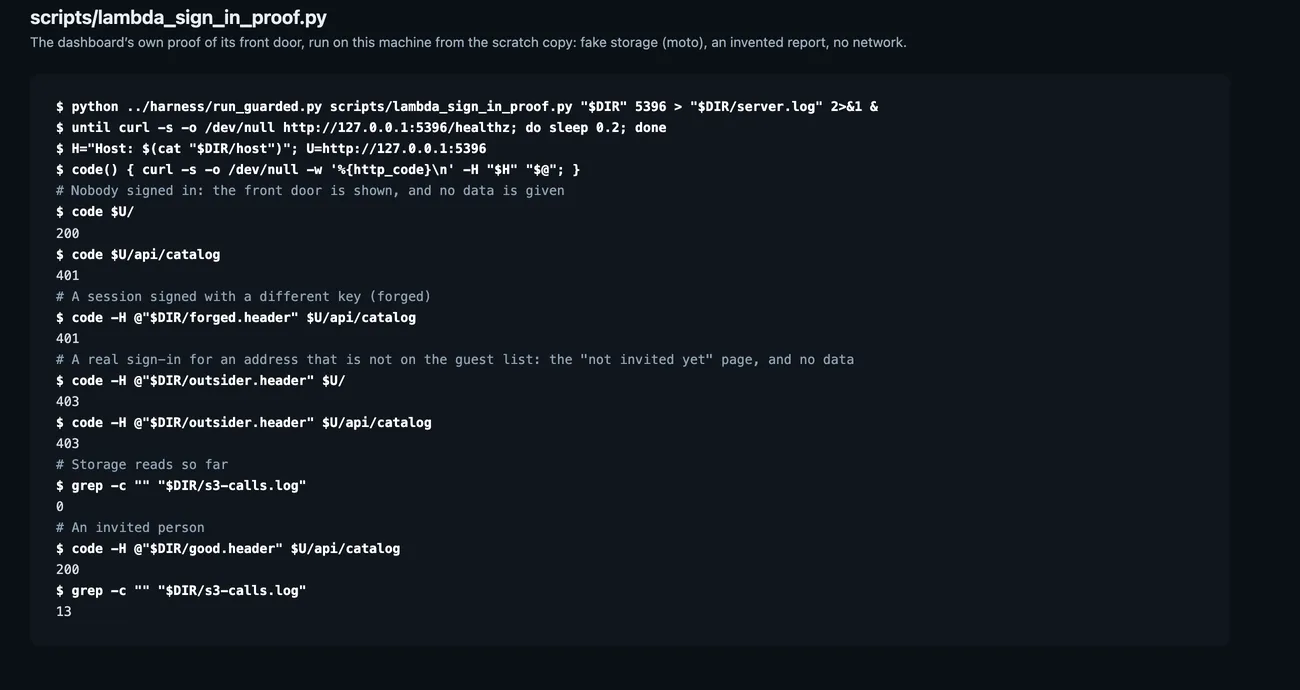
Set-up, written for the person doing itThe Connections page: what is needed, how long it takes, before the eight numbered steps, which are ticked off as they are done. Local run of the product’s own code with invented bookings in the report’s exact format. The terminal pictures are the product’s own proof scripts run on this machine against stand-in storage; no AI answer is shown.Questions to try, and how to stay privateEight questions to copy, a plain statement that ChatGPT can only read, how to keep chats out of training, and answers to the usual set-up problems. Local run of the product’s own code with invented bookings in the report’s exact format. The terminal pictures are the product’s own proof scripts run on this machine against stand-in storage; no AI answer is shown.One question, as the connection answers itA tool call as ChatGPT would send it and what comes back: the period covered, exact totals, one group per salesperson, and a citation naming the report, sheet and row. Local run of the product’s own code with invented bookings in the report’s exact format. The terminal pictures are the product’s own proof scripts run on this machine against stand-in storage; no AI answer is shown.What it refusesThe same proof run: no sign-in, a forged or expired sign-in, the wrong app and an uninvited person are each refused, and storage is not read until an invited person asks. Local run of the product’s own code with invented bookings in the report’s exact format. The terminal pictures are the product’s own proof scripts run on this machine against stand-in storage; no AI answer is shown.
Access and operation
Private to the company, with the controls kept for the operator.
The reports sit behind a company sign-in that admits only invited addresses. The schedule, the monthly budget and the pause switch are shown to the service operator alone.
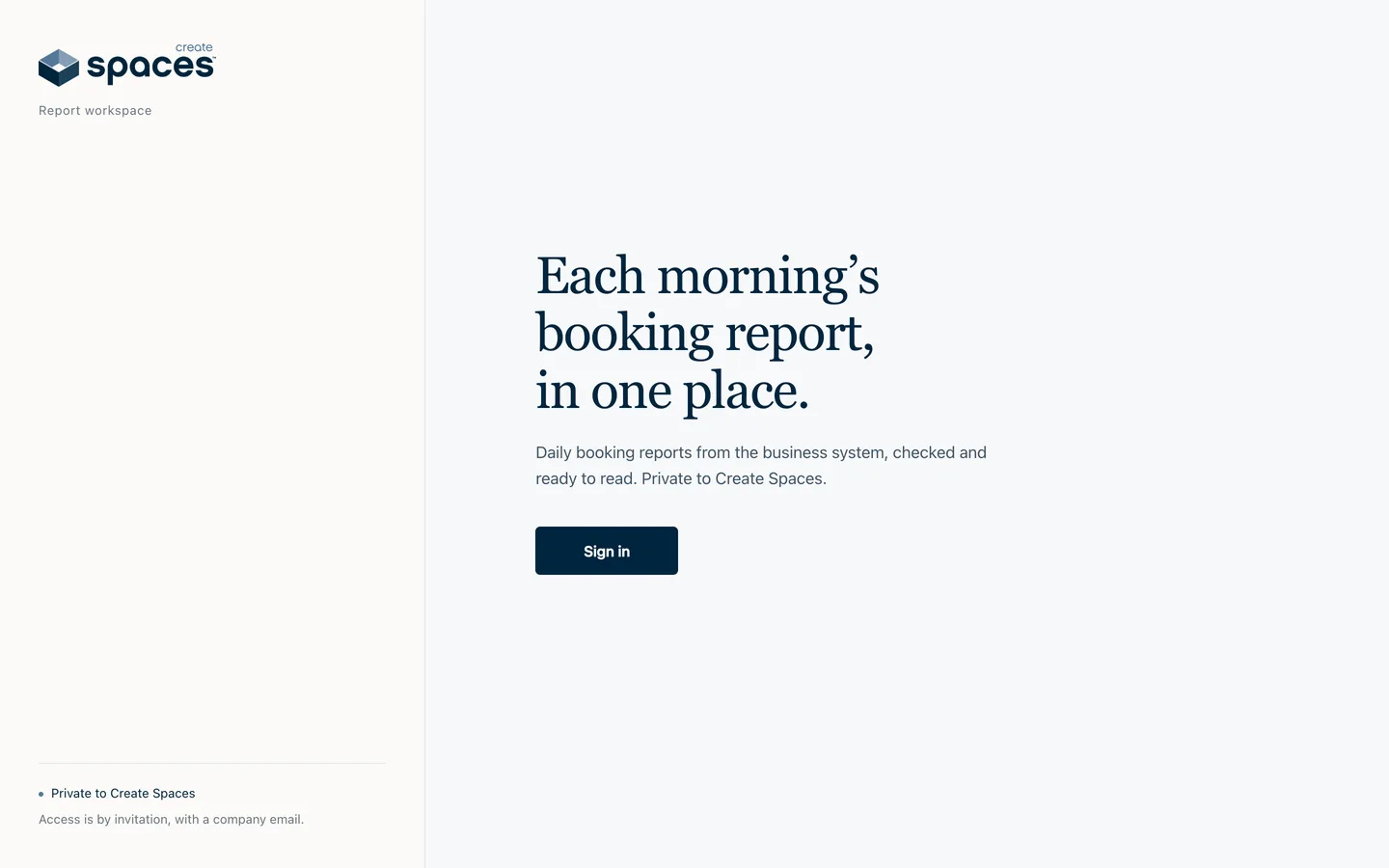
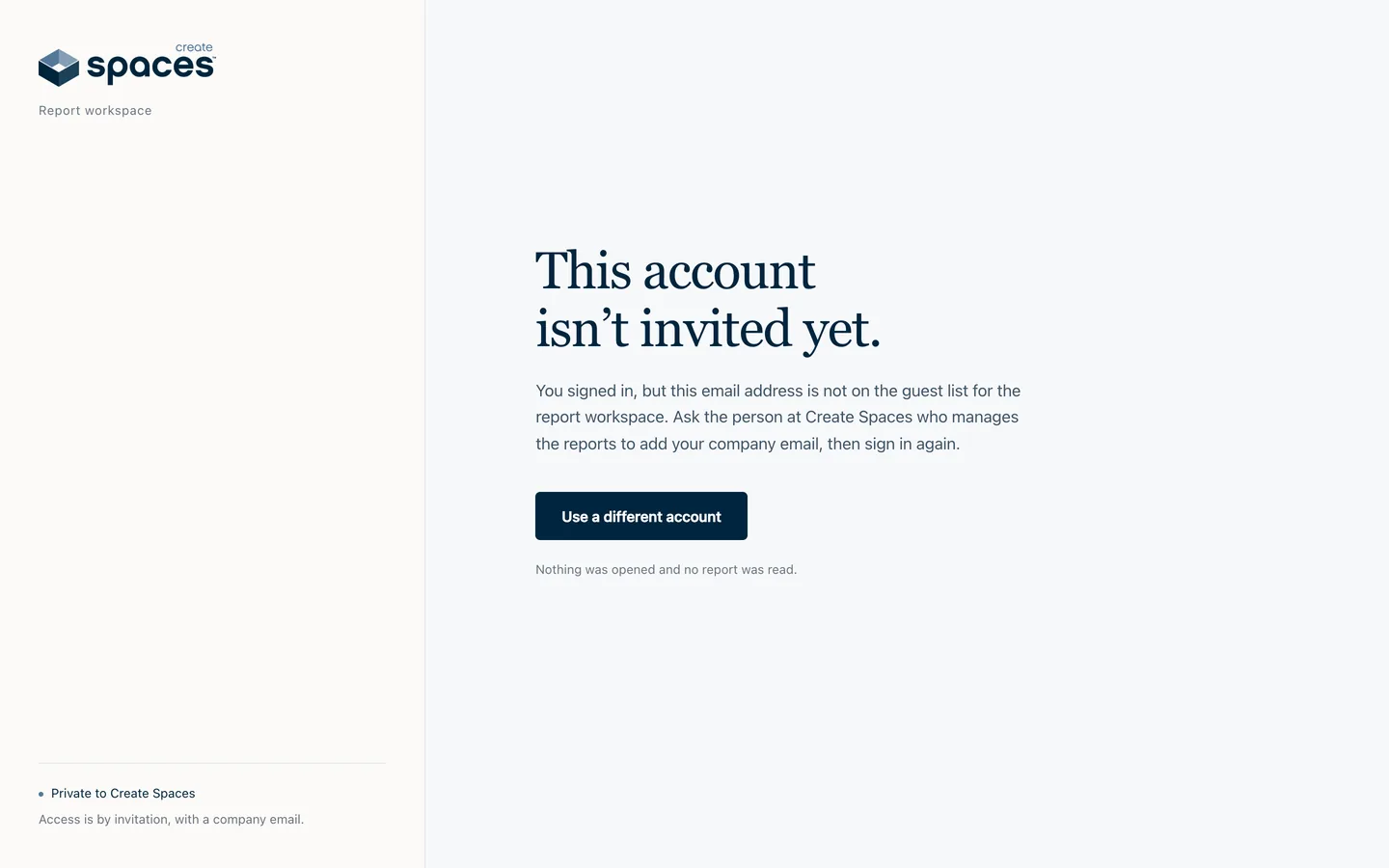
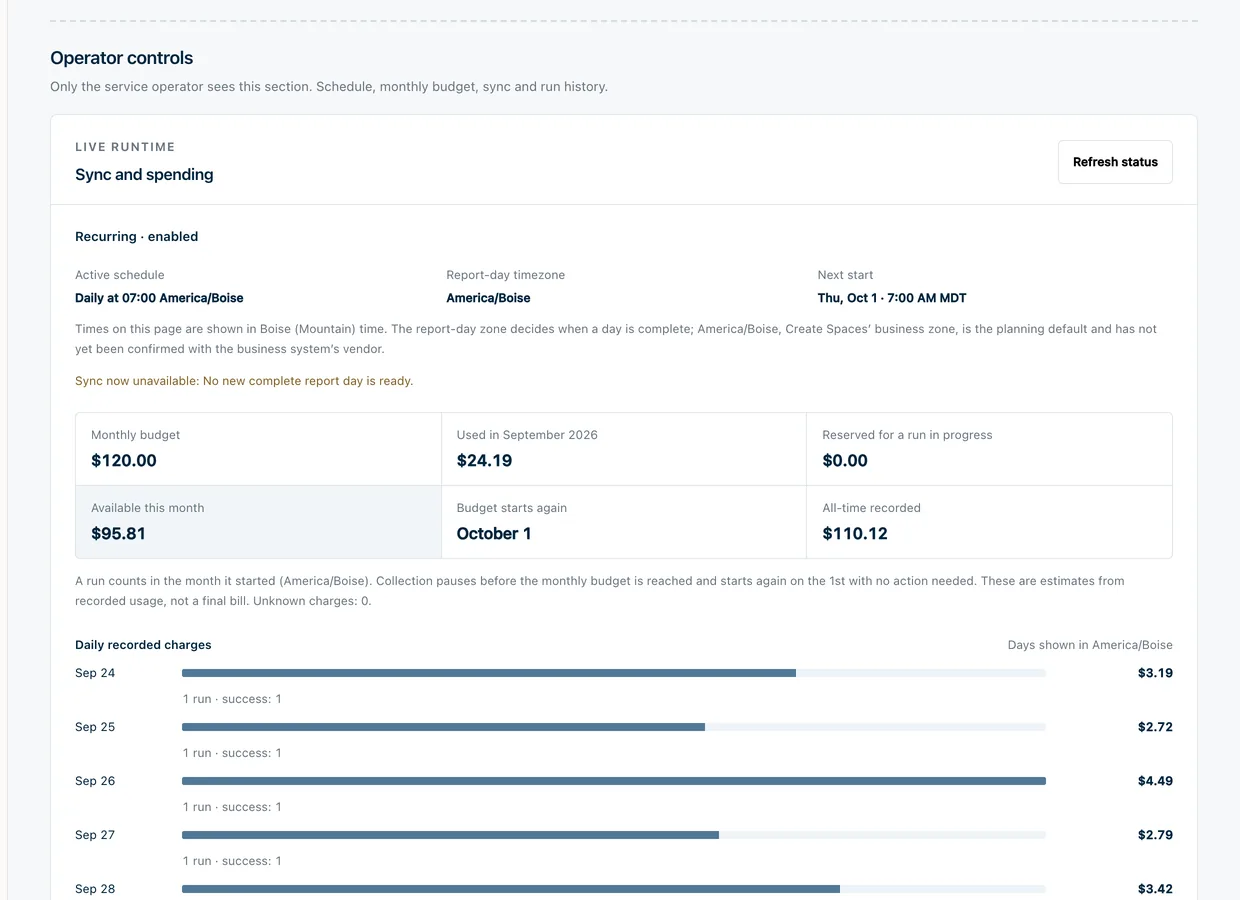
The front doorWhat anyone without a sign-in sees: one sentence about what this is, and that access is by invitation. Local run of the product’s own code with invented bookings in the report’s exact format.Not invited yetA real sign-in from an address that is not on the guest list is told so, and that nothing was opened. Local run of the product’s own code with invented bookings in the report’s exact format.The front door, provenThe dashboard’s own proof script: the front door answers, data without a session or with a forged one is refused, an outsider is refused, and storage is read only once an invited person asks. Local run of the product’s own code with invented bookings in the report’s exact format.The operator’s controlsThe operator’s local console: the active schedule and next start, the monthly budget with what is used and what remains, and the day-by-day cost of each run. Local run of the product’s own code with invented bookings in the report’s exact format.
Engineering choices
The decisions behind the interface.
01
Verify before keeping.
A new report replaces nothing until its rows reconcile with the report’s printed totals. A failure keeps the last good data in place and raises an alert.
02
Point every answer at its row.
The ChatGPT connection is read-only and returns the Excel row behind each figure, so an answer can be checked against the source.
More than 1,200 automated tests cover the export, verification, dashboard and connection. The dashboard and the ChatGPT connection went live on 1 October 2026; the daily schedule is the remaining rollout step.
Where it stands
Live, and still rolling out.
The verified history, the dashboard and the ChatGPT connection are live on the company’s own AWS account, behind a company sign-in. The daily schedule is being proven run by run.